


WordPress migration SEO work ensures search engines keep indexing the right URLs after a host change, domain switch, or platform move. Rankings do not drop because you migrated — they drop because URLs changed without redirects, HTTPS broke, the sitemap disappeared, or Google spent two weeks crawling a staging copy you forgot to noindex.
Run this checklist alongside the technical WordPress migration checklist. Same-domain host moves need the short version. Domain or URL structure changes need every item.
Same-domain host migration: SEO essentials
When only the server changes and URLs stay identical, SEO risk is low but not zero.
Before migration
- [ ] Export current XML sitemap URL and save a copy of top-ranking pages (Search Console → Performance → Pages, last 3 months)
- [ ] Document indexed URL count in Search Console
- [ ] Note current Core Web Vitals status — new host should match or improve speed
- [ ] Confirm staging/temporary URL is blocked from indexing (`noindex` or HTTP auth)
- [ ] Export existing redirect rules (Redirection plugin, .htaccess, Rank Math redirects)
After migration
- [ ] All pages return HTTP 200 (or correct 301 if redirects exist) — not 404, 502, or redirect loops
- [ ] HTTPS works on every page without mixed content warnings
- [ ] Canonical tags point to the correct production URL (view source on 5 key pages)
- [ ] XML sitemap loads at expected URL and lists correct URLs
- [ ] robots.txt allows crawling of public content
- [ ] Structured data validates (Google Rich Results Test on 2–3 templates)
- [ ] Search Console shows no spike in "Not found (404)" or "Server error (5xx)" within 7 days
- [ ] Page speed equal or better — run PageSpeed Insights on homepage and a content page
No Search Console property change needed for same-domain host moves. Google recrawls the new IP automatically.
Domain change or URL structure change: full SEO checklist
When the domain changes or permalinks change (e.g., `/post`/ → `/post`), every item below is mandatory.
Pre-migration: URL mapping
- [ ] Crawl current site (Screaming Frog, Sitebulb, or Search Console export) — full URL list
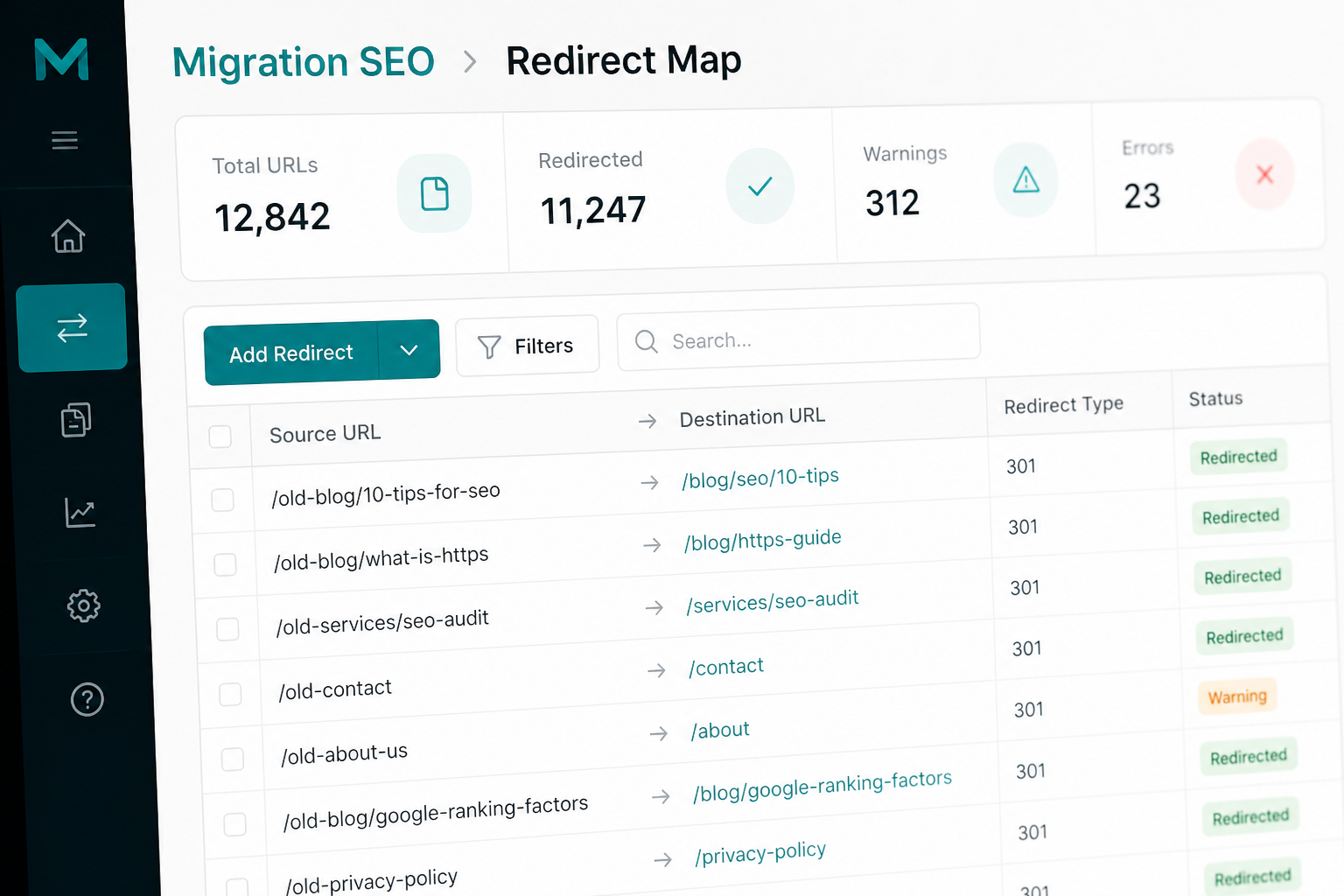
- [ ] Map every indexed URL to its new URL (spreadsheet: old URL → new URL → redirect type)
- [ ] Identify URLs with no equivalent (retired pages) — decide 410 vs 301 to closest page
- [ ] Check backlinks to top 50 URLs (Ahrefs, Semrush, or Search Console Links report) — prioritize redirect accuracy
- [ ] Document meta titles, descriptions, and H1s on top traffic pages (sanity check after rebuild)
Redirect implementation
- [ ] 301 redirects (permanent) for every changed URL — not 302
- [ ] Redirect chain length ≤ 1 hop (old → new, not old → interim → new)
- [ ] Homepage, top landing pages, and blog posts tested with redirect checker tool
- [ ] WWW vs non-WWW policy enforced (pick one, 301 the other)
- [ ] HTTP → HTTPS enforced via 301
- [ ] Trailing slash policy consistent with old site
- [ ] Pagination URLs handled (`/page/2/` etc.)
- [ ] Media file URLs redirected if path changed (or files copied to identical paths)
Implementation options: Redirection plugin, Rank Math redirects, .htaccess (Apache), nginx config, Cloudflare bulk redirects.
Deep guide: change WordPress domain without losing SEO.
WordPress-specific SEO settings
- [ ] Settings → General: WordPress Address and Site Address updated
- [ ] Serialization-safe search-replace for old domain in database
- [ ] Permalinks flushed (Settings → Permalinks → Save)
- [ ] SEO plugin (Yoast, Rank Math, SEOPress) settings updated — sitemap URL, social URLs, schema org URL
- [ ] Google Analytics / GA4 property updated or cross-domain tracking configured
- [ ] Google Tag Manager container updated if domain hard-coded
Search Console and Bing
- [ ] Add new domain property in Google Search Console
- [ ] Verify new property (DNS TXT or HTML file)
- [ ] Submit new XML sitemap
- [ ] Use "Change of Address" tool if moving from old domain to new domain (Settings → Change of Address in old property)
- [ ] Repeat for Bing Webmaster Tools
- [ ] Monitor "Page indexing" report daily for first 2 weeks
Decommission old domain
- [ ] Old domain returns 301 to new domain (every URL) — not 200 with duplicate content
- [ ] Old domain sitemap removed or redirects to new sitemap
- [ ] Old staging copies noindexed or deleted
- [ ] Keep old domain registered and redirecting for minimum 12 months (24 is safer)
Platform migration SEO extras
When moving from Wix, Squarespace, or Webflow to WordPress:
- [ ] URL slug parity verified page by page on top 50 URLs
- [ ] Blog post dates and modified dates preserved where possible
- [ ] Image alt text migrated (platform exports often strip it)
- [ ] Internal links updated to new paths (not pointing to old platform URLs)
- [ ] Schema markup rebuilt (LocalBusiness, FAQ, Product if applicable)
Platform guides: Wix, Squarespace, Webflow.
Post-migration monitoring schedule
| Timeframe | Action |
|---|---|
| Day 1 | Verify sitemap, robots.txt, homepage canonical, HTTPS |
| Day 2–3 | Check Search Console for crawl errors; test top 20 redirects |
| Week 1 | Compare indexed page count old vs new property |
| Week 2 | Review ranking changes on top 20 queries (expect temporary fluctuation) |
| Month 1 | Full redirect audit — fix any 404s with backlinks |
| Month 3 | Evaluate if old domain redirect can remain permanent |
Temporary ranking fluctuation (positions shifting ±5) is normal for 2–4 weeks after a domain change. Sustained drops on specific URLs mean a missing or wrong redirect — fix immediately.
SEO mistakes that cause ranking drops
- Staging site left indexable — Google indexes `staging.example.com` and duplicates your content.
- 302 instead of 301 — Google treats 302 as temporary; link equity transfers slowly or not at all.
- Redirect chains — `/old-page` → `/temp-page` → `/new-page` dilutes signals and slows crawlers.
- Missing redirects for images and PDFs — these accumulate backlinks and traffic independently.
- Robots.txt blocking entire site on new host — copy-paste error from staging config.
- Slower new host — Core Web Vitals regression hurts page experience signals.
- No Change of Address in Search Console — Google takes longer to connect old and new domains.
Technical SEO verification tools
Use these after cutover (no affiliation — pick what you have):
- Google Search Console — indexing, crawl errors, sitemap status
- Screaming Frog (free up to 500 URLs) — redirect chains, canonicals, status codes
- httpstatus.io — bulk redirect testing
- Google Rich Results Test — schema validation
- PageSpeed Insights — speed regression check
When to hire SEO-aware migration help
Hire when:
- Domain change with 100+ indexed URLs
- Site receives significant organic traffic (10k+ sessions/month from search)
- Platform switch with URL structure differences
- Previous migration caused ranking drops
- You do not have redirect tooling or Search Console access
SEO-aware migrations typically add $200–$800 to base migration cost depending on URL count. See WordPress migration cost.
FAQs
Will my rankings recover after a migration dip?
If redirects are correct and the new site is equal or faster, yes — usually within 2–4 weeks for domain changes. Permanent losses indicate broken redirects or duplicate content issues.
Do I need to update backlinks manually?
No. Proper 301 redirects pass most link equity automatically. Update high-value backlinks (major publications, partner sites) manually if you want faster re-indexing of specific pages.
Should I keep the old sitemap live?
No. Redirect the old sitemap URL to the new sitemap or return 404. Submit only the new sitemap in Search Console.
Does changing from www to non-www hurt SEO?
Not if you 301 every www URL to non-www (or vice versa) consistently. Pick one canonical version and enforce it.
How does migration SEO differ for WooCommerce?
Add product URL redirects, verify Product schema on new templates, check category/tag archives, and confirm out-of-stock product URLs still resolve. Checkout and account pages should be noindexed on both old and new.
—
SEO-safe migration is a checklist discipline, not luck. WordPress migration services include redirect mapping and Search Console verification.
Book a free 15-minute migration consult.

September 13, 2026
WordPress Migration Rollback Plan (Before You Cut Over)

September 13, 2026
