

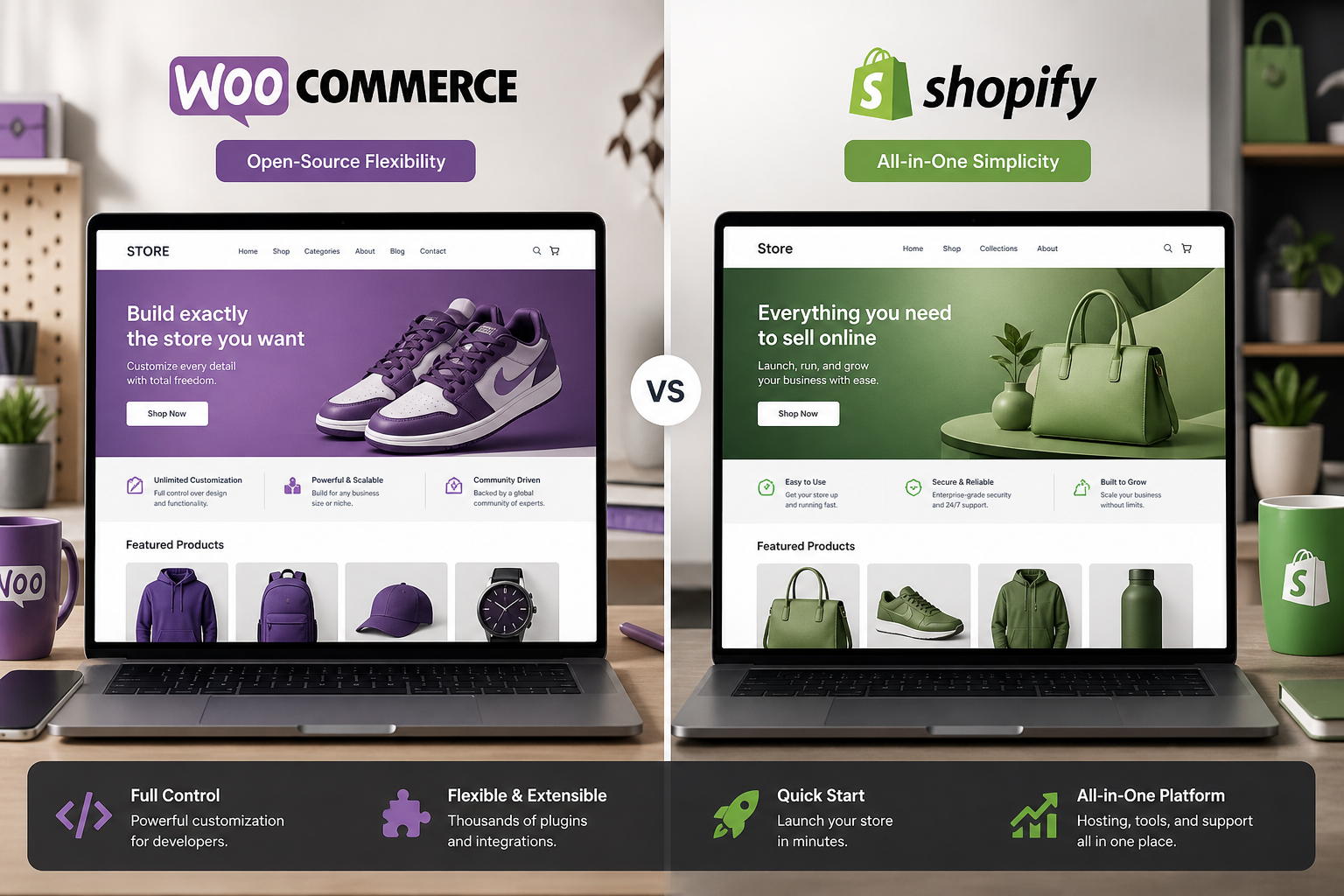
For most small businesses doing under $500K in annual online revenue, Shopify is faster to launch and easier to operate day-to-day. WooCommerce makes sense when you need full ownership, lower long-term platform costs, custom checkout logic, or tight WordPress integration. Neither is universally better — the right choice depends on your technical tolerance, product complexity, and growth timeline.
This is not a "WooCommerce wins" article. I build WooCommerce stores for a living, and I regularly tell prospects that Shopify is the better fit for their situation. Picking the wrong platform costs more than picking the cheaper one.
Quick comparison
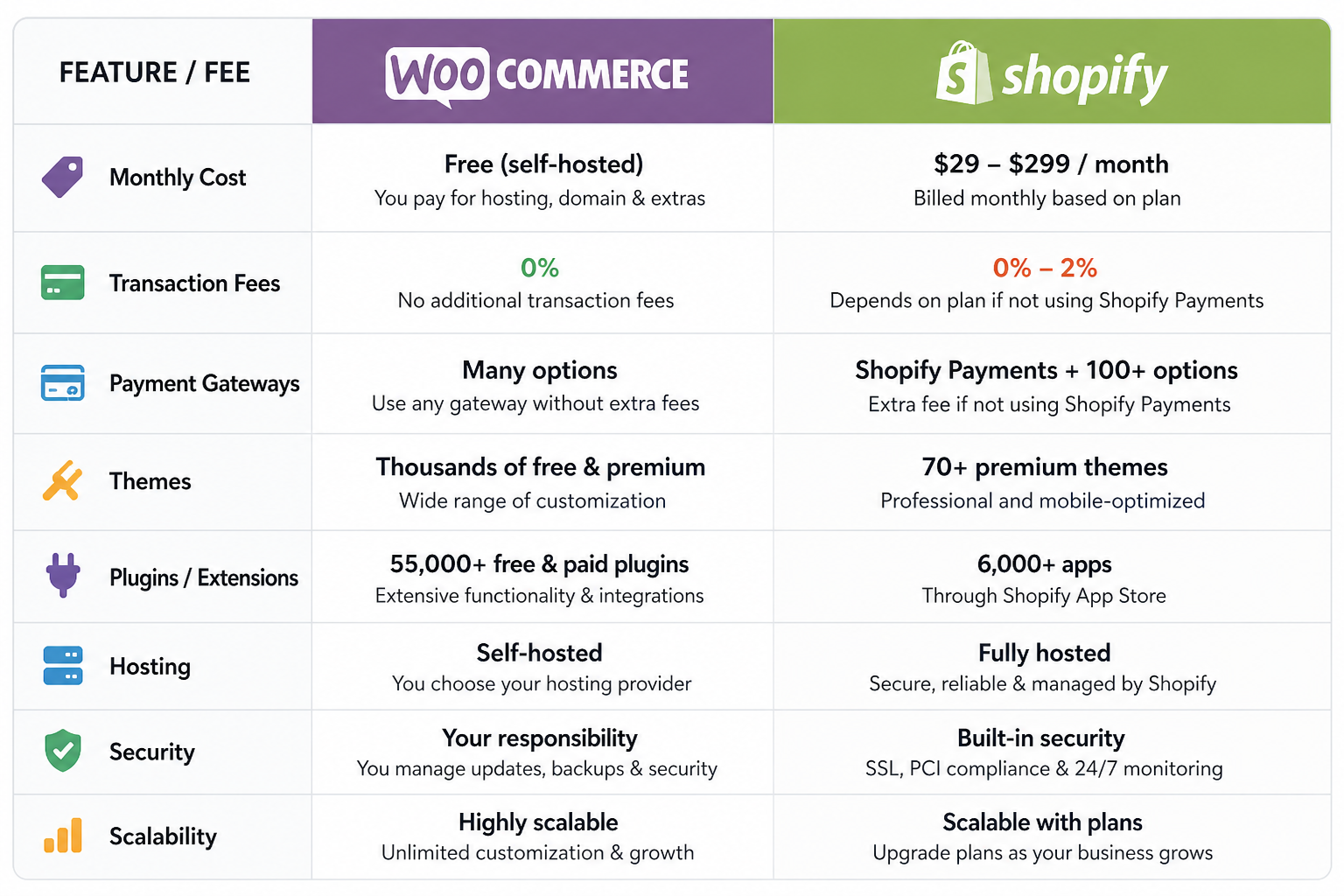
| Factor | WooCommerce | Shopify |
|---|---|---|
| Platform cost | Free plugin; pay for hosting ($25–$100+/mo) | $39–$399/mo + transaction fees |
| Setup time | 2–6 weeks for custom build | 1–3 days for basic store |
| Customization | Full code access, unlimited | Theme + app ecosystem, limited backend |
| Transaction fees | Payment gateway fees only (2.9% + $0.30 typical) | 0.5–2% extra unless using Shopify Payments |
| Ownership | You own code, data, hosting | Platform owns infrastructure; you rent |
| Technical skill needed | Moderate to high (or hire a developer) | Low to moderate |
| B2B / wholesale | Strong with plugins | Possible but clunky |
| Subscriptions | WooCommerce Subscriptions plugin | Shopify Subscriptions (built-in on higher plans) |
| SEO control | Full (WordPress + plugins) | Good but URL structure limitations |
| Scaling ceiling | High with proper hosting | High; Shopify handles infrastructure |
When Shopify is the better choice
You need to sell this week, not next month. Shopify's setup wizard, theme store, and app marketplace get a basic store live in days. WooCommerce requires WordPress setup, theme configuration, plugin selection, and usually developer time for anything beyond a template demo.
You do not want to manage hosting, updates, or security. Shopify handles all infrastructure. WooCommerce puts that on you — or on a developer you pay monthly.
Your team has zero technical capacity. Shopify's admin is polished. Adding products, managing orders, and running discounts does not require reading documentation about hooks and filters.
You sell standard physical or digital products with straightforward checkout, one or two payment methods, and flat-rate or free shipping. No tiered B2B pricing, no complex subscription switching, no custom checkout fields.
Your revenue is under $10K/month and platform fees are not yet painful. At $29/month for Basic Shopify, the convenience tax is worth it.
When WooCommerce is the better choice
Platform fees are eating your margin. At $50K+/month in revenue, Shopify's monthly plan plus transaction fees add up. WooCommerce's ongoing cost is hosting ($50–$150/month on managed WordPress) plus payment gateway fees — no platform cut. To see how hosting, plugins, shipping, and gateway fees hit a single SKU, use the free WooCommerce profit margin calculator.
You need custom checkout or pricing logic. B2B wholesale with role-based pricing, purchase order payment, minimum order quantities, tax-exempt accounts — WooCommerce handles this with established plugins. Shopify requires workarounds or expensive apps.
You already run WordPress. If your content marketing, blog, and membership site live on WordPress, adding WooCommerce keeps everything in one admin, one hosting bill, and one SEO domain.
You want to own your store completely. WooCommerce data lives in your database on your server. You can migrate hosting, modify any template, and export everything. Shopify stores are portable but the platform controls the infrastructure.
You need deep SEO control. WordPress's SEO ecosystem (Rank Math, Yoast, custom schema, full URL control) is more flexible than Shopify's. For content-heavy ecommerce — buying guides, comparison pages, category SEO — WooCommerce on WordPress has an edge.
You are outgrowing Shopify's app costs. Many Shopify stores end up paying $200–$500/month in app subscriptions for features WooCommerce handles with a single plugin or native functionality.
Cost comparison over three years
These are estimates for a small business doing $20K/month in online sales with 200 products.
| Cost item | WooCommerce (3 years) | Shopify (3 years) |
|---|---|---|
| Platform/plugin | $0 | $1,404–$14,364 (plan dependent) |
| Hosting | $1,800–$5,400 | Included |
| Initial build | $3,000–$8,000 | $0–$2,000 (theme + setup) |
| Transaction fees (est.) | ~$20,880 (Stripe 2.9%) | ~$20,880 + $3,600–$7,200 (Shopify fees) |
| Apps/plugins | $500–$2,000 | $2,000–$7,200 |
| Maintenance | $7,200–$21,600 ($200–$600/mo) | Minimal (platform-managed) |
| Total estimate | $33,380–$57,880 | $27,884–$51,644 |
WooCommerce costs more upfront (build + maintenance) but avoids platform transaction fees at scale. Shopify costs less to start but accumulates fees. The crossover point where WooCommerce saves money is typically around $30K–$50K/month in revenue — but only if you have someone maintaining the store.
The hidden costs people miss
WooCommerce hidden costs
- Developer time for setup, customization, and updates
- Managed hosting (required for performance, not optional)
- Premium plugins for subscriptions, wholesale, advanced shipping
- Security monitoring and backups
- Your time learning the admin (or paying someone to manage it)
Shopify hidden costs
- Transaction fees on non-Shopify Payments gateways
- App subscriptions that add up ($10–$50/month each)
- Theme customization limits requiring Shopify Plus ($2,300+/month) for checkout customization
- Migration cost if you eventually outgrow the platform
Switching between platforms
Shopify to WooCommerce is a common migration path for stores hitting fee or customization walls. Product data, customer accounts, and order history can be migrated. URL redirects must be mapped to preserve SEO. Typical migration cost: $4,000–$10,000+ depending on catalog size. See the Shopify to WooCommerce migration guide for the process.
WooCommerce to Shopify is less common but happens when a store owner wants to stop managing WordPress. Data exports exist but you lose custom code and must rebuild checkout logic with apps.
Decision framework
Answer these five questions:
- Do you need the store live in under two weeks? → Shopify
- Will you hire a developer or manage WordPress yourself? → No developer = Shopify; developer available = either
- Do you sell B2B, subscriptions, or need custom checkout? → WooCommerce
- Is your monthly revenue above $30K? → WooCommerce likely saves money long-term
- Do you already run WordPress for content? → WooCommerce
If you split 3–2 either way, schedule a conversation before committing. The cost of switching platforms later is always higher than choosing correctly upfront.
FAQs
Is WooCommerce really free?
The plugin is free. Running a production WooCommerce store is not. Expect hosting ($25–$100+/month), a theme ($0–$100), essential plugins ($0–$300/year), and usually developer time for setup ($3,000–$12,000+ for custom builds). "Free" refers to the plugin license, not the total cost of ownership.
Can Shopify handle B2B wholesale?
With apps and workarounds, yes. Native B2B features require Shopify Plus at $2,300+/month. WooCommerce handles B2B wholesale at standard hosting costs with plugins like Wholesale Suite or B2BKing.
Which platform is better for SEO?
Both can rank well. WooCommerce on WordPress offers more granular control over URLs, schema markup, content structure, and internal linking. Shopify's SEO is good out of the box but less flexible for advanced content strategies.
How hard is it to migrate from Shopify to WooCommerce?
Moderate complexity. Product and customer data migrate cleanly. Order history requires mapping. URL redirects are critical for SEO. Budget $4,000–$10,000+ and four to eight weeks for a typical small business catalog. Not a weekend project.
Do I need a developer for WooCommerce?
For a basic store with a pre-built theme, you can launch without one. For custom checkout, integrations, performance optimization, or any store you depend on for revenue, a developer is worth the investment. See how to hire a WooCommerce developer for vetting guidance.
Next step
If you are leaning toward WooCommerce and want to understand what your specific store would cost and require, start with a scoped audit.
Book a free 15-minute WooCommerce audit →
For full WooCommerce development services and development cost breakdowns, see the related guides.
September 8, 2026
WooCommerce Theme Customization vs Custom Build: Which Do...
September 8, 2026



