

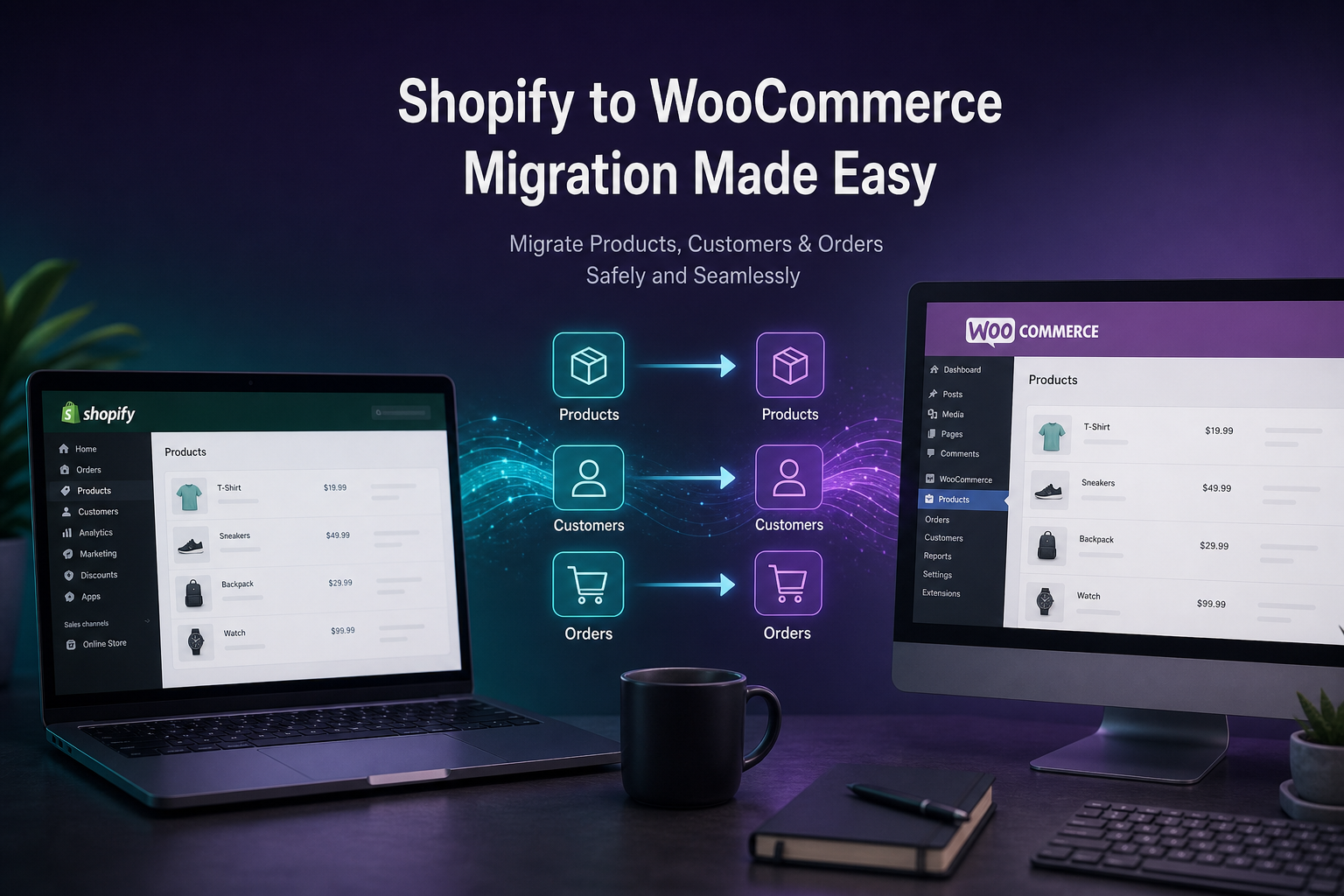
Migrating from Shopify to WooCommerce means moving your product catalog, customer accounts, order history, and URL structure to a self-hosted WordPress store while preserving SEO rankings and minimizing downtime. A typical small business migration costs $4,000–$10,000+ and takes six to ten weeks — not a weekend export/import job.
Stores migrate from Shopify when platform fees exceed the cost of self-hosting, when they need custom checkout or B2B pricing that Shopify cannot provide without Plus ($2,300/month), or when they want full ownership of their store data and code. The migration itself is straightforward. Preserving SEO, customer accounts, and order history is where complexity lives.
Pre-migration checklist

Before starting the migration:
- [ ] Document current Shopify plan, apps, and monthly costs (baseline for ROI calculation)
- [ ] Export full product catalog from Shopify (CSV or API)
- [ ] Export customer list with addresses
- [ ] Export order history (for records, not re-import)
- [ ] Map all active URL slugs (products, collections, pages, blog posts)
- [ ] List all Shopify apps and identify WooCommerce equivalents
- [ ] Set up WordPress hosting (managed WordPress recommended)
- [ ] Install WooCommerce on staging — not production yet
- [ ] Configure payment gateway (Stripe) in test mode on staging
- [ ] Plan DNS cutover window (low-traffic period)
Step 1: Set up WooCommerce on staging
- Install WordPress on staging environment
- Install and configure WooCommerce
- Select and configure base theme
- Set up payment gateway (Stripe recommended — same account can often be reused)
- Configure shipping zones and methods matching current Shopify setup
- Configure tax settings
- Set permalink structure: `/shop/` for products or `/product/` (decide before import — changing later breaks URLs)
Do not import products until the staging store structure is configured. Fixing permalink or category structure after import is painful.
Step 2: Migrate products
Export from Shopify
Shopify Admin → Products → Export → CSV (all products)
Shopify CSV includes: title, description, vendor, type, tags, price, compare-at price, SKU, barcode, weight, inventory, images (as URLs).
Import to WooCommerce
Options:
| Method | Best for | Cost |
|---|---|---|
| Cart2Cart | Automated migration service | $69–$299+ |
| FG Shopify to WooCommerce (plugin) | DIY import with mapping | Free–$50 |
| WP All Import + WooCommerce add-on | Complex mapping, large catalogs | $99–$198 |
| Manual CSV import | Under 50 products | Free |
| Custom migration script | 1000+ products, complex data | $2,000–$5,000 (dev time) |
Product mapping considerations
| Shopify field | WooCommerce field | Notes |
|---|---|---|
| Title | Product name | Direct |
| Body HTML | Description | Direct |
| Variant SKU | Variation SKU | Variable products need attribute mapping |
| Variant price | Variation regular price | Set on each variation |
| Image URL | Product image | Download and re-upload (don't hotlink Shopify CDN) |
| Tags | Product tags | Direct |
| Type | Category | Map to WooCommerce categories |
| Vendor | Not native | Use custom taxonomy or brand attribute |
| Inventory | Stock quantity | Enable stock management per product |
Critical: Download product images from Shopify and upload to WordPress media library. Hotlinking Shopify CDN URLs breaks when you cancel Shopify.
Variable products
Shopify variants (Size: S/M/L × Color: Red/Blue) map to WooCommerce variable products with attributes. Migration tools handle this automatically; manual CSV import does not. For catalogs with many variants, use Cart2Cart or a custom script.
Step 3: Migrate customers
Shopify exports customer data but does not export passwords. Customers must reset passwords after migration.
Export: Shopify Admin → Customers → Export
Import options:
- FG Shopify to WooCommerce plugin (includes customer import)
- Cart2Cart (automated)
- Custom script via WooCommerce Customer API
Post-migration:
- Send "We've moved — reset your password" email to all customers
- Include link to WooCommerce my-account password reset page
- Expect 10–20% of customers to reset; rest will reset when they next visit
Step 4: Order history
Order history migration is optional but recommended for customer service continuity.
Options:
- Import as WooCommerce orders (requires mapping Shopify order format — complex)
- Import as custom post type for reference only (read-only order history)
- Keep Shopify account active read-only for 90 days as order archive
- Export to CSV/PDF for manual reference
Most migrations import orders as read-only records. Active order management starts fresh on WooCommerce.
Step 5: URL redirects (SEO critical)
Shopify and WooCommerce use different URL structures:
| Page type | Shopify URL | WooCommerce URL |
|---|---|---|
| Product | `/products/product-name` | `/product/product-name/` |
| Collection | `/collections/category-name` | `/product-category/category-name/` |
| Page | `/pages/about` | `/about/` |
| Blog | `/blogs/news/post-title` | `/post-title/` |
Every old Shopify URL needs a 301 redirect to the new WooCommerce URL. Missing redirects = lost SEO rankings and broken backlinks.
Implementation:
- Export all Shopify URLs (Screaming Frog crawl or Shopify admin)
- Map each to the new WooCommerce URL
- Implement redirects via:
– Redirection plugin (WordPress)
– `.htaccess` rules (Apache)
– Cloudflare redirect rules
– Nginx redirect config
For 500+ URLs, use a redirect import plugin or server-level rules. Test every redirect before DNS cutover.
See WooCommerce SEO best practices for broader SEO preservation during migration.
Step 6: Replace Shopify apps
Map each Shopify app to a WooCommerce equivalent:
| Shopify app function | WooCommerce equivalent |
|---|---|
| Email marketing (Klaviyo) | Klaviyo (same platform, reconnect) |
| Reviews (Judge.me) | Judge.me or WooCommerce native reviews |
| Subscriptions (Recharge) | WooCommerce Subscriptions |
| Wholesale (Wholesale Club) | B2BKing or Wholesale Suite |
| Upsells (Bold) | WooCommerce upsell/cross-sell or plugin |
| SEO (Plug in SEO) | Rank Math or Yoast |
| Analytics | Google Analytics 4 (platform-agnostic) |
| Live chat | Tidio, Crisp (platform-agnostic) |
Not every Shopify app has a direct WooCommerce equivalent. Identify gaps during pre-migration planning, not after launch.
Step 7: Test everything on staging
Before DNS cutover:
- [ ] All products display correctly with images, prices, and variations
- [ ] Category pages show correct products
- [ ] Search returns accurate results
- [ ] Add to cart works for simple and variable products
- [ ] Checkout completes with test payment (Stripe test mode)
- [ ] Shipping calculates correctly for all zones
- [ ] Tax calculates correctly
- [ ] Customer registration and password reset work
- [ ] All URL redirects tested (301, not 302)
- [ ] Mobile checkout tested on real devices
- [ ] Email notifications (order confirmation, shipping) send correctly
- [ ] Google Analytics / tracking codes fire correctly
- [ ] XML sitemap generates and submits to Search Console
Step 8: DNS cutover and launch
- Lower DNS TTL to 300 seconds (24 hours before cutover)
- Final staging review and sign-off
- Put Shopify store in password-protected mode (not deleted yet)
- Point domain DNS to new WooCommerce hosting
- Verify SSL certificate active on new store
- Test live checkout with real payment (small amount, then refund)
- Submit new sitemap to Google Search Console
- Monitor Search Console for 404 errors over next 30 days
- Keep Shopify active (read-only) for 30–90 days as fallback
- Cancel Shopify after confirming migration success
Target downtime: under 1 hour during DNS propagation. Schedule during lowest-traffic period (typically Tuesday–Thursday early morning).
Migration timeline
| Phase | Duration |
|---|---|
| Pre-migration planning and staging setup | 1–2 weeks |
| Product and customer import | 1–2 weeks |
| Theme/design configuration | 1–3 weeks |
| URL redirect mapping | 3–5 days |
| App replacement and integration setup | 1–2 weeks |
| Testing and QA | 1 week |
| DNS cutover and monitoring | 1 day + 30 days monitoring |
| Total | 6–10 weeks |
Migration cost estimates
| Scope | Estimate (USD) |
|---|---|
| Small catalog (under 100 products), DIY with plugin | $500–$2,000 |
| Standard migration (100–500 products, redirects, staging) | $4,000–$7,000 |
| Complex migration (500+ products, subscriptions, B2B, custom apps) | $7,000–$10,000+ |
| Migration + redesign + custom checkout | $8,000–$15,000+ |
These are development estimates excluding hosting and plugin licenses. See WooCommerce development cost for full pricing context.
Common migration mistakes
| Mistake | Consequence |
|---|---|
| No URL redirect mapping | Lost SEO rankings, 404 errors for months |
| Hotlinking Shopify product images | Broken images when Shopify account cancelled |
| Not testing checkout before DNS cutover | Payment failures on launch day |
| Deleting Shopify immediately | No fallback, lost order history access |
| Importing without cleaning product data | Duplicate SKUs, missing variation prices |
| Skipping customer password reset email | Customers cannot log in, support flood |
| Same permalink structure not planned | Unnecessary redirect chains |
FAQs
Will I lose my SEO rankings migrating from Shopify to WooCommerce?
Not if redirects are properly configured. 301 redirects from every old Shopify URL to the equivalent WooCommerce URL preserve link equity. Expect a temporary ranking fluctuation (2–4 weeks) while Google re-crawls. Permanent ranking loss happens only when redirects are missing or incorrect.
Can I keep my Shopify store running during migration?
Yes — and you should. Build on staging, test thoroughly, then cut over DNS. Keep Shopify active (password-protected or as backup) for 30–90 days after migration.
Do customer passwords transfer from Shopify to WooCommerce?
No. Shopify does not export password hashes in a format WooCommerce can import. Customers must reset passwords via email after migration. Send a clear "we've moved" email with reset instructions.
How long does Shopify to WooCommerce migration take?
Six to ten weeks for a typical small business store with 100–500 products. Simple migrations (under 50 products, no custom apps) can complete in three to four weeks. Complex migrations with subscriptions, B2B, and custom integrations run eight to twelve weeks.
Is it worth migrating from Shopify to WooCommerce?
At revenue above $30K–$50K/month, WooCommerce typically saves money on platform fees. Below that, the migration cost and ongoing maintenance may not justify the switch. See WooCommerce vs Shopify for the full comparison.
Next step
If you are planning a Shopify to WooCommerce migration and want a scoped timeline and cost estimate, start with a 15-minute consult.
Book a free 15-minute WooCommerce audit →
For full WooCommerce development services and SEO preservation during migration, see the related guides.
September 4, 2026
How to Hire a WooCommerce Developer (Without Getting...
September 4, 2026



