

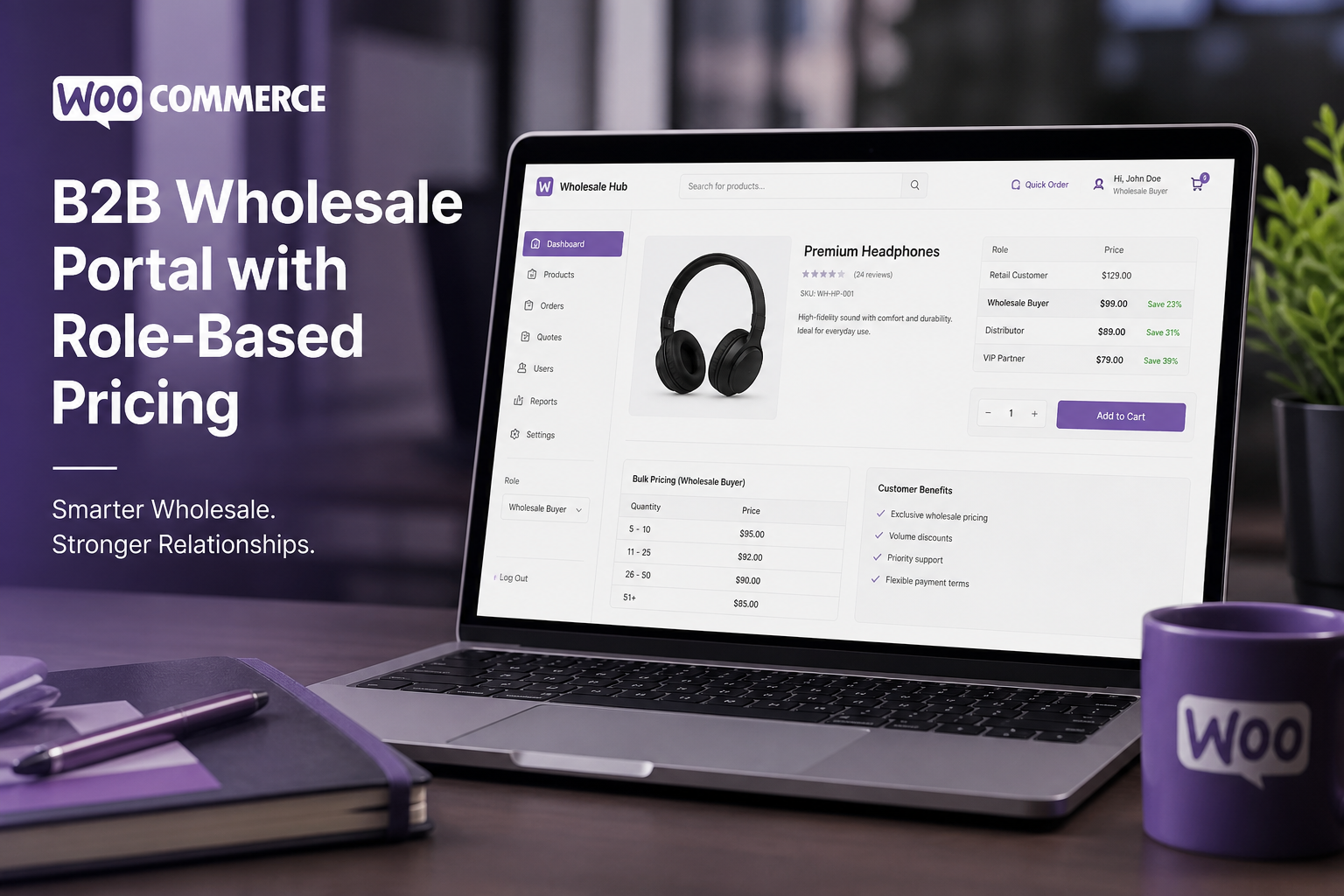
WooCommerce B2B wholesale setup adds role-based pricing, minimum order quantities, tax-exempt accounts, purchase order payment methods, and catalog visibility controls so you can sell to businesses at tiered prices without exposing wholesale rates to retail customers. B2B on WooCommerce is not a toggle — it is a pricing and access layer built on top of your existing product catalog.
Retail WooCommerce works out of the box. B2B wholesale requires deliberate architecture: who sees what prices, who can access which products, how orders below minimum are handled, and how tax-exempt certificates are validated. Getting this wrong means wholesale prices leak to retail customers — or retail buyers get blocked by wholesale minimums.
B2B requirements checklist
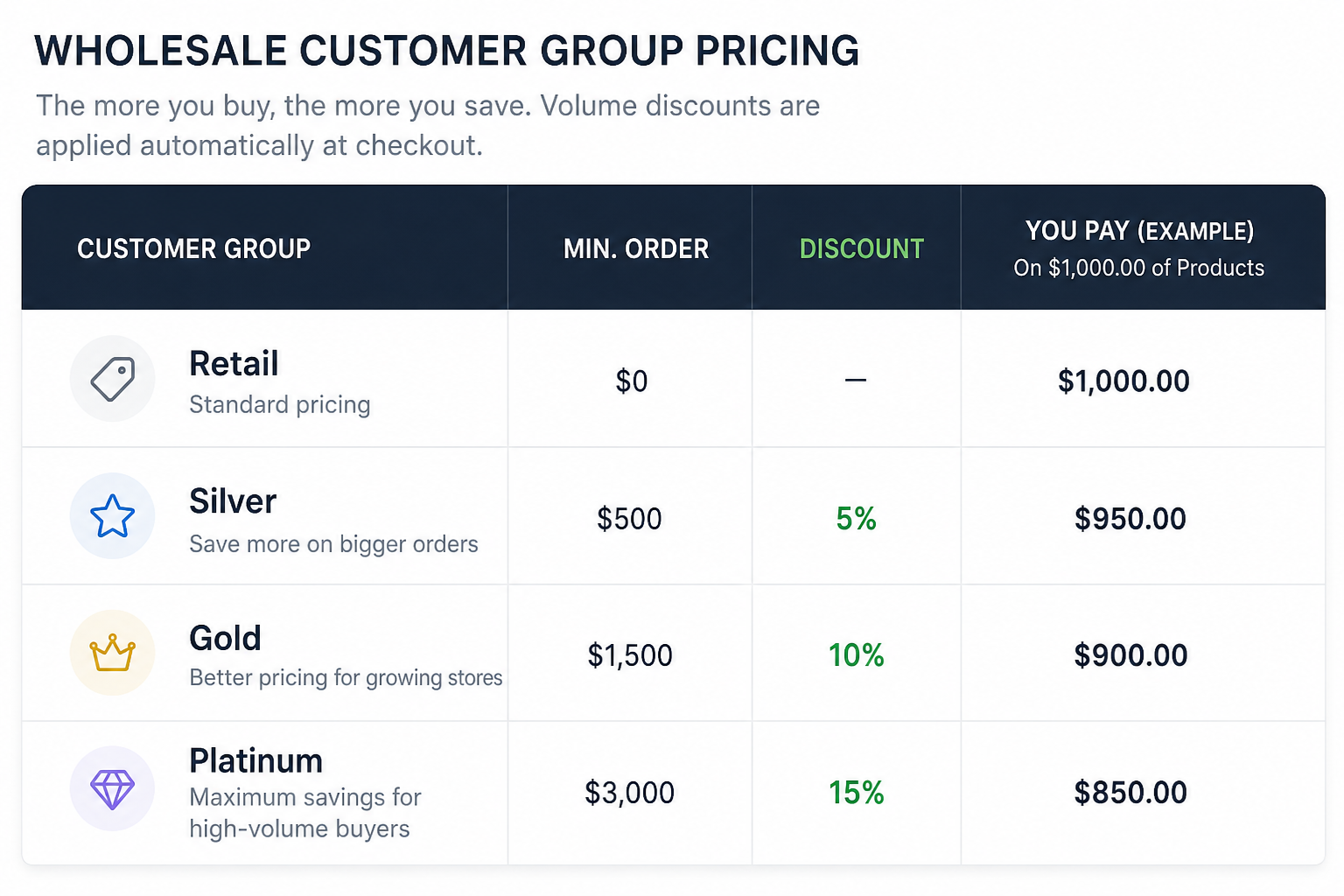
Before choosing plugins or writing code, define your B2B rules:
- [ ] Pricing tiers (wholesale, distributor, VIP — how many levels?)
- [ ] Discount structure (flat percentage off retail, fixed wholesale price, or tiered by volume?)
- [ ] Minimum order quantity or minimum order value
- [ ] Tax-exempt handling (certificate upload, manual approval, automatic by role?)
- [ ] Payment methods (net-30 invoice, purchase order, credit card for smaller accounts?)
- [ ] Catalog visibility (wholesale-only products, or same catalog with different prices?)
- [ ] Registration flow (application + approval, or self-service with verification?)
- [ ] Shipping rules (free freight for wholesale, pallet shipping, customer pickup?)
Document these before development starts. Changing B2B rules after 200 wholesale accounts exist is painful.
Plugin options for WooCommerce B2B
| Plugin | Best for | Price |
|---|---|---|
| Wholesale Suite (Wholesale Prices) | Simple wholesale pricing, free core | Free / $149+/year premium |
| B2BKing | Full B2B with registration, tiers, rules | $99–$259/year |
| Wholesale For WooCommerce | Multi-tier pricing, tax exempt | $49–$99/year |
| WooCommerce B2B (Addify) | Quick setup, role-based pricing | $49/year |
| Custom development | Complex rules, ERP integration | $3,000–$8,000+ |
For most stores, B2BKing or Wholesale Suite covers 90% of requirements. Custom development is needed when you have ERP inventory sync, customer-specific pricing contracts, or approval workflows that plugins cannot model.
Step-by-step setup (using B2BKing as example)
Step 1: Install and configure B2BKing
- Purchase and install B2BKing
- WooCommerce → B2BKing → Settings
- Enable B2B mode
- Configure registration settings:
– Require admin approval for new B2B accounts
– Custom registration form fields (company name, tax ID, business license)
– Redirect wholesale applicants to application page
Step 2: Create B2B roles and pricing
- Create customer roles: "Wholesale Customer," "Distributor," etc.
- Set pricing rules per role:
– Percentage discount: 30% off retail for wholesale, 40% for distributor
– Fixed wholesale price: Set per-product wholesale price in product editor
– Tiered pricing: Price breaks at 10, 50, 100 units
- Configure per-product or global rules:
– Global: all products get 30% off for wholesale role
– Per-product: override on specific products with custom wholesale price
Step 3: Minimum order rules
Configure minimum requirements:
- Minimum order value: $500 for wholesale accounts
- Minimum quantity per product: 6 units minimum on case-pack items
- Minimum order message: Display on cart page when minimum not met
B2BKing handles this natively. Wholesale Suite requires the premium extension.
Step 4: Tax-exempt accounts
For US B2B sales tax:
- Enable tax-exempt option in B2B registration form
- Require tax exemption certificate upload
- Admin reviews and approves tax-exempt status
- Approved accounts skip sales tax at checkout
- Store certificate files securely (not in public media library)
For automated US sales tax, integrate TaxJar or Avalara and configure exempt customer handling.
Step 5: B2B payment methods
Wholesale accounts often pay differently than retail:
| Method | Setup |
|---|---|
| Purchase order | Enable "Cheque" or custom PO gateway; add PO number field at checkout |
| Net-30/Net-60 invoice | Manual payment method; order status "On Hold" until payment received |
| Credit card | Standard Stripe for smaller wholesale orders |
| ACH/bank transfer | Stripe ACH or manual bank details at checkout |
Conditional payment methods — show PO/invoice only for approved B2B roles — require the `woocommerce_available_payment_gateways` filter. See custom checkout development.
Step 6: Catalog visibility
Control what each customer type sees:
- Wholesale-only products: visible only to B2B roles (bulk packs, case quantities)
- Retail-only products: hidden from wholesale (sample sizes, individual units)
- Hidden prices for guests: show products but display "Log in for pricing" instead of retail price
- Category restrictions: entire categories visible only to specific roles
Step 7: B2B shipping rules
Wholesale shipping differs from retail:
- Free freight on orders over $1,000
- Pallet/LTL shipping for bulk orders (not handled by standard flat rate)
- Will-call / customer pickup for local wholesale accounts
- Customer's own shipping account (third-party billing)
Configure role-specific shipping rules in B2BKing or via WooCommerce shipping rules with shipping class overrides per role.
B2B registration and approval workflow
Recommended flow:
- Customer visits "Wholesale Application" page
- Fills out business details (company, tax ID, business type, estimated monthly volume)
- Application submitted → pending status
- Admin reviews application in WooCommerce → B2BKing → Registration Requests
- Approved → customer receives email with login credentials and wholesale access
- Rejected → customer receives email with reason (or silence, depending on policy)
Do not auto-approve B2B registrations. Wholesale pricing leaked to retail arbitrage buyers costs more than the admin time to review applications.
Security considerations for B2B stores
- Price hiding for non-logged-in users — prevent scraping of wholesale prices
- Role verification on every price display — not just checkout (product pages, category pages, REST API)
- Prevent cart sharing across roles — wholesale items at wholesale prices should not transfer if a retail user logs in mid-session
- Audit trail — log who approved B2B accounts and when pricing changes were made
What B2B wholesale setup costs
| Scope | Estimate (USD) |
|---|---|
| Plugin license (B2BKing or Wholesale Suite) | $99–$259/year |
| Basic wholesale pricing (1 tier, approval workflow) | $2,000–$4,000 |
| Multi-tier pricing + tax exempt + PO payments | $4,000–$7,000 |
| Full B2B with ERP integration + custom shipping | $6,000–$12,000+ |
| B2B added to existing retail store | $3,000–$6,000 |
B2B wholesale projects typically fall in the $4,000–$12,000+ range as part of a broader WooCommerce development engagement.
Common B2B setup mistakes
| Mistake | Consequence |
|---|---|
| Wholesale prices visible to retail customers | Margin erosion, arbitrage |
| No approval workflow on registration | Competitors and retail buyers access wholesale pricing |
| Same shipping rules for B2B and retail | Overcharging wholesale on freight or undercharging on pallet orders |
| No minimum order enforcement | Wholesale accounts ordering single units at bulk prices |
| Tax-exempt without certificate validation | Sales tax compliance risk |
| No separate payment methods for B2B | Wholesale buyers forced through retail credit card checkout |
FAQs
Can I run B2B wholesale and retail on the same WooCommerce store?
Yes. This is the most common setup. Role-based pricing shows different prices to different customer types on the same product catalog. Retail and wholesale customers share the same store but see different prices, payment methods, and shipping options based on their role.
Do I need WooCommerce Plus or a special plan for B2B?
No special WooCommerce plan is needed. B2B functionality comes from plugins (B2BKing, Wholesale Suite) or custom development on standard WooCommerce.
How do I prevent wholesale prices from appearing in Google search results?
Use schema markup that omits price for non-retail products, block wholesale-only pages in robots.txt, or require login before displaying any pricing. B2BKing includes price-hiding features for logged-out users.
Can wholesale customers use the WooCommerce REST API?
Yes, but API responses include pricing based on the authenticated user's role. Verify that wholesale pricing is not exposed through unauthenticated API endpoints.
Should I build B2B on WooCommerce or use a dedicated B2B platform?
WooCommerce B2B works well for businesses with an existing retail store adding wholesale, or up to ~500 B2B accounts with standard pricing tiers. Dedicated B2B platforms (NuOrder, Faire) make sense at scale with complex rep workflows, market-specific catalogs, and 1000+ wholesale accounts.
Next step
If you are adding B2B wholesale to an existing store or building a wholesale-first catalog, a scoped audit clarifies the pricing architecture before development starts.
Book a free 15-minute WooCommerce audit →
For shipping rules and custom checkout fields for B2B orders, see the related guides.
September 5, 2026
How to Migrate from Shopify to WooCommerce (Step...
September 5, 2026



