

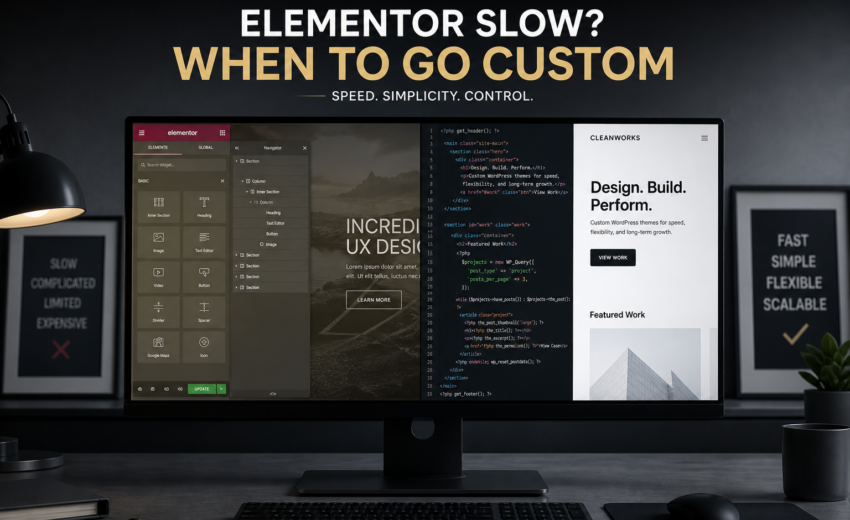
Is Elementor Slow? When to Optimize vs Go Custom
TL;DR — Is Elementor slow? Yes, Elementor can slow your WordPress site — mainly from extra CSS and JavaScript, a larger DOM, and addon plugins. Optimize first if you are under ~30 templates and can drop unused widgets and addons. Go custom when performance work costs more than rebuilding a lean block theme, or when Core Web Vitals stay failing after a proper optimization pass.
An Elementor website redesign is one of those decisions where the loudest advice online is the least useful. Developers say page builders are bloat. Marketers say they can’t wait on a developer for every text change. Both are describing real constraints, and neither is a general answer.
My position, stated plainly so you know where the rest of this comes from: Elementor is a legitimate tool that is frequently used in situations it’s badly suited to. The problem is rarely Elementor itself on a simple site. It’s the 40-page business site built with Elementor plus a multipurpose theme plus twelve add-on plugins plus a slider, where nobody can change anything without touching four systems.
This post is about telling those situations apart, and what it costs to move.
What Elementor genuinely costs you in performance
Be specific about the overhead, because vague claims of “bloat” aren’t actionable.
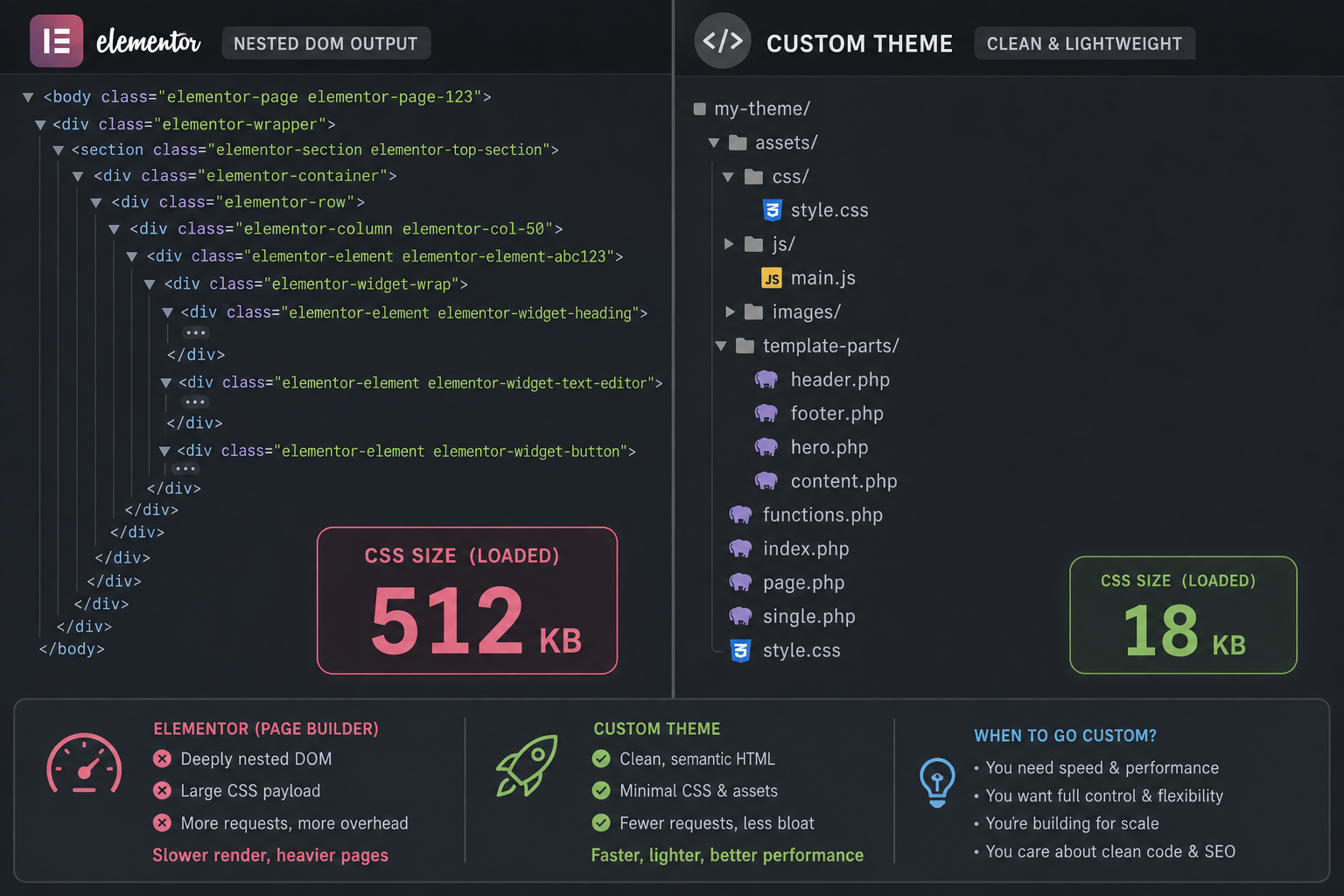
Baseline asset weight. Elementor loads its own CSS and JavaScript on every page that uses it — elementor-frontend, its icon library, and per-widget stylesheets. On a page with a handful of widgets you’re typically looking at a few hundred kilobytes before your content, theme, or other plugins load anything. Elementor’s newer performance features — optimized DOM output, improved asset loading, inline font icons, conditional widget CSS — have narrowed this meaningfully. It’s genuinely better than it was three years ago. It’s still more than a hand-built template ships.
DOM depth. Sections, containers, columns, and widget wrappers produce nested markup. Each nesting level adds style recalculation and layout work, which contributes to both render time and INP on long pages.
Add-on multiplication. This is where most of the damage happens. Elementor Pro plus Essential Addons plus Ultimate Addons plus a form plugin plus a slider, each loading its own assets globally, often regardless of whether the current page uses any of their widgets. I’ve seen sites where the add-ons outweighed Elementor several times over.
Global CSS you don’t use. Widget stylesheets load for widget types the page never renders unless conditional loading is configured properly. Combine that with a multipurpose theme doing the same thing and you get stylesheets in the hundreds of kilobytes for pages using a fraction.
Editor overhead is separate. A slow admin editing experience is annoying but doesn’t affect visitors. Don’t conflate the two when diagnosing.
To be fair about the other side: none of this makes green Core Web Vitals impossible. I’ve seen well-maintained Elementor sites pass on mobile. It takes discipline — good hosting, few add-ons, disciplined images, conditional asset loading on, and someone who says no to feature requests.
When Elementor is genuinely the right call
Keep it if most of this describes you:
Your marketing team ships pages weekly and there’s no developer on staff. This is the strongest argument and it usually wins. A site a non-technical person can update is worth more than a slightly faster site that freezes because every change needs a contractor. Developers systematically underweight that.
The site is small and mostly standard. Under about 20 pages, conventional layouts, a contact form, a blog. Elementor handles this fine and the performance ceiling is adequate.
Budget is under a few thousand dollars. A well-built Elementor site inside budget beats a half-finished custom build.
You’re validating, not scaling. Early-stage business, offer still changing, layout likely to be rewritten twice this year. Iteration speed is worth more than page weight right now.
Your traffic isn’t performance-sensitive. Referral, direct, and email traffic to a warm audience is more forgiving than cold paid traffic or a competitive organic SERP. If nobody’s bouncing and rankings are steady, “slow” may be a metric problem rather than a business problem.
If that’s you, don’t rebuild. Do the WordPress speed optimization pass below and spend the difference on something that moves revenue.
Optimize first: what actually helps an Elementor site
Before spending redesign money, exhaust this list. On a typical Elementor site it’s a few days of work and often takes LCP from around five seconds to the low threes.
Cut the add-ons. Inventory every add-on pack and count how many widgets from each you actually use. Most sites use three widgets from a pack of ninety. Replace those three with core widgets or a small custom block, then deactivate the pack. Frequently the single biggest win available.
Turn on every Elementor performance feature. Under Elementor → Settings → Features and Experiments: optimized DOM output, improved asset loading, improved CSS loading, inline font icons, optimized image loading, lazy-load background images. These are off by default on older installs. Test after each — a few can affect layout on legacy pages.
Stop using Elementor for the blog. Posts rendered through an Elementor template load the full builder stack on every article. A native theme template for single posts and archives removes the builder from the highest-volume, most search-visible part of the site.
Fix the hero image. Right dimensions, WebP or AVIF, not lazy-loaded, fetchpriority="high", explicit width and height. On Elementor sites the hero is often a section background image, which loads late and can’t be preloaded easily. Converting it to a real image widget with object-fit is usually worth the layout adjustment.
Configure real caching. WP Rocket, FlyingPress, or LiteSpeed Cache if your host supports it, plus a CDN. Verify pages are actually served from cache — installed-but-unconfigured caching is common.
Dequeue assets per page. Perfmatters or Asset CleanUp, so the contact form plugin, the popup plugin, and the slider stop loading on all 200 pages when they appear on two.
Reduce nesting. Rebuild the heaviest pages using containers rather than the older section-column structure, and remove layers that exist only for spacing.
Cut third-party scripts. Chat widget, heatmap, session recorder, four pixels. Each competes for the main thread and hurts INP.
Fix the hosting if TTFB is over ~600ms. No front-end work compensates for a slow server.
Why each of these maps to a specific metric is covered in Core Web Vitals fixes for WordPress.
When a custom rebuild is the smarter call
Optimization has a ceiling. Here’s how to know you’ve hit it.
You’ve done the optimization pass and mobile LCP is still over 4 seconds. If the floor is set by the builder’s own asset weight and DOM structure, more optimization won’t move it.
Add-ons are load-bearing. You depend on widgets from three separate packs and can’t remove them without breaking pages. Now you’re maintaining Elementor plus Pro plus three add-on vendors, each with their own update and compatibility cycle.
You’re afraid to update. A site where nobody dares run plugin updates because the last one broke the header is a liability regardless of speed. That’s a security problem before it’s a performance problem.
Editing has stopped being self-service anyway. The most common thing I hear: “we built it in Elementor so the team could edit it, but the layouts are so intricate that they call us for everything.” At that point you’re paying the performance cost of a builder and getting none of the benefit. A custom theme with properly configured Gutenberg blocks or ACF field groups gives editors safer control — they fill in fields instead of nudging padding across four breakpoints.
Design consistency has collapsed. Twelve pages built by four people over three years, each with slightly different spacing, type sizes, and button styles. Builders make inconsistency easy because every page is independent.
The site is a meaningful revenue channel with real traffic. When performance and conversion translate directly to money, a rebuild that costs $5,000 and lifts conversion pays for itself in a way it doesn’t on a low-traffic brochure site.
You need something the builder handles badly. Complex filtering, custom calculators, integrations pulling live data, unusual layouts, real accessibility compliance. You can force these in with add-ons and custom code, and the result is worse than building it properly.
Content structure needs fixing anyway. If your case studies, team members, and services are all “pages with a builder layout” rather than structured content, a rebuild is the moment to give them real post types and fields. That structure is what makes future changes cheap.
The honest middle options
It isn’t binary. Three intermediate approaches are often the right answer.
Hybrid: custom templates for the important pages, Elementor for the rest. Build the homepage, top service pages, and blog templates in a lean custom theme. Leave low-traffic pages — About, Privacy, one-off campaigns — in Elementor so marketing keeps its autonomy. Performance where it matters, flexibility where it doesn’t. This is my most frequent recommendation for sites in the middle.
Move to Gutenberg with custom blocks. A custom theme with well-designed blocks and patterns gives editors real layout control at a fraction of Elementor’s weight, using tooling that ships with WordPress. The tradeoff is real: less freeform positioning, and a learning curve for a team fluent in Elementor.
Rebuild the theme, keep Elementor available. Often much of the weight is the multipurpose theme rather than the builder, and removing it delivers most of the gain for less than a full rebuild.
Cost comparison
USD estimates, not quotes. Actual numbers depend on page count and complexity.
| Path | Typical range | What you get |
|---|---|---|
| Speed optimization pass on existing Elementor site | $250–$1,500 | Meaningful improvement, builder overhead remains |
| Theme replacement, keep Elementor for some templates | $1,500–$4,000 | Removes multipurpose theme weight, keeps editor autonomy |
| Hybrid: custom key templates + Elementor elsewhere | $2,000–$6,000 | Fast where it matters, flexible where it doesn’t |
| Full website redesign on a custom theme | $2,000–$8,000 | Clean foundation, best performance, most editor retraining |
| Custom WordPress build with structured content model | $3,000–$12,000+ | Proper post types and fields, extensible |
The comparison people forget is running cost. Elementor Pro is an annual license and add-on packs are more licenses. Three or four subscriptions plus time spent testing updates that occasionally break layouts adds up over a five-year life. Not decisive on its own, but it belongs in the math.
A decision checklist
Answer these honestly.
- Have you completed a real optimization pass — add-ons cut, performance features on, blog off the builder, images fixed, caching verified?
- After that pass, is mobile LCP still above 4 seconds?
- Do you depend on widgets from more than one add-on pack?
- Does your team still edit the site themselves, or do they call a developer?
- Are you avoiding plugin updates out of fear?
- Is the site a meaningful revenue channel with traffic worth optimizing for?
- Do you need functionality the builder handles badly?
- Is your content structured as real data, or as page layouts?
Two or fewer concerning answers: optimize and keep Elementor. Three to five: consider the hybrid or theme-replacement path. Six or more: a rebuild is probably cheaper over three years than continuing to patch.
What I’d actually recommend
Most of the time, on a small business site, I recommend keeping Elementor and doing the optimization pass. Recommending a $6,000 rebuild to someone whose real problem is a 2.4MB hero image and four unused add-on packs would be dishonest.
The exception is the site that has clearly outgrown the setup — three add-on packs, a theme nobody dares update, a marketing team that gave up editing it a year ago. That site isn’t slow because of Elementor. It’s slow because it accumulated, and the accumulation is now the architecture. Optimization treats symptoms there; custom WordPress development treats the cause.
FAQs
Is Elementor bad for SEO? Not inherently. Elementor outputs crawlable HTML, supports proper heading structure, and works with Yoast and RankMath. The indirect effect is performance: page weight and DOM complexity make Core Web Vitals harder, and those are a ranking signal. A well-optimized Elementor site ranks fine. A bloated one competes with a handicap.
How much does Elementor actually slow a site down? Typically a few hundred kilobytes of CSS and JavaScript on top of your theme and content, plus additional DOM depth. On good hosting with disciplined images and few add-ons, that’s absorbable. Combined with a multipurpose theme and several add-on packs, it becomes the dominant cost on the page.
Can I remove Elementor from an existing site? Yes, but not cleanly. Elementor stores layout data in post meta as its own structure. Deactivating it leaves shortcode remnants and unstyled content. Migrating means rebuilding each page’s layout in the new system — which is why removal is effectively a redesign.
Is Gutenberg faster than Elementor? Generally yes. The block editor ships with WordPress, outputs simpler markup, and doesn’t load a large front-end runtime. It’s less flexible for freeform layout, and a team fluent in Elementor will need time to adjust. For content-focused sites the tradeoff usually favors Gutenberg.
Will a custom theme be harder for my team to edit? It depends entirely on how it’s built. A custom theme with well-designed Gutenberg blocks or ACF field groups is often *easier* — editors fill in defined fields instead of nudging padding across breakpoints, and they can’t accidentally break the layout. A custom theme with everything hard-coded is worse. Make editor control an explicit requirement when you scope the work.
Should I switch to a different page builder instead? Rarely worth it. Bricks and Breakdance are lighter, but moving means rebuilding every page anyway — the same cost as moving to a custom theme, with a third-party dependency retained.
How long does an Elementor to custom rebuild take? Four to eight weeks for a typical business site: one to two weeks of audit and design decisions, three to five weeks of build and content migration, then testing and launch. Page count matters less than template variety — thirty pages using four layouts is faster than twelve pages each designed uniquely.
Not sure which side of the line you’re on?
Send me your URL. I’ll run field and lab performance data, look at what’s actually loading, and tell you whether this is a few days of optimization or a rebuild. If it’s the former, I’ll say so, and I’ll tell you which three changes to make first even if you do them yourself.
If it’s the latter, scope and estimates are on the website redesign services page.

August 14, 2026
How to Migrate WordPress to Next.js Without Losing...

August 14, 2026



