

What Is Headless WordPress?
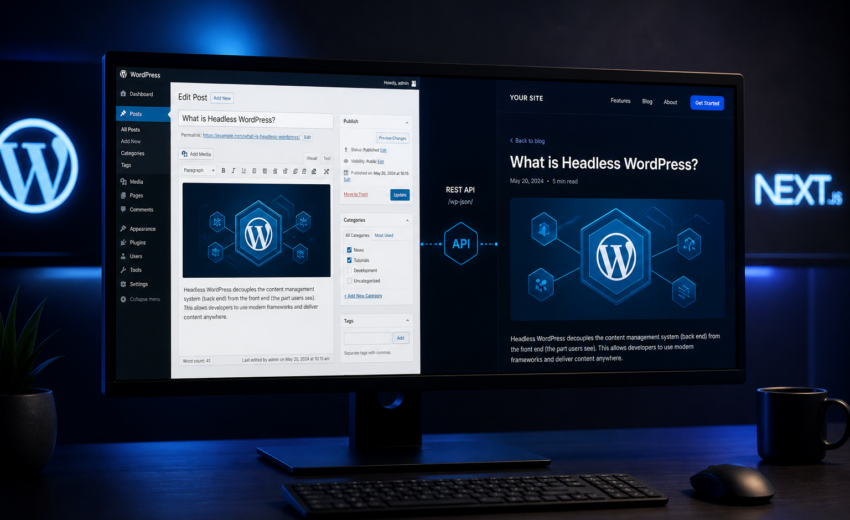
Headless WordPress means using WordPress purely as a content store and admin interface, then building the public-facing website as a separate application that pulls content in over an API. WordPress keeps the database, the editor, the media library, the user roles. It stops rendering pages. Something else — usually a JavaScript framework like Next.js — does that job instead.
The “head” in headless is the presentation layer. Removing it is the whole idea.
That’s the definition. The more useful question is why anyone would split a system that works fine as one piece, and whether the trade you’re making is worth it. I build both classic and headless WordPress sites, and I turn down roughly half the headless projects I’m asked about, because a lot of them are solving a plugin problem with an architecture change. This is the explanation I’d give you on a call.
How a normal WordPress site works
In a standard WordPress install, one server does everything. A visitor requests a URL. PHP boots WordPress, loads the active plugins, queries MySQL for the post, decides which theme template applies, runs the content through filters, and returns finished HTML. The browser gets a complete page.
The theme is the head. It owns the markup, the CSS, the layout logic, and the way content is arranged on screen. Everything a visitor sees passes through it.
This is a genuinely good architecture. It’s simple to host, simple to reason about, and one deployment gets you a working website. For most business sites it’s the right answer, and the reason WordPress runs a large share of the web.
It has one structural constraint: your front end is whatever the theme layer permits. If you want a page that combines WordPress content with live data from a third-party API, or an interactive product configurator, or the same content feeding both a website and a mobile app, you’re working against the design of the system rather than with it.
How headless WordPress works
In a headless setup, WordPress runs on its own domain — often something like cms.yoursite.com — with the theme reduced to a bare shell that renders nothing public. Its job is to store content and expose it through an API.
A separate front-end application, deployed elsewhere, requests that content and renders the site. In a Next.js build, the sequence usually looks like this:
- At build time, the front end asks WordPress for every published post and page.
- It renders each one to static HTML.
- That HTML gets deployed to a CDN, so visitors are served files from an edge location near them rather than waiting on PHP and MySQL.
- When an editor publishes a change, WordPress fires a webhook, and the front end regenerates just the affected pages — usually within seconds.
The editor’s experience doesn’t change. They log into the same admin, write in the same block editor, click Publish the same way. What changes is what happens after Publish, and what visitors receive.
The important shift is that WordPress is no longer in the request path for normal visitors. It answers the front end’s API calls, not your traffic. Which is also why the WordPress server can often move to a cheaper plan after a headless migration — it’s doing dramatically less work.
The API layer: REST vs WPGraphQL
The API is where WordPress and your front end meet, and it’s the decision that shapes the rest of the build.
The WordPress REST API ships with core. It’s available at /wp-json/ on every modern install with no plugins required. Each resource has its own endpoint: /wp-json/wp/v2/posts for posts, /wp-json/wp/v2/pages for pages, and so on.
It works, and for simple content it works well. The limitation is that REST returns whatever the endpoint decides to return, and one endpoint returns one kind of thing. A blog post page that needs the post, its author, its categories, its featured image, three related posts, and the site navigation may require several round trips, each returning far more data than you asked for. You can write custom endpoints to fix this — and on a straightforward site, that’s often the pragmatic move.
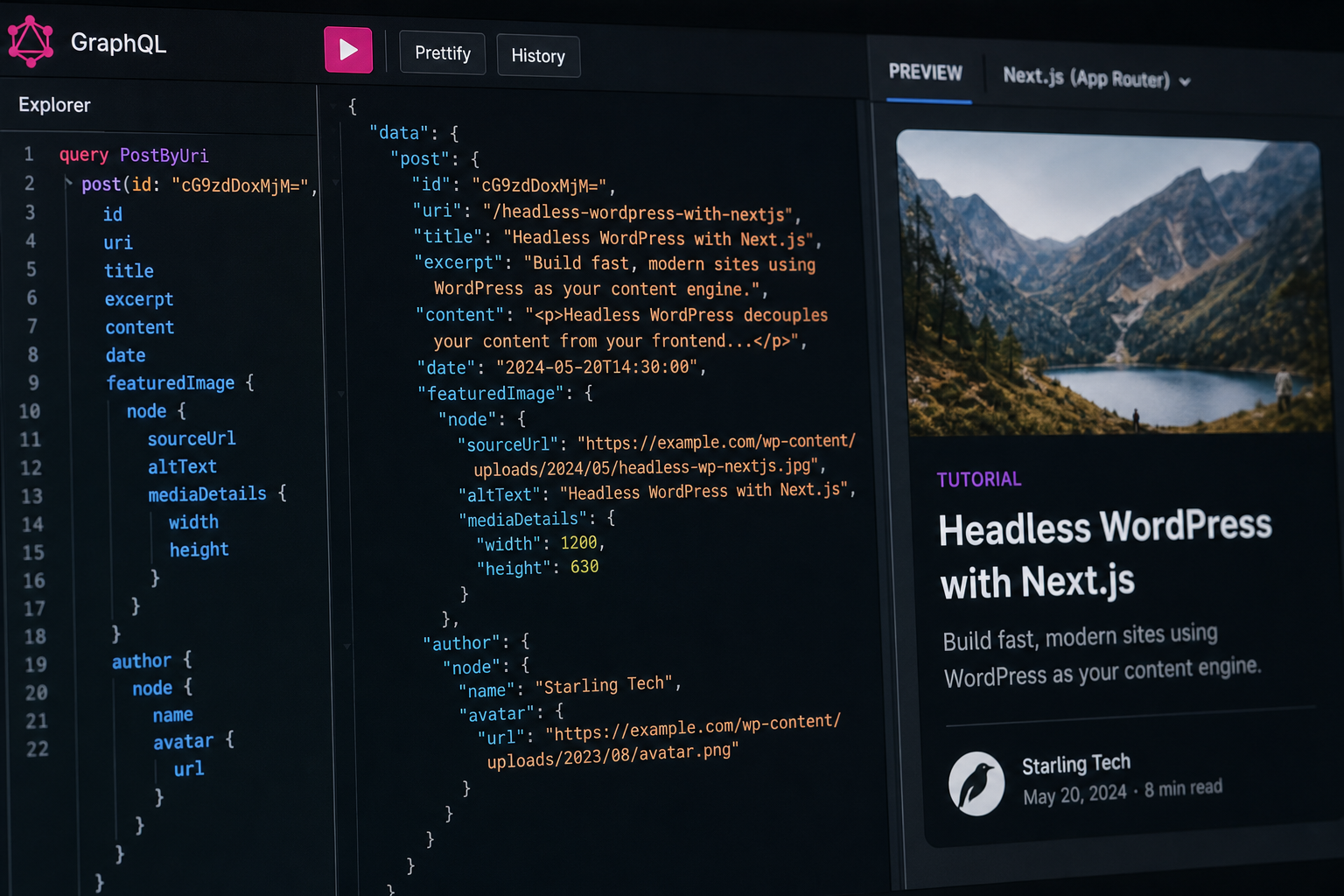
WPGraphQL is a plugin that puts a GraphQL API on top of WordPress. Instead of fixed endpoints, you send a query describing exactly the data you want, including nested relationships, and get back exactly that shape in a single request.
Three things make it the usual choice on larger builds:
- One request per page. The post, its author, its terms, and the related content come back together.
- No over-fetching. You ask for four fields, you get four fields. On content-heavy templates this meaningfully reduces payload.
- A typed schema. The schema can generate TypeScript types for your front end, which means renaming a custom field in WordPress produces a build error instead of a blank section in production. On a project with real custom field complexity, this is the argument that usually decides it.
The costs are real too: another plugin to keep updated, a query language your team has to learn, and a caching story that takes more thought than REST’s.
My working rule: REST for simple content models, WPGraphQL once custom fields and relationships get involved. If your site is posts, pages, and a featured image, REST is fine and one less dependency. If you have six post types with ACF field groups referencing each other, WPGraphQL will save you weeks.
Either way, the API needs hardening. A default WordPress install leaks more than most people expect through /wp-json/ — user enumeration in particular. Authentication for anything non-public, rate limiting, and disabling unused routes are part of the build, not optional extras.
Why the front end is usually Next.js
You can build a headless WordPress front end in anything that speaks HTTP. In practice most production builds land on Next.js, for reasons that are specific rather than fashionable.
It renders on the server. A plain React app ships an empty HTML shell and fills it in with JavaScript. Next.js sends complete HTML. For a content site that depends on search traffic, this is the difference between a page search engines and social scrapers can read immediately and one they have to work to see.
Rendering is a per-route decision. Your privacy policy can be built once at deploy. Blog posts can use incremental static regeneration — served as static files, quietly rebuilt when content changes. A logged-in dashboard can render per request. One application, three strategies, chosen per page rather than globally.
Incremental static regeneration solves the publishing problem. This is the feature that makes headless viable for real editorial teams. Without it, publishing a typo fix means rebuilding the entire site, and on a large site that’s a multi-minute wait. With ISR plus a publish webhook, only the changed pages regenerate, and they’re live in seconds.
Preview works. Next.js draft mode lets an editor click Preview in WordPress and see the unpublished post rendered by the real front end. Missing this is the single most common reason editorial teams end up resenting a headless site.
Images and metadata are handled. next/image against the WordPress media library gives you correct sizing, modern formats, and lazy loading. generateMetadata carries Yoast or RankMath output through to real tags. Both are things you’d otherwise build by hand.
What you actually gain
Performance that isn’t a fight. Static HTML from a CDN removes PHP execution, database queries, and plugin overhead from the visitor’s request entirely. You’re not tuning a caching stack; you’re not generating the page at all. This is the most reliable benefit, and on plugin-heavy sites the difference is not subtle.
A front end without theme constraints. Complex interactivity becomes normal React work rather than a fight with template hierarchy and enqueued scripts.
Content that goes more than one place. One WordPress install can feed a website, a mobile app, an in-store display, and a partner site through the same API.
A smaller attack surface. Your public site is static files. There’s no PHP to exploit at the edge, and the WordPress admin can sit behind IP restrictions or a VPN because the public never needs to reach it.
Editors keep their tools. This is the main argument for headless WordPress over migrating to a different CMS entirely. Nobody gets retrained.
What it actually costs
I’d rather be specific about this than sell around it.
Two systems instead of one. Two hosting environments, two deploy pipelines, two sets of updates, two places to look when something breaks. Someone has to own the Node deployment.
Many plugins stop working. Anything that renders its own front-end output — page builders, sliders, popup tools, most form plugins, many membership and booking systems — assumes a theme exists to render into. There isn’t one. Some have headless-friendly alternatives. Some don’t, and replacing them is part of the project cost. Auditing this before committing is not optional.
Preview and revalidation are build work. In classic WordPress they’re free. In headless they’re features someone implements. Half-finished headless projects are common, and they’re usually abandoned at exactly this point.
It costs more up front. A headless build typically runs $5,000–$20,000+ depending on template count and content model complexity, against $1,500–$5,000 for a well-built classic WordPress site of similar scope. Those are estimates, not quotes, but the ratio holds.
Small changes need a developer more often. With a good block renderer, editors can compose pages freely. But a new template or a new content type is a code change and a deploy, where a classic theme might have absorbed it in the page builder.
Who it’s actually for
Headless makes sense when several of these are true:
- You publish regularly and the front end, not the CMS, is the bottleneck.
- You need genuine interactivity next to your content — configurators, filtered catalogs, live external data, authenticated areas.
- The same content needs to serve more than one channel.
- Core Web Vitals matter commercially, and a plugin-heavy theme has stopped delivering them.
- You have developers, or you’re hiring them.
- You’re already building in React and want the least disruptive CMS choice for your editors.
It’s the wrong call when:
- The site is under roughly 25 pages and mostly static. A classic build will be cheaper to build and cheaper to run.
- Your real problem is 22 unnecessary plugins and a bloated theme. That’s a cleanup or a rebuild under WordPress development, not an architecture change.
- You depend on plugins that own their front-end rendering and have no headless equivalent.
- You run WooCommerce with complex checkout requirements. Headless commerce is possible; checkout is where the budget goes.
- Nobody on your side can maintain a Node deployment, and there’s no retainer to cover it.
The failure mode I see most often is a company that spends five figures going headless, discovers their actual problem was a bad theme and no maintenance discipline, and now has the same content problems across two systems instead of one.
Frequently asked questions
Is headless WordPress better for SEO?
It can be, but not automatically. Static pages from a CDN usually produce much better Core Web Vitals than a plugin-heavy PHP theme, and that helps. But headless builds that forget metadata, canonicals, sitemaps, or structured data end up worse than what they replaced, because those things came free in the theme and now have to be built. The outcome depends on migration discipline, not architecture. Migrating WordPress to Next.js covers the redirect and indexing work in detail.
Do my editors have to learn anything new?
No, and that’s the point. Same admin, same block editor, same Preview button — assuming preview was implemented properly. What changes is what visitors see and how quickly.
What happens to Yoast or RankMath?
They keep working. Both expose their output through the API, and the front end reads that data to generate real meta tags, canonicals, and Open Graph fields. What you lose is the automatic sitemap, because the plugin can’t generate one for a site it isn’t rendering — the front end generates that instead.
Can I go headless gradually?
Sometimes. A common pattern is moving the blog or the marketing site to Next.js first while leaving the rest on classic WordPress, split at the proxy or DNS level. It works when the sections are cleanly separable. It gets messy when navigation, search, and design system need to stay consistent across both halves.
How much does hosting cost compared to now?
Usually about the same. You pay for managed WordPress hosting plus a front-end host, but the WordPress server only answers API calls, so it can often move down a plan tier. The bigger operational change is having two deploy processes.
Can I go back if it doesn’t work out?
Yes, and more easily than you’d think — your content never left WordPress. Reverting means building or restoring a theme and pointing DNS back. You’d lose the front-end investment, not the content.
Discuss a headless WordPress build
If you’re weighing this up, the fastest way to get a real answer is to tell me what your current site is, roughly how much content it holds, and what the front end needs to do that it can’t do today.
I’ll tell you whether headless WordPress development is justified for your situation — and if it isn’t, what I’d build instead. Talking someone out of a five-figure project they don’t need is a normal outcome of that conversation.
August 14, 2026
WordPress Performance Audit vs Speed Plugin

August 14, 2026



