

To migrate WordPress multisite, export the full network — shared `wp-content`, network database tables, and all subsite tables — update domain references with serialization-safe tools, reconfigure domain mapping and sunrise.php if used, and test every subsite before DNS cutover. Multisite is not a large single site. One missed subsite table or domain mapping entry breaks an entire property in the network.
Professional multisite migration typically costs $1,000–$2,500 (estimate) depending on subsite count, domain mapping complexity, and whether you are moving the whole network or extracting subsites.
Multisite architecture recap
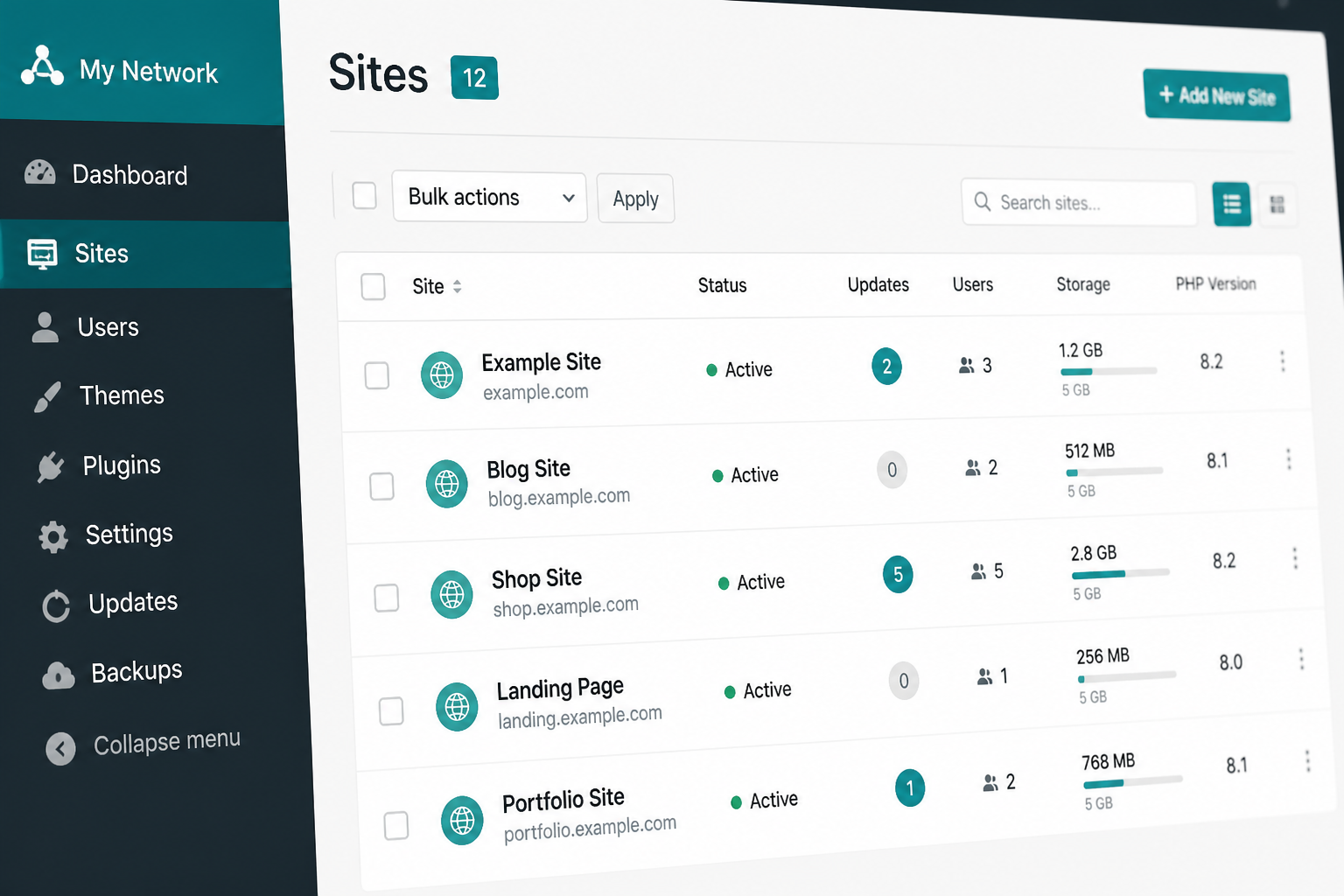
WordPress multisite runs one WordPress installation serving multiple sites:
| Component | Single site | Multisite |
|---|---|---|
| wp-config.php | Standard | `define('MULTISITE', true)` + network constants |
| Database | `wp_*` tables | `wp_*` + `wp_2_*`, `wp_3_*`… per subsite |
| wp-content | Shared | Shared plugins/themes across network |
| Users | Site-specific roles | Network users with per-site roles |
| Domains | One domain | Subdomains (`site.network.com`) or subdirectories (`network.com/site/`) or mapped domains |
Migration complexity scales with subsite count and whether subsites use mapped custom domains.
Migration scenarios
1. Full network migration (host-to-host)
Move entire network to new server. Same network domain structure. Most common.
2. Network migration with domain change
Network primary domain changes (e.g., `network.old.com` → `network.new.com`). Requires search-replace across all site tables plus mapped domain updates.
3. Subsite extraction
Pull one subsite out of network into standalone WordPress install. Requires content export, user migration, and URL reconfiguration.
4. Single site → multisite conversion (or reverse)
Structural change, not pure migration. Separate scope.
5. Multisite consolidation
Merge multiple standalone WordPress installs into one network. Advanced — custom scripting often required.
This guide focuses on scenarios 1 and 2. Mention extraction briefly.
Pre-migration inventory
- [ ] Network primary domain and subsite count
- [ ] Subdomain vs subdirectory install type
- [ ] Domain-mapped subsites list (custom domains pointing to subsites)
- [ ] Active plugins — note network-activated vs per-site
- [ ] Shared theme vs per-subsite themes
- [ ] Upload directory structure (`wp-content/uploads/sites/2/`, etc.)
- [ ] sunrise.php and DOMAIN_MAPPING tables (legacy domain mapping)
- [ ] wp-config multisite constants:
“`php
define('MULTISITE', true);
define('SUBDOMAIN_INSTALL', true); // or false
define('DOMAIN_CURRENT_SITE', 'network.com');
define('PATH_CURRENT_SITE', '/');
define('SITE_ID_CURRENT_SITE', 1);
define('BLOG_ID_CURRENT_SITE', 1);
“`
Document in the WordPress migration checklist.
Full network migration steps
Step 1: Backup everything
- Full file backup including `wp-content`, `wp-config.php`, `.htaccess`, `sunrise.php`
- Full database export — all tables including `wp_blogs`, `wp_site`, `wp_sitemeta`, and all `wp_N_*` / `wp_Nposts` tables
- Verify backup restorable on staging
Standard migration plugins often fail or partially migrate multisite. Manual or WP-CLI migration preferred.
Step 2: Prepare destination server
- PHP version compatible with network
- Wildcard SSL if subdomain install (`*.network.com`)
- Wildcard DNS (`*.network.com` → server IP) configured before cutover
- Apache/Nginx configured for multisite rewrite rules
- Database created with adequate size — multisite databases are large
Step 3: Transfer files
Upload complete WordPress root including wp-content. Preserve:
- `wp-content/uploads/` and all `uploads/sites/N/` directories
- `wp-content/mu-plugins/`
- `wp-content/blogs.dir/` (legacy — if present)
- `sunrise.php` in wp-content if domain mapping active
Step 4: Import database
Import full SQL dump. Update wp-config.php with new database credentials.
Run network-wide search-replace with serialization safety:
“`bash
wp search-replace 'https://oldnetwork.com' 'https://newnetwork.com' –network –all-tables
“`
The `–network` flag is critical — it processes all subsite tables.
For mapped domains, also replace each mapped domain string individually.
Step 5: Update wp-config multisite constants
If primary domain changed:
“`php
define('DOMAIN_CURRENT_SITE', 'newnetwork.com');
“`
Other constants usually stay the same unless path changed.
Step 6: Domain mapping
Modern approach (WordPress built-in): Network Admin → Sites → edit each site → update domain field.
Legacy Domain Mapping plugin: Update `wp_domain_mapping` table. Ensure `sunrise.php` is loaded:
“`php
// wp-config.php
define('SUNRISE', 'on');
“`
Mapped domain DNS: Each custom domain must point to the network server IP before cutover.
Step 7: Server configuration
Apache multisite rules in .htaccess (subdomain example):
“`apache
RewriteEngine On
RewriteRule .* – [E=HTTP_AUTHORIZATION:%{HTTP:Authorization}]
RewriteBase /
RewriteRule ^index.php$ – [L]
add a trailing slash to /wp-admin
RewriteRule ^wp-admin$ wp-admin/ [R=301,L]
RewriteCond %{REQUEST_FILENAME} -f [OR]
RewriteCond %{REQUEST_FILENAME} -d
RewriteRule ^ – [L]
RewriteRule ^(wp-(content|admin|includes).*) $1 [L]
RewriteRule ^(.*.php)$ $1 [L]
RewriteRule . index.php [L]
“`
Nginx configs differ by host — managed WordPress hosts (Kinsta, WP Engine) handle this if you declare multisite during setup.
Step 8: Test every subsite
Before DNS cutover, test via hosts file:
- [ ] Network admin dashboard (`/wp-admin/network/`)
- [ ] Main site front-end and admin
- [ ] Each subsite front-end
- [ ] Each subsite admin
- [ ] Domain-mapped subsites via hosts file entries
- [ ] Media uploads on each subsite
- [ ] Network-activated plugins functioning
- [ ] User login on subsites with correct roles
Step 9: DNS cutover
- Lower TTL 48 hours ahead
- Update A record for primary domain
- Update wildcard DNS for subdomain installs
- Update each mapped custom domain's DNS
- Monitor all subsites for 48 hours
Post-cutover: SEO checklist if any URLs changed.
Subsite extraction overview
To move one subsite to standalone WordPress:
- Export subsite content (posts, pages, media, users) via WP-CLI or export plugins.
- Install fresh WordPress on destination.
- Import content.
- Migrate users with roles.
- Copy `uploads/sites/N/` to `uploads/` on new install.
- Search-replace URLs from network path to new domain.
- Set up 301 redirects from old subsite URLs.
Extraction often costs $500–$1,500 (estimate) per subsite depending on content volume.
Why migration plugins struggle with multisite
| Plugin | Multisite support |
|---|---|
| All-in-One WP Migration | Multisite extension required; size limits apply |
| Duplicator | Multisite supported in Pro; complex |
| Migrate Guru | Single site focus |
| WP Migrate DB Pro | Good for selective table sync; network push/pull available |
For networks over 5 subsites or 2GB+, manual WP-CLI migration is more reliable. Compare: All-in-One WP Migration vs manual.
Common multisite migration errors
- Missing subsite upload directories — images 404 on subsites 2+.
- Forgot `–network` flag in search-replace — subsite tables still reference old domain.
- Wildcard SSL/DNS not configured — subdomain subsites fail HTTPS.
- sunrise.php not loaded — mapped domains show wrong site or main network site.
- Plugin network activation state lost — plugins inactive on subsites after import.
- wp_blogs table domain mismatch — subsite admin redirects to wrong URL.
Fix reference: WordPress migration errors and database migration guide.
When to hire
Hire when:
- Network has 5+ subsites or mapped domains
- WooCommerce runs on multiple subsites
- Domain mapping with sunrise.php is in play
- Previous multisite migration attempt failed
- No WP-CLI access on source or destination
See when to hire WordPress migration help and WordPress migration cost.
FAQs
Can I migrate multisite with All-in-One WP Migration?
With the Multisite Extension on compatible hosts — for smaller networks. Large networks or domain-mapped setups need manual migration.
Do all subsites share the same database?
Yes. One database, separate table sets per subsite (or shared tables with blog_id column depending on configuration).
Will subsite SEO be affected during network migration?
Same URLs and correct execution: minimal impact. Missing mapped domain updates causes subsite-specific ranking drops.
Can I change from subdomain to subdirectory install during migration?
Technically possible but changes every subsite URL — requires comprehensive 301 redirect map. Treat as domain/URL structure change.
How do I rollback a failed multisite migration?
Restore full network backup on source host, revert DNS for all domains including mapped domains. See rollback plan.
—
Multisite migration is network-wide surgery. WordPress migration services include subsite inventory, domain mapping, and per-site verification.
Book a free 15-minute migration consult.

September 11, 2026
How to Migrate From Wix to WordPress (Without...
September 11, 2026



