

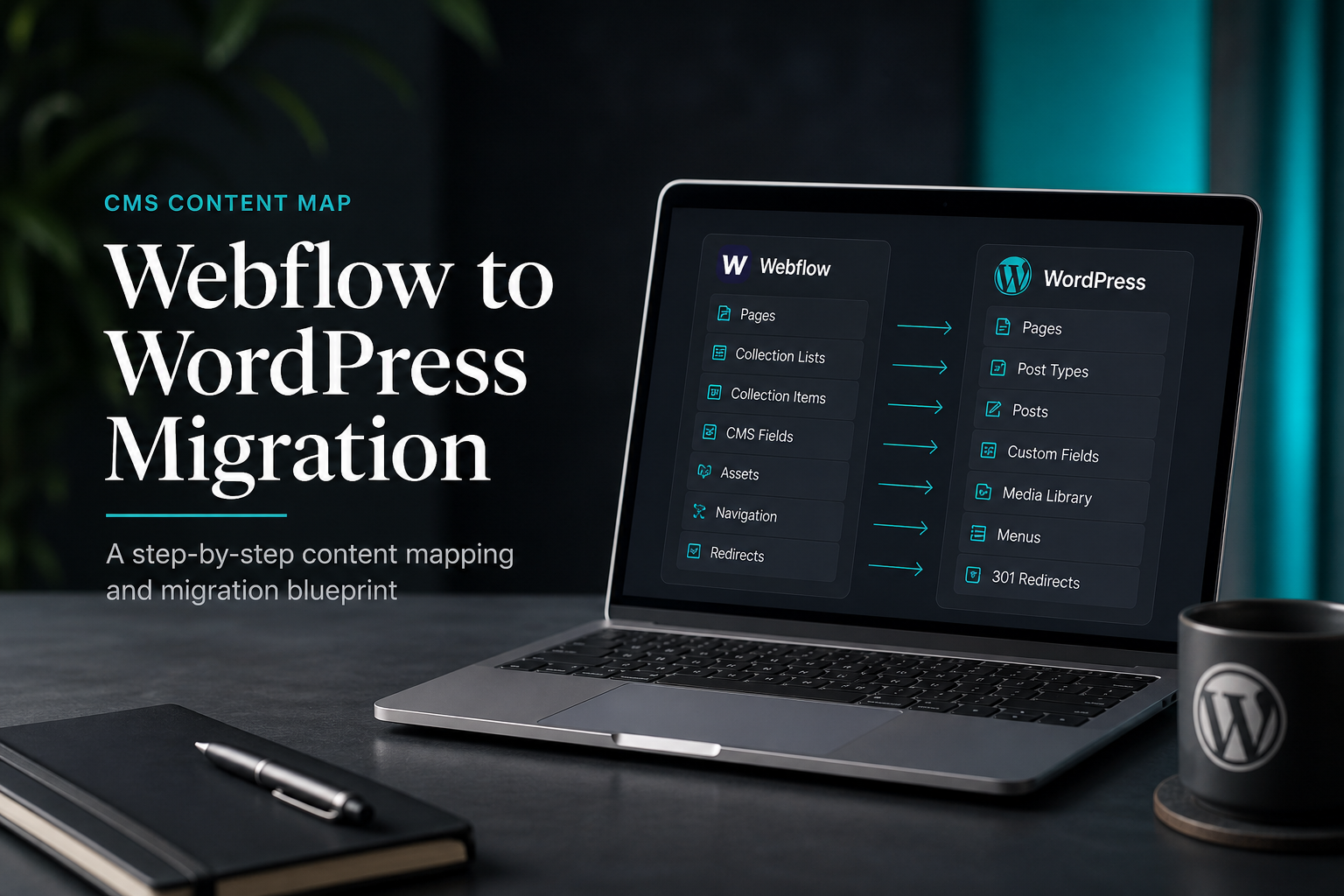
To migrate from Webflow to WordPress, export CMS collections and static pages from Webflow, rebuild the design system in a WordPress theme or page builder, import content with WP All Import or manual entry, and implement 301 redirects for every URL that changes. Webflow's visual design and interactions do not transfer — expect a design rebuild, not a conversion.
Professional Webflow-to-WordPress migration typically runs $1,000–$2,500 (estimate) — higher than Wix or Squarespace because Webflow sites tend to have custom CMS structures, complex layouts, and more indexed content. Timeline: 2–5 weeks.
Why teams leave Webflow for WordPress
- Plugin ecosystem — WooCommerce, membership, LMS, and CRM integrations beyond Webflow's scope
- Hosting flexibility — choose your server, caching stack, and CDN
- Content ownership — portable MySQL database and PHP files vs Webflow's closed platform
- Team workflow — editorial teams already know WordPress; dev handoff is simpler for PHP/HTML developers
- Cost at scale — Webflow CMS and Business plans increase with collection items and traffic
WordPress tradeoffs: you own updates, security, and performance tuning. Webflow handled hosting and CDN automatically.
What Webflow exports
| Asset | Export option | WordPress approach |
|---|---|---|
| CMS Collection items | CSV per collection | WP All Import with custom fields (ACF) |
| Static page content | Manual copy or third-party tools | Rebuild in theme/builder |
| Images | Bulk download from Assets panel | Media library upload |
| CSS/JS | Read-only export in project settings | Recreate in theme — do not paste wholesale |
| URL slugs | Visible in CMS item settings | Match in WordPress permalinks |
| Webflow interactions/animations | Not exportable | CSS/JS or animation library (GSAP, Framer Motion via custom dev) |
| Webflow forms | Not exportable | WPForms, Gravity Forms |
| Ecommerce (Webflow Ecommerce) | Product CSV export | WooCommerce import |
| 301 redirects | Webflow hosting redirects (lost after leave) | Rebuild on WordPress host |
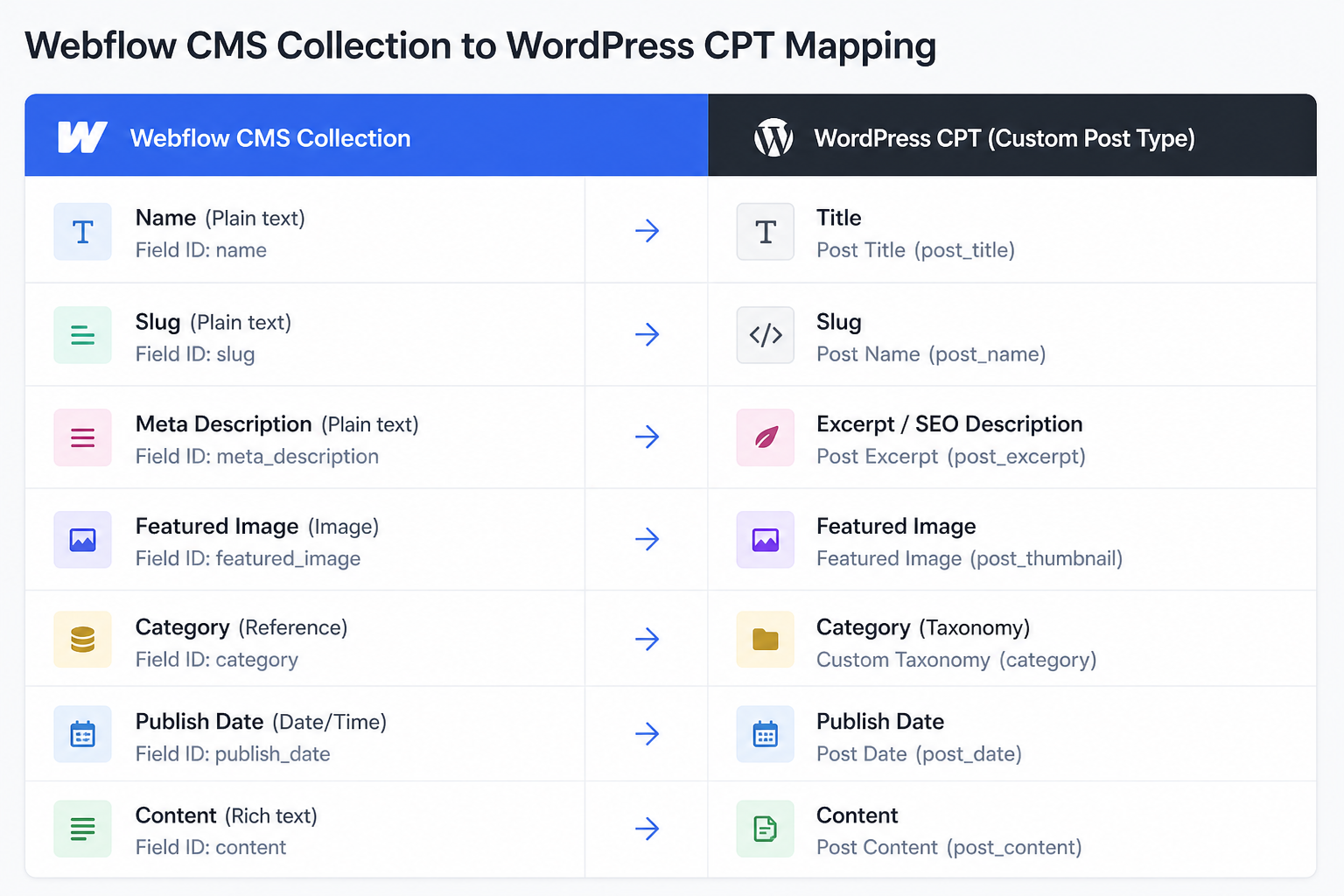
Webflow's CMS is flexible — your collection field structure must be mapped to WordPress custom fields (Advanced Custom Fields recommended) or native post meta.
Migration process
Phase 1: Discovery and URL inventory
- Crawl live Webflow site — all static pages, CMS collection templates, category pages.
- Document CMS collections: Blog Posts, Team Members, Case Studies, etc.
- Export each collection as CSV from Webflow CMS panel.
- Map Webflow URL patterns:
– Static: `/about`, `/contact`
– CMS: `/post-slug`,/ `/work/project-slug`
- Build redirect spreadsheet for the SEO checklist.
Note Webflow auto-generated pages: collection list pages, pagination (`/blog?page=2`), and filter states.
Phase 2: WordPress architecture
Before importing content, define WordPress content model:
| Webflow collection | WordPress equivalent |
|---|---|
| Blog posts | Posts (native) |
| Categories | Categories (native) |
| Team members | Custom Post Type `team` + ACF fields |
| Case studies | Custom Post Type `case_study` + ACF |
| FAQs | Custom Post Type or accordion blocks |
Register custom post types via CPT UI plugin or theme code. Create ACF field groups matching Webflow CMS fields (image, rich text, reference, multi-reference).
Choose build approach:
- Custom block theme — best performance, dev time upfront
- Elementor or Bricks — faster visual parity with Webflow canvas
- Hybrid — block theme for blog, builder for marketing pages
Phase 3: Design rebuild
Webflow design does not export as functional WordPress templates. Rebuild:
- Extract design tokens: colors, typography, spacing, breakpoints.
- Set global styles in theme or builder (Elementor Site Settings, theme.json for block themes).
- Build reusable components: header, footer, hero, card grid, CTA section.
- Create single templates for each post type matching Webflow collection templates.
- Test responsive behavior at Webflow breakpoints (991px, 767px, 478px).
Screenshot Webflow pages as reference. Measure, do not eyeball — Webflow's default spacing is precise.
Phase 4: Content import
Blog and simple collections:
- Export CSV from Webflow.
- Import via WP All Import — map columns to post fields and ACF.
- Verify slugs match Webflow item slugs.
- Download and attach images (import tool can fetch URLs if Webflow CDN links still active).
Multi-reference fields: Webflow references become ACF relationship fields or post IDs. Requires import mapping logic — often manual cleanup for complex collections.
Static pages: Manual rebuild. Webflow does not export static page HTML in import-ready format.
Phase 5: Redirects and DNS
Webflow-hosted redirects disappear when you disconnect the domain. Plan redirects before cutover:
- Implement 301s on WordPress host (Redirection plugin, Rank Math, nginx/Apache).
- Match slugs where possible to reduce redirect count.
- Handle pagination redirects if URL structure changes.
- Point domain DNS from Webflow to WordPress host.
- SSL on WordPress host before cutover.
If URL structure changes significantly, budget $300–$800 (estimate) for redirect mapping alone. Guide: change WordPress domain without losing SEO.
Phase 6: Functionality parity
| Webflow feature | WordPress replacement |
|---|---|
| Webflow forms | WPForms, Fluent Forms, Gravity Forms |
| Webflow Memberships | MemberPress, Restrict Content Pro |
| Webflow Ecommerce | WooCommerce |
| Webflow Logic | AutomateWP, Uncanny Automator, custom code |
| Webflow Analyze | GA4, Plausible, Fathom |
| Custom embeds | oEmbed, custom HTML blocks |
Interactions (scroll animations, Lottie, hover states) require rebuild — typically CSS transitions or GSAP. Budget dev time for animation-heavy sites.
Phase 7: Launch QA
Full WordPress migration checklist plus:
- [ ] Every CMS item renders on correct template
- [ ] Collection list pages paginate correctly
- [ ] Related items / multi-reference fields display
- [ ] Forms submit and notify
- [ ] Core Web Vitals acceptable (Webflow CDN was fast — match or explain tradeoff)
- [ ] Search Console sitemap submitted
- [ ] Top 50 URLs verified
Keep Webflow project accessible (not published) for 30 days as design reference. Cancel hosting plan after traffic confirms on WordPress.
Webflow-specific SEO considerations
- Clean Webflow URLs — Webflow sites often rank well due to fast hosting and clean markup. WordPress must match speed or expect temporary volatility.
- CMS collection SEO fields — Webflow meta titles/descriptions are per-item; re-import into Yoast/Rank Math per post.
- Structured data — Webflow auto-schema may differ from WordPress output. Validate with Rich Results Test.
- Sitemap — Webflow auto-generates `sitemap.xml`. WordPress uses `/wp-sitemap.xml` or SEO plugin sitemap. Submit new URL in Search Console.
- Image CDN — Webflow serves optimized images. Re-optimize on import (ShortPixel, Imagify) to avoid LCP regression.
Cost breakdown
| Scope | Estimate (USD) |
|---|---|
| Blog-only Webflow site (<30 posts, minimal CMS) | $1,000–$1,500 |
| Marketing site with 2–3 CMS collections | $1,500–$2,000 |
| Complex CMS + ecommerce + animations | $2,000–$2,500+ |
| Custom theme rebuild (separate from migration) | $3,000–$10,000+ |
Webflow vs other platform migrations
| Platform | Export quality | Rebuild effort | Typical estimate |
|---|---|---|---|
| Wix | Poor (RSS only for blog) | High | $800–$2,000 |
| Squarespace | Medium (XML for blog) | Medium–High | $800–$2,000 |
| Webflow | Good (CSV per collection) | High (design + CMS mapping) | $1,000–$2,500 |
Compare: Wix to WordPress, Squarespace to WordPress.
FAQs
Can I export Webflow HTML and paste into WordPress?
Not cleanly. Webflow HTML includes platform-specific classes, interactions, and asset references that break outside Webflow hosting. Rebuild in WordPress templates.
Does Udesly or similar converter work?
Automated converters produce mixed results — usable for simple sites, broken layouts for complex CMS sites. Budget cleanup time or skip automation for production migrations.
How do I migrate Webflow interactions?
Recreate with CSS, GSAP, or WordPress animation plugins. There is no export format for Webflow IX2 interactions.
Will WordPress be slower than Webflow?
Potentially, if WordPress is on budget shared hosting with unoptimized images and ten plugins. Managed WordPress hosting with caching matches Webflow for most marketing sites. Performance optimization may be a follow-up project.
Can I keep Webflow for landing pages and WordPress for blog?
Split-domain setups create SEO complexity (cross-domain authority, analytics). Possible but usually not recommended unless there is a strong operational reason.
—
Webflow migrations need CMS mapping and design rebuild expertise. WordPress migration services scope collection structure, redirects, and launch QA.
Book a free 15-minute migration consult.
September 10, 2026
How to Migrate From Squarespace to WordPress
September 10, 2026



