

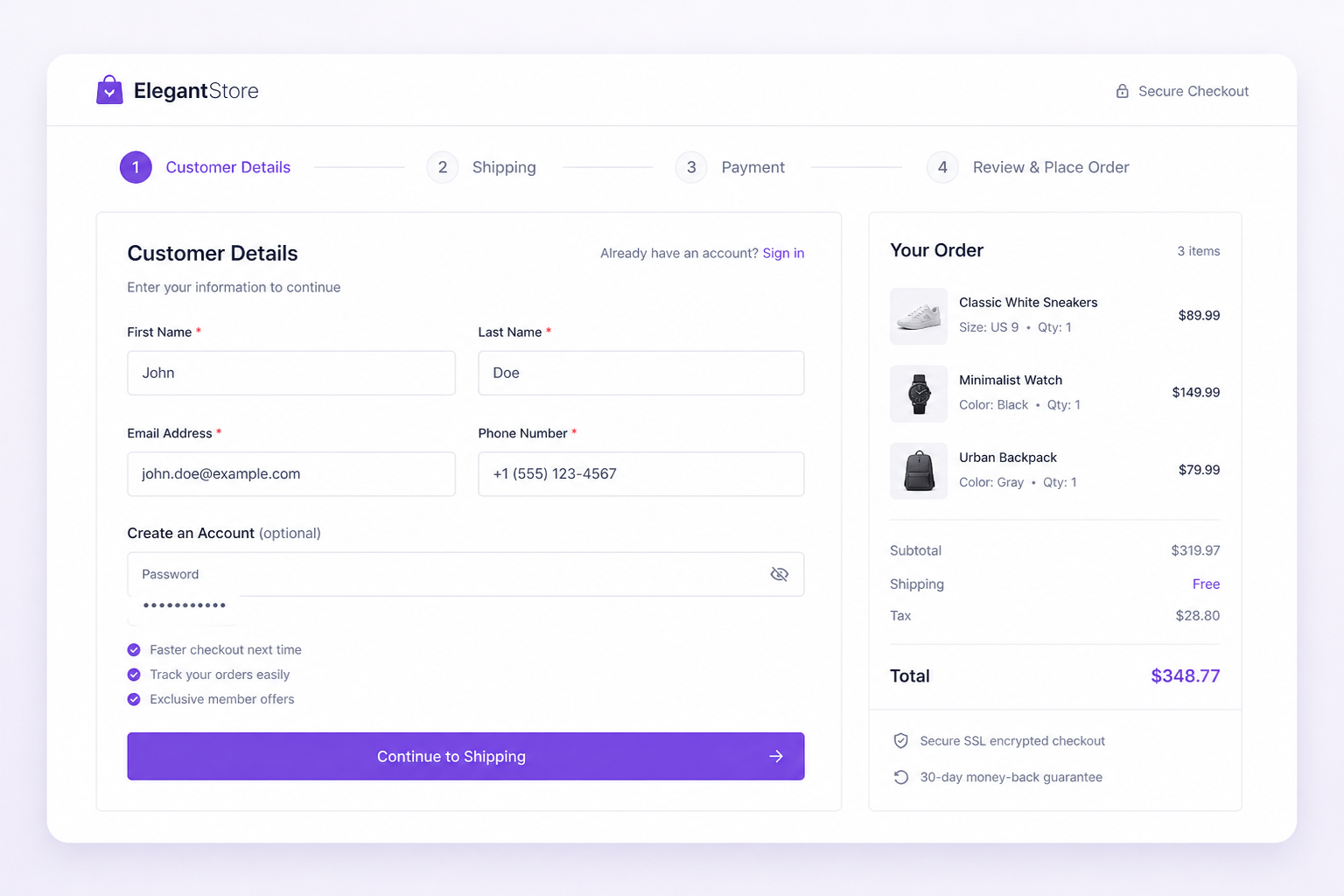
Custom WooCommerce checkout development means modifying the checkout flow — fields, layout, payment logic, and order processing — to match how your customers actually buy, not how WooCommerce's default template assumes they buy. Most stores lose 60–80% of carts before payment. Checkout is where that revenue disappears.
The default WooCommerce checkout works for simple B2C stores selling standard products with credit card payment. It breaks down when you need conditional fields, B2B purchase orders, multi-step flows, address validation, or payment method logic tied to customer roles. That is where custom development starts.
What stores typically need customized
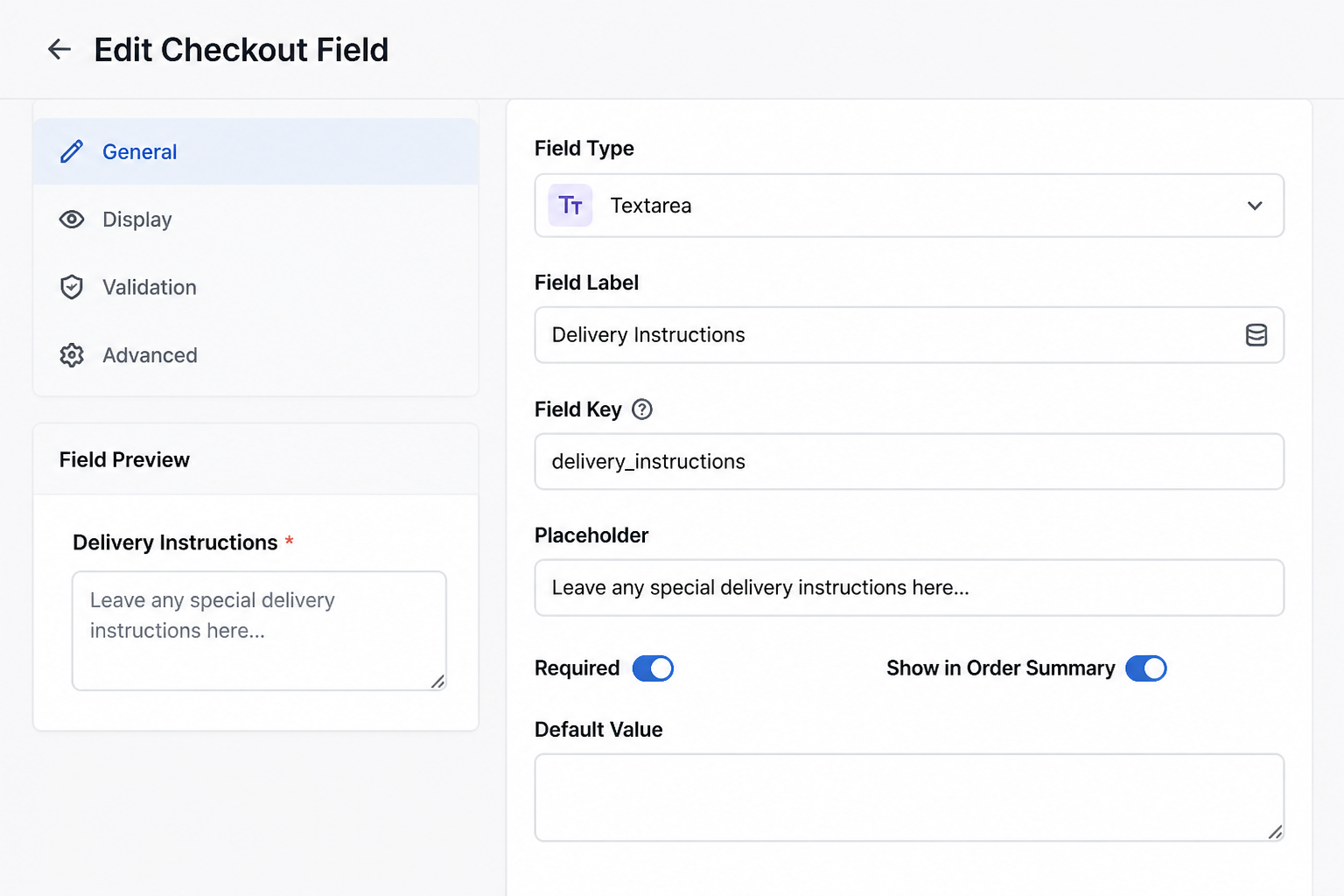
Custom checkout fields
Extra fields beyond billing and shipping: company name, VAT number, delivery instructions, gift messages, age verification, license numbers for regulated products. WooCommerce supports custom fields through hooks (`woocommerce_checkout_fields` filter) or plugins like Checkout Field Editor. Custom development is needed when fields are conditional — show VAT field only for EU countries, show PO number only for wholesale accounts.
One-page vs multi-step checkout
WooCommerce defaults to a single-page checkout with billing, shipping, and payment stacked vertically. Multi-step checkouts (Cart → Details → Shipping → Payment) can reduce perceived complexity for stores with many fields. One-page checkouts with sticky order summaries convert better for simple purchases. The right layout depends on your average order value and field count — not industry trends.
Guest checkout optimization
Forcing account creation kills conversions. WooCommerce supports guest checkout natively, but themes and plugins sometimes break it. Custom work ensures guest checkout stays enabled, account creation is optional post-purchase, and the "create account" checkbox does not add friction.
Payment method conditioning
Show bank transfer for wholesale accounts, hide credit card for certain product categories, require deposit payment for custom orders. This requires hooking into `woocommerce_available_payment_gateways` and testing every combination.
Order notes and file uploads
Custom product orders often need file uploads (logo files, measurements, specifications) at checkout. WooCommerce does not support file uploads natively. Custom fields with validation and secure storage are development work.
Address validation and autocomplete
Google Places autocomplete, USPS address verification, and shipping zone pre-validation reduce failed deliveries and checkout errors. Integration requires API keys, JavaScript on the checkout page, and server-side validation as a fallback.
How checkout customization works technically
WooCommerce checkout customization follows a hierarchy. Use the lightest approach that solves the problem.
| Approach | When to use | Risk level |
|---|---|---|
| Plugin (Checkout Field Editor, CartFlows) | Standard field additions, basic layout changes | Low |
| Theme template override | Layout restructuring, CSS/JS changes | Medium |
| Hook/filter customization in child theme | Conditional logic, payment rules, validation | Medium |
| Custom plugin | Complex business logic, API integrations, reusable across sites | Low (if done properly) |
Never edit WooCommerce core files or the parent theme directly. All customizations go in a child theme or custom plugin so updates do not overwrite your work.
Key WooCommerce checkout hooks
- `woocommerce_checkout_fields` — add, remove, or modify fields
- `woocommerce_checkout_process` — server-side validation before order creation
- `woocommerce_after_checkout_validation` — custom validation rules
- `woocommerce_available_payment_gateways` — conditional payment methods
- `woocommerce_checkout_order_processed` — post-order actions (API calls, notifications)
A developer who cannot name these hooks has not customized checkout before.
Checkout and caching: the conflict
Checkout pages must never be full-page cached. A cached checkout shows the previous visitor's cart, breaks nonce tokens, and causes payment failures. Every caching plugin (WP Rocket, LiteSpeed, FlyingPress) needs checkout, cart, and my-account URLs in the exclusion list.
Custom checkout JavaScript that relies on AJAX cart updates also breaks if cart fragments are cached incorrectly. This is the most common post-launch checkout bug I see — the store "worked in staging" because staging had no caching configured.
Checkout and speed
Checkout should load in under two seconds. Every additional plugin on the checkout page adds JavaScript weight. Common culprits:
- Page builders loading full CSS on checkout
- Social login plugins
- Upsell/cross-sell widgets
- Analytics scripts firing before payment form renders
Strip checkout down to essentials: billing fields, shipping options, payment form, order summary. Move marketing widgets to the thank-you page.
What custom checkout development costs
| Scope | Estimate (USD) |
|---|---|
| Add 3–5 custom fields with validation | $500–$1,500 |
| One-page checkout layout redesign | $1,500–$3,000 |
| Multi-step checkout with CartFlows or custom | $2,000–$4,000 |
| Conditional fields + payment method logic | $2,000–$5,000 |
| Full checkout rebuild with address validation + file uploads | $4,000–$8,000 |
These are estimates for development time only, not including theme work or payment gateway setup. Full store builds with custom checkout typically fall in the $5,000–$12,000+ range.
Checkout optimization without custom development
Before paying for custom checkout work, verify these defaults are configured correctly:
- Guest checkout enabled (WooCommerce → Settings → Accounts)
- Minimal required fields — remove company name if you do not need it
- Shipping calculator on cart page — not just checkout
- Express payment buttons (Apple Pay, Google Pay via Stripe)
- Mobile-responsive payment form — test on a real phone, not browser dev tools
- Clear error messages — "Invalid postcode" not "Error processing checkout"
- Trust signals near payment button — security badges, return policy link
- No forced account creation
These fixes are configuration, not development. They solve a surprising amount of cart abandonment without custom code.
Testing checklist
Before launching custom checkout changes:
- [ ] Complete a test order with each payment method
- [ ] Test guest checkout and account creation checkout separately
- [ ] Test on mobile (iOS Safari and Android Chrome)
- [ ] Verify custom fields save to order meta and appear in admin
- [ ] Confirm conditional fields show/hide correctly for all scenarios
- [ ] Test with caching enabled on production-equivalent hosting
- [ ] Verify webhook/payment confirmation emails fire
- [ ] Test failed payment recovery flow
- [ ] Confirm tax calculation with custom fields (VAT, exempt accounts)
FAQs
Can I customize WooCommerce checkout without a developer?
Simple field additions work with Checkout Field Editor or similar plugins. Layout changes, conditional logic, payment method rules, and address validation require development. If your checkout needs change based on who is buying or what they are buying, you need custom code.
Does custom checkout work with WooCommerce Subscriptions?
Yes, but subscription checkout adds complexity: sign-up fees, free trials, and subscription terms must display correctly. Test subscription creation, renewal, and cancellation flows after any checkout modification.
Will custom checkout break when WooCommerce updates?
Properly built customizations using hooks and template overrides survive most updates. Direct core file edits break on every update. This is why custom code belongs in a child theme or custom plugin — not the theme editor.
Is one-page or multi-step checkout better?
Data says one-page checkout converts better for simple purchases (under five fields, one payment method). Multi-step works better when you have many fields or need to explain shipping options step by step. Test both with your actual audience rather than assuming.
How does custom checkout affect page speed?
It can help or hurt. Removing unnecessary fields and plugins speeds checkout up. Adding JavaScript-heavy address autocomplete, file upload widgets, or upsell modules slows it down. Keep checkout lean.
Next step
If your checkout is losing orders and you are not sure whether the fix is configuration or custom development, a 15-minute audit will tell you.
Book a free 15-minute WooCommerce audit →
For the full scope of WooCommerce development services, including payment gateway integration, see the related guides.
September 3, 2026
WordPress Two-Factor Authentication Setup Guide
September 3, 2026



