

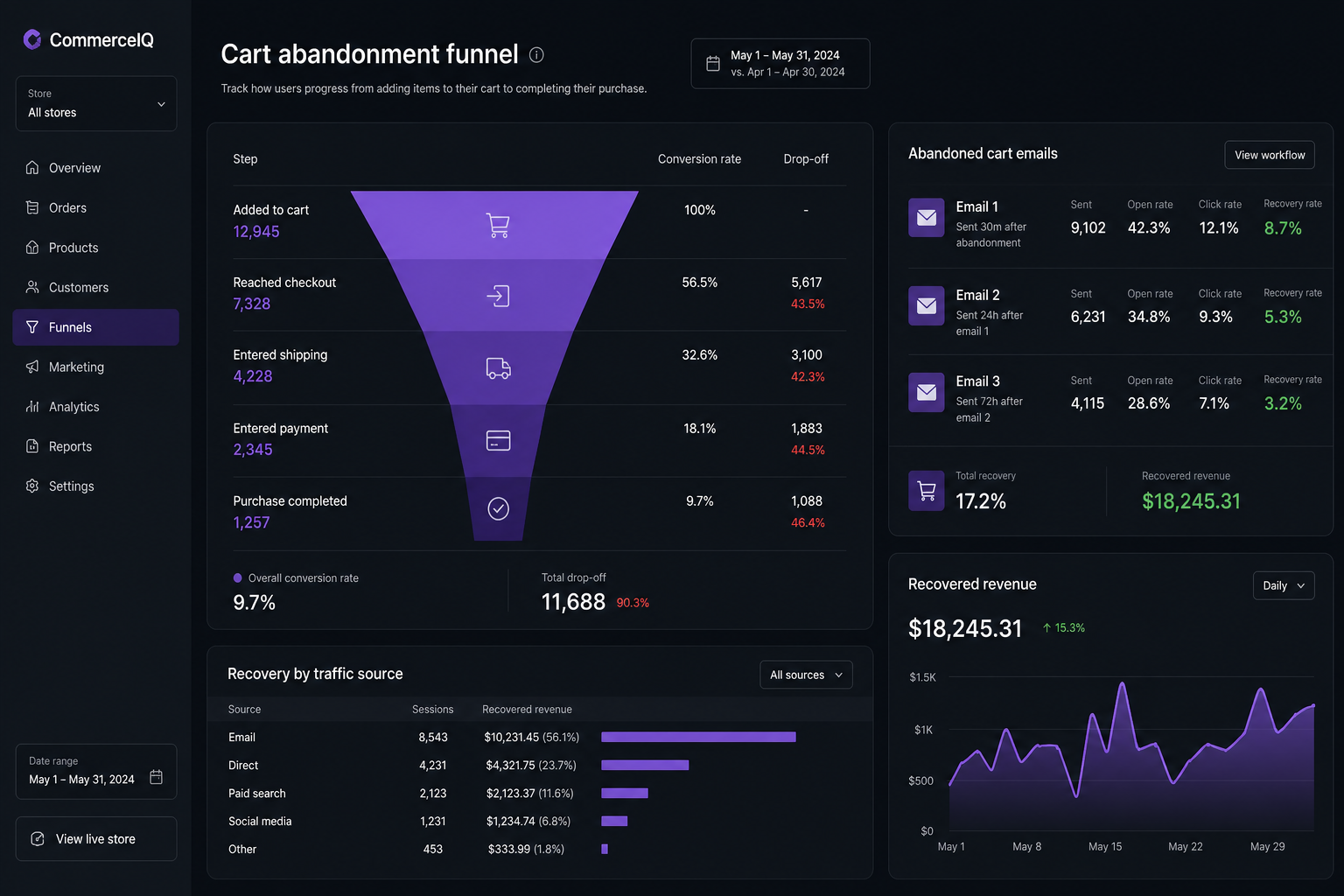
The average WooCommerce store loses 60–80% of carts before checkout completes. Reducing cart abandonment means fixing the specific friction points — slow checkout, surprise costs, forced account creation, broken mobile payment forms — not installing a recovery email plugin and calling it a strategy.
Cart abandonment is a symptom, not a disease. The disease is usually checkout friction, unexpected shipping costs, or a store that loads too slowly on mobile. Recovery emails help recover 5–15% of abandoned carts. Fixing the checkout experience prevents abandonment in the first place.
Why customers abandon WooCommerce carts
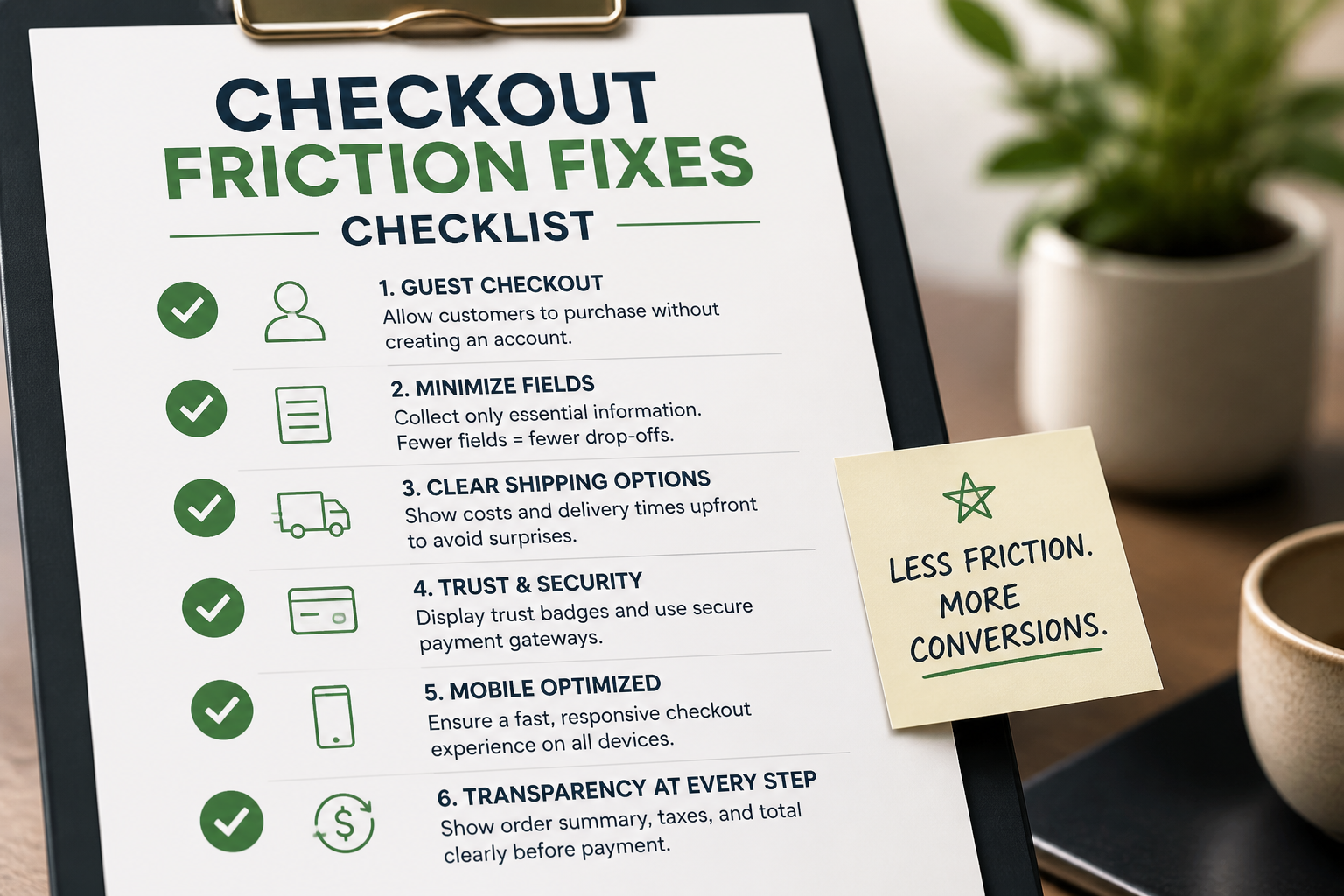
Industry data and what I see on store audits:
| Reason | Percentage of abandonments | Fixable? |
|---|---|---|
| Unexpected shipping costs | 48% | Yes — show shipping earlier |
| Required account creation | 24% | Yes — enable guest checkout |
| Complicated checkout process | 18% | Yes — simplify fields and steps |
| Could not see total cost upfront | 17% | Yes — cart page transparency |
| Website errors or crashes | 13% | Yes — fix bugs and test mobile |
| Slow checkout page | 12% | Yes — speed optimization |
| Payment security concerns | 10% | Partially — trust signals |
| Just browsing / not ready | 30% | No — but recoverable via email |
Multiple reasons apply per abandonment. Fixing the top three (shipping transparency, guest checkout, checkout speed) addresses the majority of preventable losses.
Fix 1: Show shipping costs before checkout
The number one abandonment trigger is shipping sticker shock at the final step. Fix it by displaying shipping on the cart page.
- WooCommerce → Settings → Shipping → Shipping options
- Enable "Enable the shipping calculator on the cart page"
- Customer enters zip code on cart page and sees shipping options before checkout
Better: show estimated shipping on the product page for common destinations, or display "Free shipping over $X" prominently.
If you offer free shipping above a threshold, add a progress bar to the cart page: "You're $14 away from free shipping." Plugins like Advanced Free Shipping or custom cart notices handle this.
Fix 2: Enable and optimize guest checkout
WooCommerce → Settings → Accounts & Privacy:
- Enable "Allow customers to place orders without an account"
- Enable "Allow customers to create an account during checkout" (optional checkbox, not forced)
- Disable "Allow customers to log into an existing account during checkout" only if it causes confusion
Never force account creation before payment. Post-purchase account creation ("Create an account to track your order") converts better than pre-purchase gates.
Fix 3: Speed up checkout
Checkout must load in under two seconds on mobile. Audit your checkout page specifically — not the homepage.
Common checkout speed killers:
- Page builder CSS/JS loading on checkout (disable via Asset CleanUp or Perfmatters)
- Chat widgets and heatmap scripts on checkout
- Multiple analytics tags firing before payment form renders
- No caching exclusion causing stale checkout data (different problem, same page)
See the full WooCommerce speed optimization guide for the complete checklist.
Fix 4: Simplify checkout fields
Remove every field that is not legally or operationally required.
Keep: Name, email, address, payment
Remove unless needed: Company name, second address line, phone (unless you ship via phone contact), order notes default field
For stores requiring extra fields (B2B PO numbers, delivery instructions), use conditional fields that appear only when relevant — not a wall of inputs on every order. See custom checkout development for conditional field setup.
Fix 5: Add express payment options
Stripe's Apple Pay, Google Pay, and Link buttons let customers pay without filling in billing fields. One tap, done.
Setup:
- Enable in WooCommerce Stripe settings
- Buttons appear automatically on supported devices/browsers
- Reduces checkout from 8 fields to 1 tap for returning mobile buyers
Express payments typically increase mobile conversion by 10–20% on stores where they were not previously available.
Fix 6: Trust signals at checkout
Place these near the payment button:
- SSL/security badge
- Payment method icons (Visa, Mastercard, Amex, PayPal)
- Return/refund policy link
- "Your payment information is encrypted" text
- Contact information (phone or email) for questions
Do not add pop-ups, countdown timers, or fake scarcity notifications at checkout. They increase anxiety at the moment you need confidence.
Fix 7: Mobile checkout testing
Over 60% of ecommerce traffic is mobile. Test checkout on:
- iPhone (Safari) — Apple Pay availability
- Android (Chrome) — Google Pay availability
- Small screen (375px width) — field labels, button sizes, payment form rendering
Common mobile checkout failures:
- Payment form fields too small to tap accurately
- Autofill not working on address fields
- Sticky header covering the "Place Order" button
- Shipping options requiring horizontal scroll
Fix these before adding any recovery tooling.
Fix 8: Cart abandonment recovery emails
After fixing checkout friction, add recovery emails for carts that still abandon.
WooCommerce Cart Abandonment Recovery (free plugin) or premium options (Jilt, Klaviyo, Omnisend):
| Timing | Content | |
|---|---|---|
| Reminder 1 | 1 hour after abandonment | "You left something behind" + cart contents |
| Reminder 2 | 24 hours | Add social proof or highlight free shipping |
| Reminder 3 | 72 hours | Optional discount code (use sparingly — trains customers to abandon) |
Recovery email best practices:
- Include product images and direct link back to cart
- Do not offer a discount in the first email — save it for email 3 if needed
- Personalize with the customer's name and cart items
- Test subject lines — "Your cart is waiting" outperforms "Complete your purchase"
Recovery emails recapture 5–15% of abandoned carts. They do not fix the underlying checkout problems.
Fix 9: Exit-intent and on-site recovery
Lower priority than checkout fixes, but useful:
- Exit-intent popup on cart page (not checkout — too aggressive)
- Live chat on cart page for high-AOV stores
- Save cart functionality for logged-in users
- Persistent cart across devices (WooCommerce handles this for logged-in users)
Measuring abandonment properly
WooCommerce does not track abandonment natively. Options:
- Google Analytics 4 — set up ecommerce funnel: view item → add to cart → begin checkout → purchase. Abandonment rate = drop-off at each step.
- Cart abandonment plugin — tracks sessions with items in cart who did not complete purchase.
- Manual calculation — (Carts created – Orders completed) / Carts created.
Benchmark: 60–80% abandonment is normal for ecommerce. Below 60% is good. Below 50% is excellent. Above 85% indicates a serious checkout problem.
What cart abandonment fixes cost
| Fix | Cost | Impact |
|---|---|---|
| Guest checkout + shipping calculator | Free (configuration) | High |
| Checkout speed optimization | $500–$3,000 | High |
| Express payment setup | Free–$500 | Medium–High |
| Custom checkout simplification | $1,500–$4,000 | High |
| Recovery email plugin setup | $0–$500 | Medium (recovery, not prevention) |
| Full checkout rebuild | $4,000–$8,000 | High |
Most stores should exhaust free configuration fixes before paying for custom checkout development.
FAQs
What is a normal cart abandonment rate for WooCommerce?
60–80% is industry standard. Stores with optimized checkout, guest checkout, and express payments can get to 50–60%. Above 80% usually indicates a broken checkout, missing shipping methods, or a speed problem.
Do cart abandonment pop-ups work?
Exit-intent popups on cart pages recover 2–4% of abandoning visitors. They annoy more people than they save. Fix checkout friction first. Add pop-ups only after checkout is optimized.
Should I send a discount in abandonment recovery emails?
Not in the first email. Discounting trains customers to abandon carts intentionally. Use a discount in the third and final recovery email only if the cart value justifies it and you have margin to spare.
Can I reduce abandonment without a developer?
Yes. Guest checkout, shipping calculator, removing unnecessary fields, and recovery email plugins are DIY fixes. Speed optimization, express payment setup, and custom checkout changes usually need developer help.
How does cart abandonment relate to checkout customization?
Abandonment is the problem. Checkout customization is one solution. Start with free configuration fixes, measure the improvement, then invest in custom checkout development if abandonment remains above 70%.
Next step
If your store loses more than 75% of carts and you are not sure why, a 15-minute audit identifies the top checkout friction points ranked by impact.
Book a free 15-minute WooCommerce audit →
For WooCommerce development services including checkout optimization and speed fixes, see the related guides.
September 4, 2026
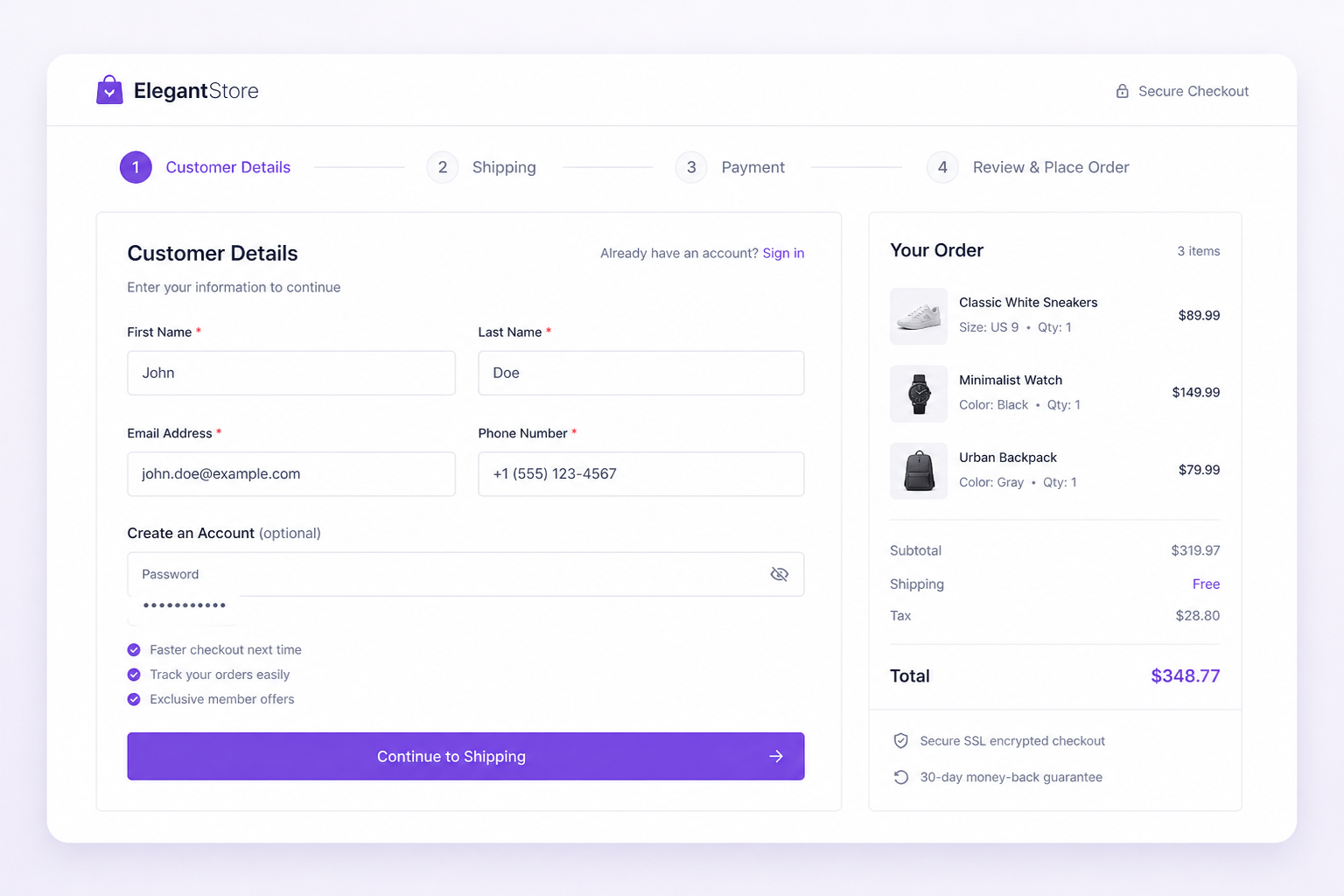
Custom WooCommerce Checkout Development: What It Actually Involves
September 4, 2026



