

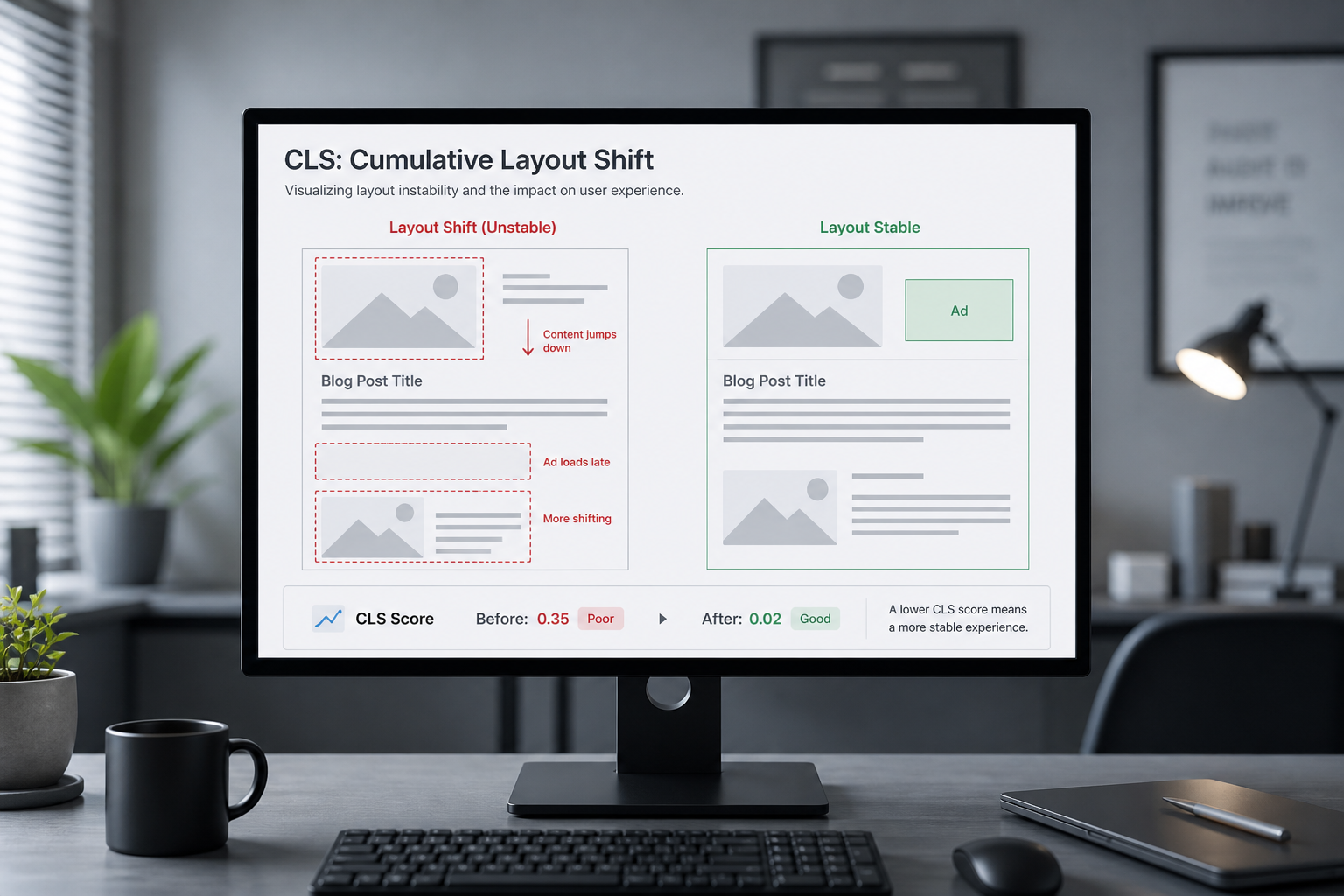
To fix Cumulative Layout Shift (CLS), find what's moving on the page after initial render and reserve space for it before it loads. CLS must stay at ≤ 0.1 at the 75th percentile for a "Good" Core Web Vitals rating. A score of 0.25 means visible content jumped enough to frustrate users trying to click or read.
CLS is the most visually obvious Core Web Vital. You can often diagnose it without tools — reload the page and watch whether the header, text, or buttons jump when images, fonts, ads, or cookie banners appear. Lighthouse lists each shift source with its individual score contribution.
How CLS is calculated
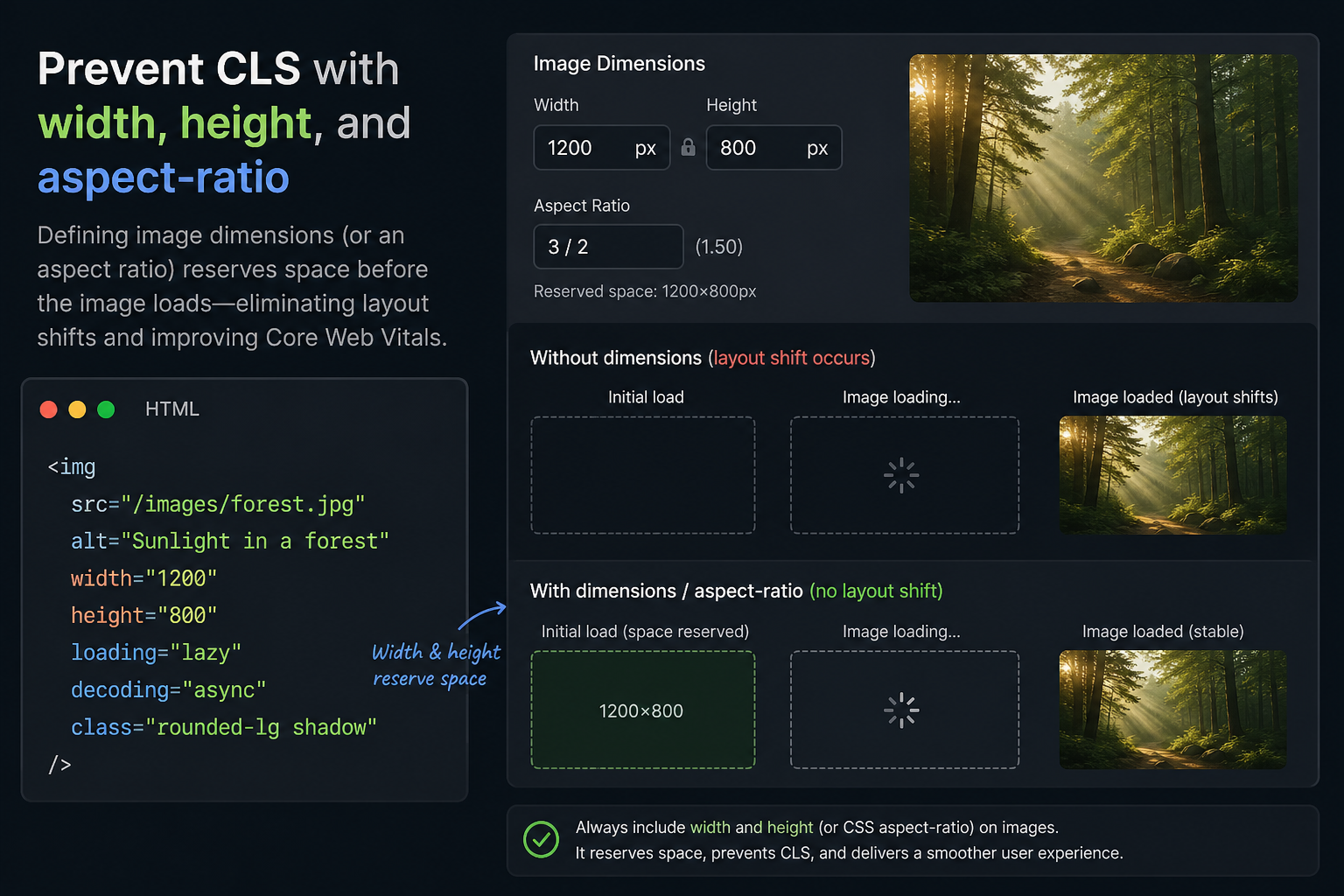
CLS sums unexpected layout shift scores across the page lifetime. Not all movement counts — user-initiated shifts (clicking "expand") are excluded. Automatic shifts from late-loading assets are what hurt.
| Shift source | Typical CLS impact |
|---|---|
| Image without dimensions | High |
| Ad/embed without reserved space | High |
| Web font swap (FOUT/FOIT) | Medium |
| Cookie banner pushing content down | Medium–High |
| Dynamically injected content (related posts, reviews) | Medium |
| iframe without min-height | Medium |
Step 1: Run CLS diagnostics
- PageSpeed Insights → Diagnostics → "Avoid large layout shifts"
- Chrome DevTools → Performance → Experience → Layout Shift entries
- Web Vitals extension while browsing the page manually
Record each culprit element and when it shifts (on load, after 2s, on scroll).
Step 2: Fix images and media
Every `<img>` needs known dimensions before the file downloads.
“`html
<img src="hero.webp" width="1200" height="600" alt="…" />
“`
For responsive images:
“`css
.hero img {
aspect-ratio: 1200 / 600;
width: 100%;
height: auto;
}
“`
| Check | Fix |
|---|---|
| Missing width/height on content images | Add attributes or aspect-ratio in CSS |
| WordPress embeds images without dimensions | Theme fix or plugin (performance plugins often add dimensions) |
| SVG icons without fixed size | Set width/height on SVG or container |
| Background images in hero | Fixed min-height on container |
| Lazy-loaded images causing shift | Use placeholder with aspect ratio (native lazy load handles this if dimensions set) |
WordPress block editor usually outputs dimensions. Page builders and custom fields often don't — check those templates first.
Step 3: Fix ads and embeds
| Element | Fix |
|---|---|
| Display ads | Fixed-size ad slot container with min-height matching ad unit |
| YouTube/Vimeo embeds | Responsive wrapper with padding-bottom aspect ratio hack or aspect-ratio CSS |
| Google Maps iframe | Reserve map container height before iframe loads |
| Social feed widgets | Replace with static link or load below fold with reserved space |
| Review widgets (Trustpilot, etc.) | min-height on widget container; defer load |
Never inject ad iframes into flowing text without a reserved block.
Step 4: Fix web font layout shift
Fonts swapping after text renders is classic CLS.
| Strategy | Tradeoff |
|---|---|
| `font-display: swap` | Brief FOUT but text visible; may shift when custom font arrives |
| `font-display: optional` | No shift; may keep fallback if font slow |
| Preload critical woff2 | Faster font arrival; less shift window |
| Self-host fonts | Removes Google Fonts redirect chain |
| Size-adjust / fallback font matching | Advanced; reduces shift between fallback and custom |
For brand-critical headings, preload the exact weight used in the hero. Loading 8 font weights site-wide when you use 2 is unnecessary CLS and LCP risk.
Step 5: Fix dynamic content injection
| Pattern | Fix |
|---|---|
| Cookie consent bar pushes page down | Use overlay/bottom sheet instead of document push |
| Announcement bar above header | Reserve space in CSS from first paint |
| AJAX "related products" inserting above footer | Skeleton placeholder with fixed height |
| WooCommerce cart fragment updating header | Reserve cart icon space; avoid height change |
| Late-loading chat widget | Fixed-position button; doesn't affect document flow if positioned correctly |
Sticky headers that change height on scroll can cause CLS if not handled carefully — keep header height constant.
Step 6: WordPress-specific CLS fixes
| Source | Action |
|---|---|
| Elementor/Divi sections without min-height | Set section height or aspect ratio on heroes |
| oEmbed Twitter/Instagram in content | Replace with static screenshot + link, or lazy embed below fold |
| Auto-inserted related posts plugin | Configure placeholder or move below fold |
| WooCommerce gallery thumbnails | Ensure gallery container has min-height |
| Admin bar on logged-in views | Test logged-out for CrUX; fix logged-in separately for editors |
CLS in Search Console reflects logged-out visitor data in most cases. Test as anonymous user.
Validation checklist
| Test | Pass criteria |
|---|---|
| PSI lab CLS ≤ 0.1 | Directionally good |
| Manual reload × 5 — no visible jump | Subjective but useful |
| DevTools Layout Shift flagged entries | Zero or minimal after fixes |
| Search Console field CLS | Updates over 28-day window |
Fix CLS alongside LCP fixes — image dimensions help both metrics.
When CLS points to redesign
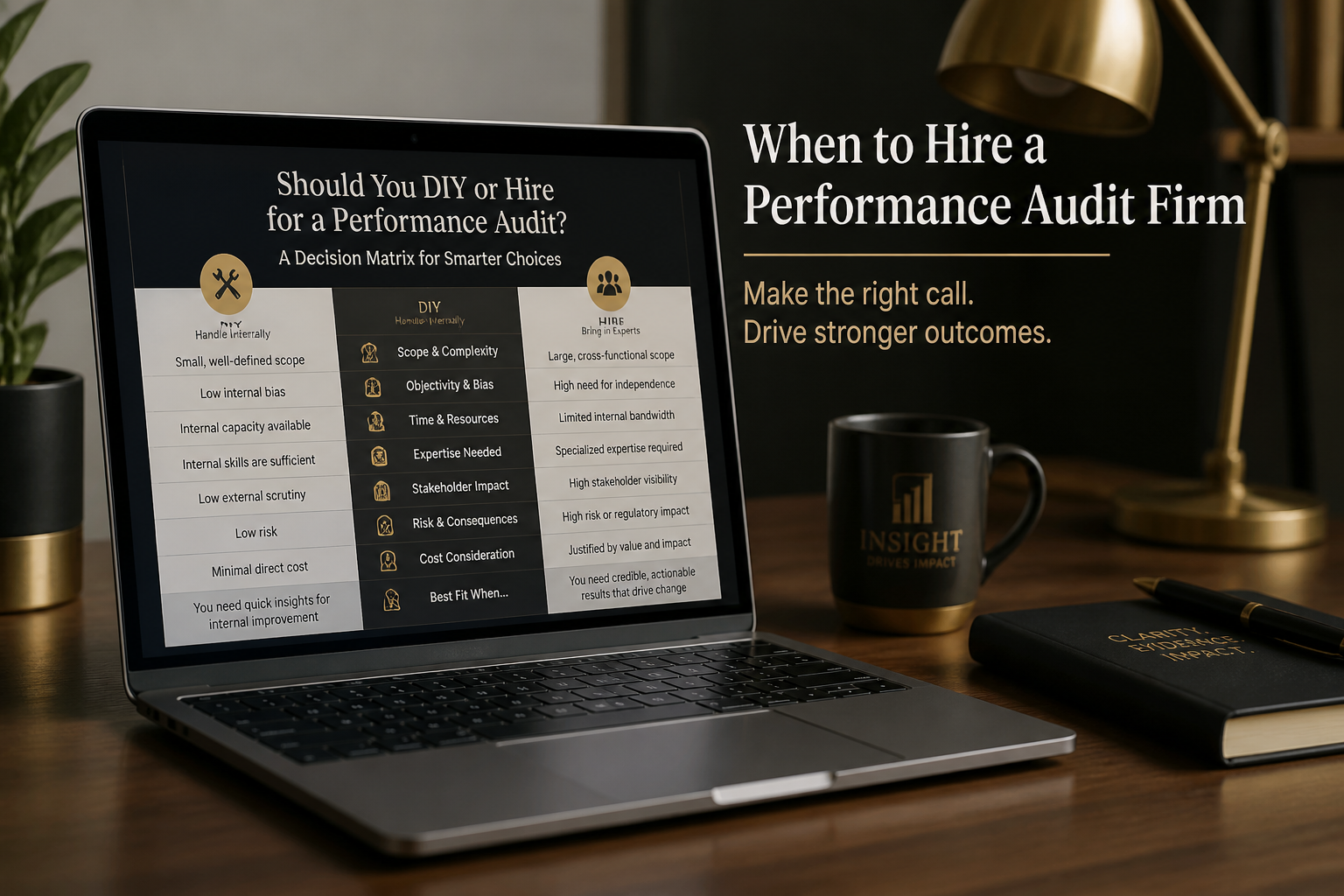
Persistent CLS from a page builder that injects sections asynchronously, or ad layouts that change every impression, may not stabilize without template changes. A website performance audit clarifies whether theme-level fixes are realistic.
Frequently asked questions
Can CLS be 0?
Lab tests sometimes show 0. Field data rarely hits perfect 0 — minor shifts from ads and fonts still occur. Target ≤ 0.1, not perfection.
Do animations cause CLS?
CSS transforms and opacity animations don't trigger layout shift scores. Properties that change layout geometry (width, height, top, margin) do.
Why is CLS bad only on mobile?
Narrower viewports reflow more aggressively when assets load late. Cookie banners and sticky elements also behave differently on mobile.
Does fixing CLS help SEO?
CLS is a Core Web Vital used in page experience assessment. Good CLS removes one negative signal; it's not a primary ranking lever.
Can I fix CLS without touching ads?
You can reduce CLS by reserving ad slot dimensions even if ad creative varies. Some variation remains — ad networks make perfect stability hard.
Book a free 15-minute site audit
Watch your page jump on load but can't find the culprit in Lighthouse? Book a free 15-minute audit. I'll trace the shift source and map next steps — or scope a full website performance audit if it's site-wide.
August 5, 2026
When to Hire for a Website Performance Audit
August 5, 2026



