

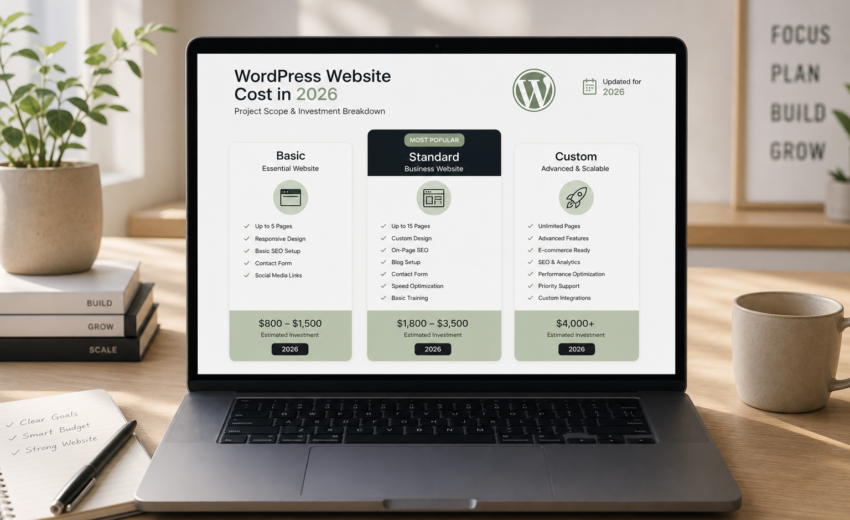
How Much Does a WordPress Website Cost in 2026?
If you want the short version: how much a WordPress website costs in 2026 depends almost entirely on who builds it. Doing it yourself runs roughly $150–$700 in the first year plus a lot of your own time. A competent freelance developer typically charges $1,500–$8,000 for a small business site. An agency usually starts around $8,000 and goes up from there. A custom WooCommerce store sits in its own bracket, generally $3,000–$25,000+ depending on how much of the logic is non-standard.
That spread is not a scam. It’s the natural result of a platform where the same three words — “a WordPress site” — can mean a purchased theme with your logo dropped in, or forty custom templates wired into an inventory system. WordPress itself is free. Everything around it costs money or time.
This guide breaks down what each route actually costs, what you’re paying for at each price point, what the recurring bills look like after launch, and which factors reliably move a quote up or down. All figures are USD estimates. Anyone who gives you a firm number before understanding your scope is guessing, including me.
The three routes, side by side
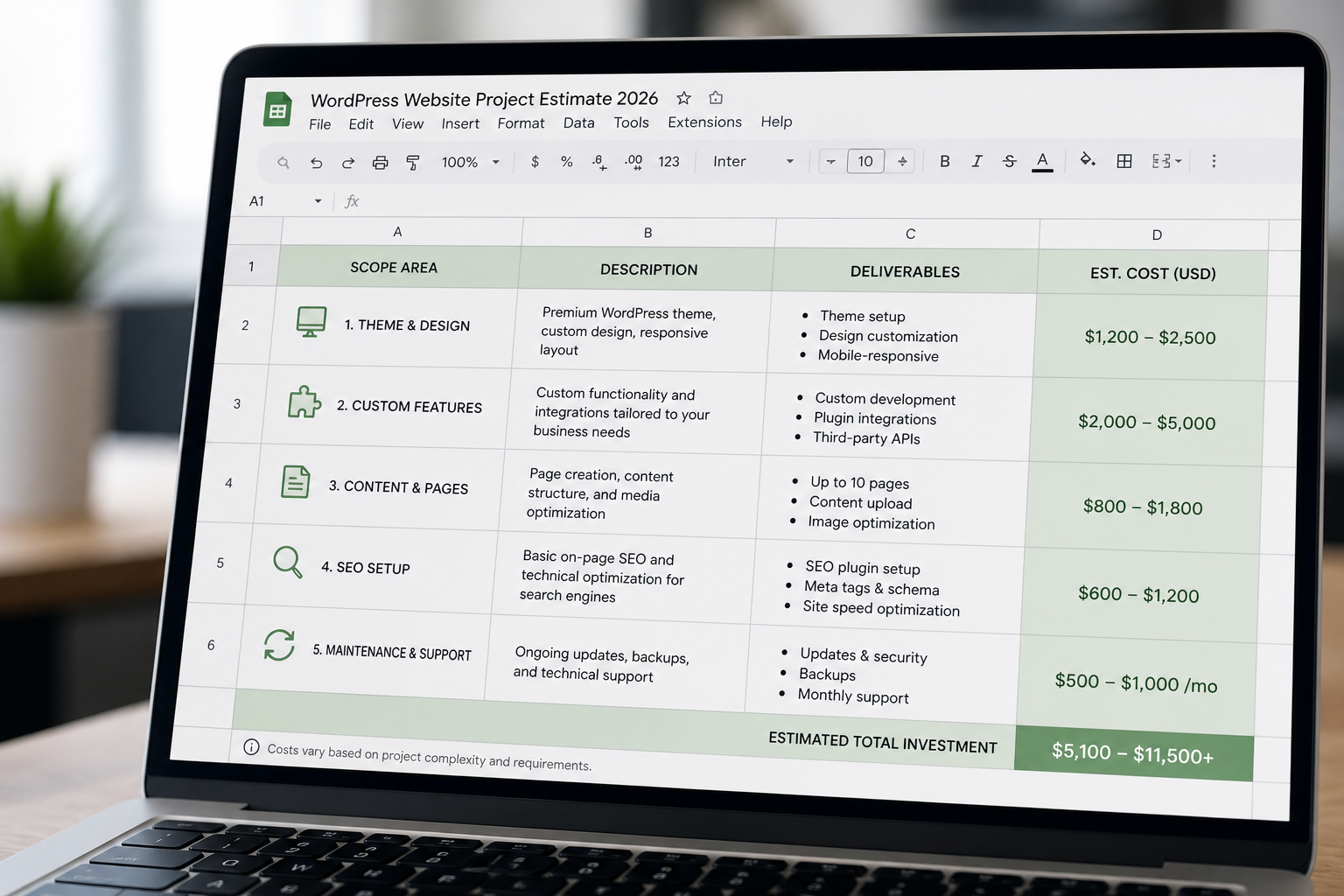
| DIY | Freelance developer | Agency | |
|---|---|---|---|
| First-year cost | $150–$700 | $1,500–$8,000 | $8,000–$40,000+ |
| Typical build time | 40–150 of your hours | 2–8 weeks | 8–20 weeks |
| Design | Theme demo you adapt | Standard layouts or your designer’s files | Original design, usually included |
| Custom functionality | Whatever a plugin can do | Moderate to substantial | Substantial |
| Who fixes it at 11pm | You | The developer, if you have a plan | A support desk |
| Best when | Budget is the constraint and the site is simple | You need real work done and a direct line to the person doing it | You need a team, brand work, and process |
None of these is the “right” answer. The right answer is whichever one matches how much the site matters to your revenue. A side project that gets 40 visits a month should not cost $10,000. A site that generates most of your leads should not be a theme demo you half-configured over a weekend.
Route 1: Building it yourself
WordPress is open source and free to download. What you actually pay for is everything that makes it a website.
| Item | Typical annual cost | Notes |
|---|---|---|
| Domain name | $12–$20 | Renews yearly, don’t let it lapse |
| Shared hosting | $60–$180 | Entry-level hosts, first-year promo pricing is usually lower than renewal |
| Managed WordPress hosting | $180–$400 | Better performance, backups, and support |
| Premium theme | $50–$100 one-time, or $60–$120/yr | Free themes exist and some are excellent |
| Page builder license | $60–$200/yr | Elementor Pro, Divi, Bricks |
| Forms plugin | $0–$100/yr | Free tiers cover most small sites |
| SEO plugin | $0–$120/yr | Free versions are sufficient for most |
| Caching plugin | $0–$60/yr | Or free, or included with your host |
| Backup service | $0–$100/yr | Some hosts include it |
| Stock images | $0–$200 | Free libraries exist |
| Realistic first-year total | $150–$700 | Lower if you use free tools, higher if you buy premium everything |
The number that doesn’t appear on that table is your time. A first-time builder should expect 40 to 150 hours to get from empty install to a site they’re not embarrassed by. That includes learning the editor, wrestling with a theme demo that doesn’t match your content, writing your own copy, and the two evenings you’ll lose to a plugin conflict.
DIY is a genuinely good choice when: your site is a few pages, you don’t need custom functionality, you enjoy this kind of problem, and your time is currently worth less than the cash you’d spend. It’s a bad choice when the site is a revenue channel, when you need integrations, or when the 100 hours you’d spend is 100 hours not spent on the work that pays you.
The most common expensive outcome of DIY isn’t failure — it’s a site that half works. Slow on mobile, no redirect structure, twenty-eight plugins doing the work of six. Cleaning that up later frequently costs more than building it properly would have. I get those projects regularly and they’re never cheaper the second time.
Route 2: Hiring a freelance developer
This is where most small businesses land, and it’s the widest price band because “freelance developer” covers everything from a marketplace seller charging $300 to a specialist charging $150 an hour.
$300–$800. At this price someone is installing a purchased theme, importing its demo content, and swapping in your logo and text. That can be a legitimate outcome if it’s what you asked for. What you won’t get: a content structure designed for your business, performance work, a redirect plan, or anyone who answers an email in three months. This tier is also where I most often see sites delivered with nulled (pirated) premium plugins, which is a real security problem rather than a technicality.
$1,500–$5,000. The realistic band for a proper small business WordPress site. Multiple unique page templates, a content model built around your actual services, custom fields so editors can’t break layouts, on-page SEO fundamentals, form handling, analytics, mobile-first responsive work, and a handover. Here you’re paying for judgment as much as production.
$5,000–$12,000+. Custom theme development, WooCommerce with logic that doesn’t come out of the box, API integrations, membership or gated content, multilingual, or a large content migration. The price reflects complexity, not prestige.
Hourly rates for context: US and Western Europe freelancers commonly charge $75–$150/hour; experienced developers elsewhere frequently charge $30–$75/hour. Rate alone tells you very little. A $120/hour developer who scopes accurately and finishes in 30 hours is cheaper than a $40/hour developer who takes 140 and needs supervision.
The advantage of the freelance route is that the person you talk to is the person writing the code. The disadvantage is capacity — one person can only take so many projects.
Route 3: Hiring an agency
Agencies charge more because they’re carrying more: project managers, designers, developers, QA, account handling, and an office. For some projects that overhead buys something real.
| Agency tier | Typical project cost |
|---|---|
| Small studio (2–10 people) | $8,000–$25,000 |
| Mid-size agency | $25,000–$75,000 |
| Enterprise / large-scale WordPress | $75,000–$250,000+ |
You should be looking at an agency when you need original brand and design work alongside the build, when multiple stakeholders need managing, when the project involves several systems and a formal QA process, or when procurement requires a company rather than an individual.
You probably shouldn’t be looking at an agency for a 10-page service business site. The work is the same work; you’d be paying for coordination you don’t need.
What Hammadcraft charges
Here’s my own pricing, so this guide isn’t a market survey that quietly avoids the question. All figures are USD estimates, quoted as a fixed price after a written scope — not hourly, not open-ended.
| Scope | Estimate |
|---|---|
| Single landing page | $400–$1,500 |
| Small business WordPress site | $1,500–$5,000 |
| Custom WordPress / WooCommerce build | $3,000–$12,000+ |
| Website redesign of an existing site | $2,000–$8,000 |
| Speed optimization (one-time) | $250–$1,500 |
| Maintenance / care plan | $75–$300/mo |
Most small business builds land between $2,500 and $4,500. What that includes: audit and scope document, content modeling, custom templates, mobile-first build, on-page SEO setup, redirects if URLs change, form and analytics configuration, cross-device QA, launch, documentation, and 30 days of bug fixes.
Payment is 50% up front and 50% before launch, with milestone splits available on larger projects. Details of what’s in each engagement are on the WordPress development services page.
The costs nobody quotes you
Build cost is the headline. Running cost is what surprises people in month four.
| Recurring item | Typical annual cost |
|---|---|
| Domain renewal | $12–$20 |
| Managed WordPress hosting | $180–$600 |
| Premium plugin licenses | $100–$500 |
| SSL certificate | $0 (free via Let’s Encrypt on most hosts) |
| Email hosting (Google Workspace, etc.) | $72–$300 per user |
| Backup service, if not included | $60–$120 |
| Maintenance plan (optional) | $900–$3,600 |
| Content updates and small changes | Varies |
A realistic run rate for a small business site is $400–$1,200 a year without a maintenance plan, or $1,300–$4,800 a year with one. Budget for it at the start. The most expensive websites I’ve worked on are the ones where nobody budgeted a cent for the two years after launch, and then everything needed fixing at once.
Whether a care plan is worth it depends on your site. I’ve written a full breakdown in WordPress maintenance: DIY vs a care plan, including the case for skipping it.
What actually moves the number
When two quotes for “the same site” differ by $6,000, it’s almost always one of these.
Number of unique templates. Not page count — template count. Forty blog posts using one template is cheap. Six pages that each need a bespoke layout is not. This is the single biggest driver and the easiest one to control.
Where the design comes from. Working from an approved Figma file is fastest. Working from “we’ll know it when we see it” is slowest and most expensive, because design decisions get made during the build, which is the worst place to make them.
Content readiness. If copy and images are ready at kickoff, the project moves. If they’re being written during the build, the timeline stretches and stretched timelines cost money. Content is the number one cause of a project running long, ahead of any technical factor.
Ecommerce logic. A standard WooCommerce store with simple products, flat shipping, and Stripe is straightforward. Variable pricing rules, subscription billing, tax across jurisdictions, custom checkout fields, or syncing to an inventory system each add real hours.
Integrations. CRM, email platform, booking system, accounting software, payment gateways. Each one is an API with its own documentation quality and its own edge cases. Two integrations is a line item. Six is a project.
Migration complexity. Moving 30 pages from an old WordPress install is routine. Moving 800 posts from Squarespace or a custom CMS, preserving URLs, images, categories, and redirects, is a workstream of its own.
Multilingual. Roughly a 40–70% uplift on the build, because every template, every field, and every URL structure now exists more than once and has to be tested more than once.
Accessibility requirements. Basic accessibility should be in every build. Formal WCAG 2.2 AA conformance with an audit trail is a specialist scope and priced separately.
Speed and Core Web Vitals targets. Performance work is included in my builds by default. If you’re inheriting an existing slow site rather than building new, that’s separate one-time WordPress speed optimization work.
New build or redesign?
If you already have a site with traffic, you’re likely looking at a redesign rather than a new build, and the cost calculus changes. Redesigns carry migration risk — losing rankings through a botched URL change is the most expensive mistake in this category and it’s entirely avoidable. They also carry a discount, because content already exists.
Most redesigns of an existing WordPress site land in the $2,000–$8,000 range. The website redesign cost guide breaks down the factors specific to rebuilds, and website redesign services covers how the migration is handled.
Rough rule: if your content and structure are broadly right and the site looks dated or loads badly, it’s a redesign. If your business has changed enough that the site is describing a company you no longer are, it’s a new build.
Why cheap quotes get expensive
I’m not going to tell you that a $600 site is always a mistake. Sometimes it’s exactly right. But there are specific, recurring reasons cheap builds cost more over three years.
No content structure. Everything is typed into one WYSIWYG box. Adding a fifth service page means copying the fourth and editing it by hand, and the two drift apart. Two years later nothing matches.
Plugin sprawl. Twenty-eight plugins because each new requirement was solved by installing something. Every plugin is code you’re trusting, a potential conflict, and a maintenance obligation forever.
No performance thinking. Uncompressed 3MB hero images, a theme loading a slider library on every page, no caching. The site tests fine on the developer’s laptop and badly on a phone in a car park.
No redirects. URLs changed, nothing was mapped, and organic traffic dropped in week three with no explanation.
Nulled licenses. Pirated premium plugins are common at the bottom of the market. They don’t get security updates and some ship with injected code.
Nobody to call. The developer isn’t reachable. You have a WordPress admin login and no idea how the site is put together.
The fix isn’t spending more. It’s asking better questions before you hire. I’ve written up the ones worth asking any candidate — including the answers that should end the conversation — in questions to ask before you hire a WordPress developer.
How to budget sensibly
Work out what the site is worth first. If it produces two $5,000 clients a year, a $4,000 build pays for itself in one. If it produces nothing measurable, spend accordingly and skip the custom work.
Set aside 15–20% of the build cost for year one running costs. Hosting, licenses, and the small changes you didn’t anticipate.
Get quotes on the same written scope. Send every candidate the same page count, template list, feature list, and integration list. Otherwise you’re comparing numbers that describe different projects.
Treat the outlier as information, not a bargain. If four quotes cluster around $4,000 and one is $900, the cheap one is solving a different problem. Ask what’s excluded.
Phase it. Launch a solid core site, then add the booking system, the members area, or the multilingual layer once you know you need them. Phased builds cost slightly more in total and dramatically less in wasted work.
Frequently asked questions
Is WordPress actually free?
The software is, under the GPL. A working website isn’t. Domain and hosting are unavoidable, and most sites end up with at least one or two paid licenses. Budget $150–$700 for a self-built site’s first year, and $400–$1,200 a year to keep a professionally built one running.
How much should a small business website cost?
For a straightforward service business site built by a competent freelancer, $1,500–$5,000 is the realistic band in 2026, with most landing between $2,500 and $4,500. Below roughly $1,000 you’re generally buying theme configuration rather than development. Above $8,000, either the scope is genuinely complex or you’re paying for agency overhead.
Why do quotes vary so much for the same project?
Because they’re usually not the same project. One quote covers a theme install; another covers custom templates, a content model, SEO migration, and QA. Ask each candidate for a written scope that lists what’s included and — more usefully — what’s excluded. The gaps between those documents explain the price gap almost every time.
How long does a WordPress site take to build?
A small business site is typically 2–4 weeks, a custom theme build 4–8 weeks, and a WooCommerce store 5–10 weeks, assuming content is ready and feedback comes back within a couple of days. Content delays are the most common cause of overruns, not development.
Should I pay hourly or a fixed price?
Fixed price for defined scope. It puts the estimating risk on the developer, where it belongs, and it forces both sides to agree what’s being built before work starts. Hourly makes sense for open-ended maintenance, exploratory debugging, or ongoing small changes where scoping each task costs more than doing it.
Do I need a maintenance plan?
Not always. A static brochure site with no forms, no logins, and no commerce can usually run on a managed host with automatic updates and daily backups. A lead-generating site or a store benefits from someone testing updates on staging before they hit production. Plans typically run $75–$300/mo; see WordPress maintenance for what’s in each tier.
Is WordPress still the right choice in 2026?
For most content-driven business sites, yes. It’s the CMS your team most likely already knows, the ecosystem is enormous, and hiring for it is easy. It’s a weaker fit for app-like interfaces, heavily interactive products, or teams committed to a JavaScript front end — in those cases a headless setup or a different stack may serve you better. I build both, so I don’t have a reason to push you either way.
Get a real number for your project
Ranges are useful for budgeting and useless for deciding. If you want a figure that applies to your actual site, the fastest route is a short conversation about what you’re trying to build and why.
Book a free 15-minute project call. No pitch deck. You’ll leave with a realistic budget range, a sense of the timeline, and an honest answer about whether the scope you have in mind matches the budget you have in mind — including if the answer is that you should spend less than you were planning to.

August 14, 2026
Website Redesign Cost: What You Actually Pay For
August 14, 2026



