

To migrate from Wix to WordPress, export what Wix allows (blog posts via RSS, limited page content), rebuild pages in WordPress with matching URL slugs, implement 301 redirects from every old Wix URL to its WordPress equivalent, and update Google Search Console. Wix does not offer a full site export — this is a rebuild project, not a file copy.
Expect $800–$2,000 (estimate) for professional Wix-to-WordPress migration depending on page count, ecommerce presence, and design requirements. Timeline: 2–4 weeks for most business sites.
Why leave Wix for WordPress
Common reasons clients migrate:
- SEO control — full access to schema, redirects, sitemap, and server-level configuration
- Plugin ecosystem — WooCommerce, membership, CRM integrations Wix cannot match
- Ownership — self-hosted WordPress runs on your hosting account with portable files and database
- Cost at scale — Wix business plans add up; WordPress hosting + maintenance can cost less at higher traffic
- Performance tuning — caching, CDN, and code-level optimization not available on Wix
WordPress also has tradeoffs: you manage updates, security, and backups (or pay for maintenance). The migration itself is the first step in that ownership shift.
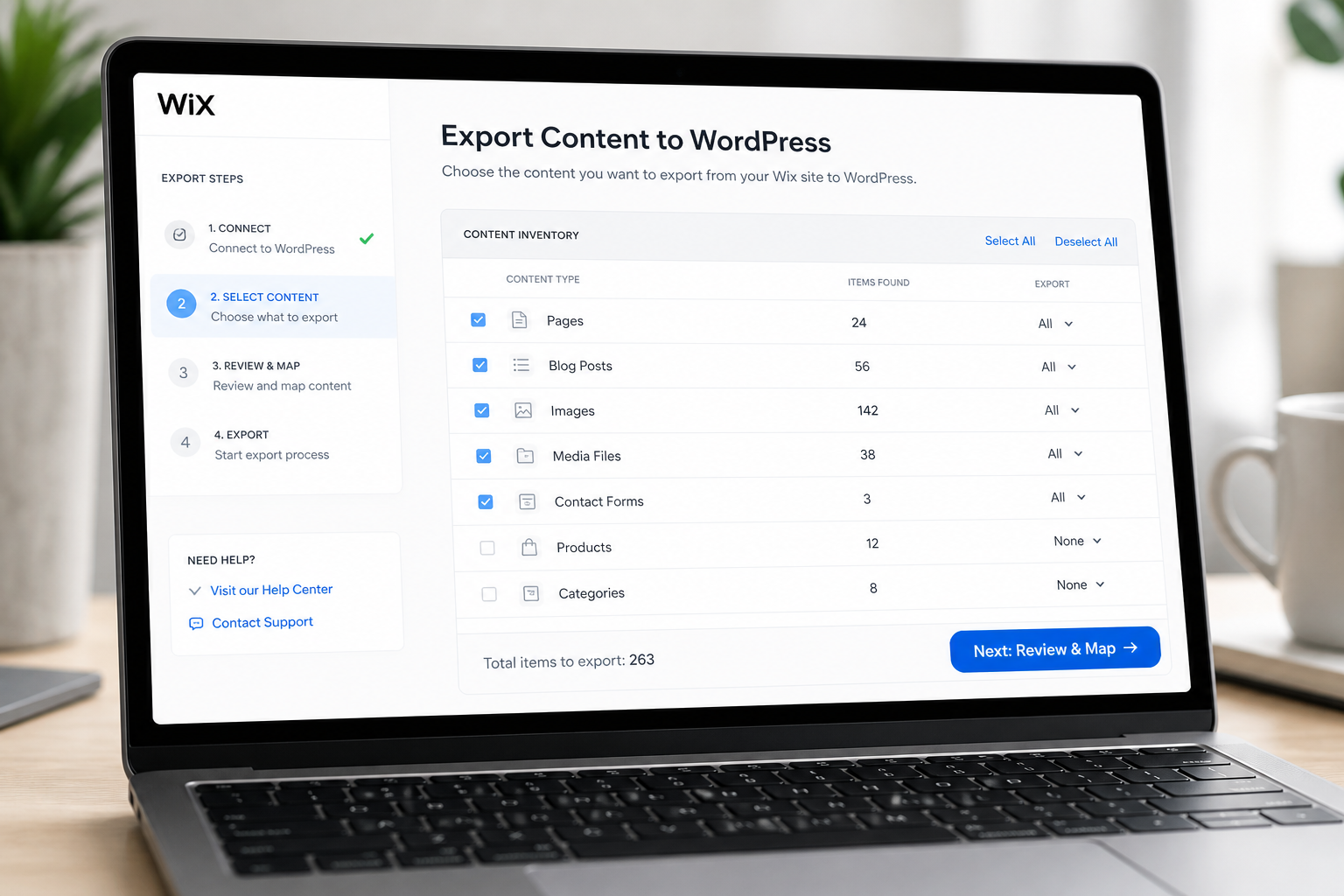
What Wix exports (and what it does not)
| Content type | Wix export option | WordPress import path |
|---|---|---|
| Blog posts | RSS feed (`/blog-feed.xml`) | WP All Import or manual |
| Pages | No full export — manual copy | Rebuild in block editor or page builder |
| Images | Download individually or scrape | Media library upload |
| Products (Wix Stores) | CSV product export (limited fields) | WooCommerce import |
| Forms | Not exportable | Rebuild with WPForms, Gravity Forms |
| Wix apps/widgets | Not portable | Find WordPress equivalents |
| URL structure | Document manually | Redirect map required |
| SEO metadata | Manual copy from Wix dashboard | Yoast or Rank Math |
Plan for manual work on every non-blog page. There is no one-click Wix-to-WordPress converter that preserves design and functionality.
Step-by-step migration process
Phase 1: Inventory and URL map
- Crawl your live Wix site — Screaming Frog (free tier), Sitebulb, or manual spreadsheet.
- List every URL: pages, blog posts, categories, product pages.
- Note current slug structure: Wix often uses `/post-title`/ or `/post/post-title`.
- Decide WordPress permalink structure (recommend `/post-name/` for posts, plain slugs for pages).
- Create redirect map: `wixsite.com/old-path` → `newdomain.com/new-path` (301).
Run the WordPress migration SEO checklist against this map before launch.
Phase 2: Set up WordPress
- Provision hosting (managed WordPress recommended for non-technical owners).
- Install WordPress, SSL, and baseline plugins: SEO (Rank Math or Yoast), caching, security, backup.
- Choose theme approach:
– Block theme (Twenty Twenty-Four, custom block theme) — lightweight, full ownership
– Page builder (Elementor, Bricks) — faster visual parity with Wix drag-and-drop
- Install WooCommerce if replacing Wix Stores.
Do not launch on the Wix domain until redirects are ready. Build on staging or temporary domain first.
Phase 3: Migrate blog content
- Find Wix RSS feed: typically `https://yoursite.wixsite.com/blog-feed.xml` or custom domain `/blog-feed.xml`.
- Import via WordPress Tools → Import → RSS (built-in, limited) or WP All Import for more control.
- Verify each post: title, content, date, featured image, categories, slug.
- Match slugs exactly where possible — reduces redirect count and SEO risk.
- Manually fix formatting — RSS strips Wix-specific markup.
Phase 4: Rebuild pages
For each Wix page:
- Screenshot or reference the Wix page for layout.
- Recreate content in WordPress — do not paste Wix HTML directly (proprietary markup breaks).
- Match URL slug to old Wix slug (check Wix URL in browser address bar).
- Migrate meta title and description into SEO plugin fields.
- Re-upload images to WordPress media library (do not hotlink Wix CDN URLs long-term).
Homepage, About, Services, and Contact typically take the most rebuild time.
Phase 5: Migrate products (if applicable)
- Export products from Wix Stores as CSV.
- Import to WooCommerce via built-in product importer.
- Map fields: title, description, price, SKU, images, categories.
- Reconfigure payment gateway (Stripe, PayPal), shipping zones, and tax settings.
- Test full checkout flow on staging.
WooCommerce adds $400–$800 to migration estimates vs brochure sites.
Phase 6: Redirects and DNS
- Implement 301 redirects for every old URL. Options:
– If keeping same domain: configure at DNS/host level when Wix DNS is released
– During transition: Wix does not allow custom 301 rules on all plans — you may need to keep Wix domain forwarding or use Cloudflare redirect rules
- Critical: Before canceling Wix, verify redirect path from every indexed URL (Search Console → Pages report).
- Point domain DNS to WordPress host (A record to new IP).
- Provision SSL on WordPress host.
Domain and redirect strategy: change WordPress domain without losing SEO.
Phase 7: SEO and launch verification
- [ ] XML sitemap submitted in Search Console
- [ ] Google Analytics / GA4 updated
- [ ] All redirects tested (no 404 on top 50 URLs)
- [ ] Canonical tags correct
- [ ] robots.txt allows crawling
- [ ] Structured data validated on key templates
- [ ] Forms submit and email delivers
- [ ] Mobile layout checked on real devices
Keep Wix site accessible (password-protected or domain-forwarding) for 30 days as fallback. Cancel Wix subscription only after traffic confirms on WordPress.
Wix-specific SEO risks
- Wix URLs you forgot about — Wix generates pages for categories, tags, and dynamic lists. Crawl everything.
- Blog slug mismatch — Wix `/post/my-article` vs WordPress `/my-article/` needs a redirect.
- Image SEO loss — alt text and file names do not export via RSS. Re-enter manually on top images.
- Duplicate content window — both sites live and indexable simultaneously hurts rankings. Noindex Wix or take it down promptly after cutover.
- Backlink landing pages — check Search Console Links report; redirect every URL with inbound links.
DIY vs professional migration
| Factor | DIY | Professional |
|---|---|---|
| Cost | Hosting + your time (40–80+ hours) | $800–$2,000 (estimate) |
| Timeline | 4–8 weeks part-time | 2–4 weeks |
| SEO risk | High if redirects incomplete | Redirect map + QA included |
| Design parity | Depends on your WP skills | Page builder rebuild |
| Best for | Small blogs, <20 pages | Business sites, stores, SEO-dependent sites |
Decision guide: when to hire WordPress migration help.
Recommended WordPress stack after Wix
Minimal production stack:
- Hosting: Cloudways, SiteGround, or Kinsta (pick by budget and traffic)
- Theme/builder: Block theme or Elementor (if Wix-like editing matters)
- SEO: Rank Math or Yoast
- Forms: WPForms or Fluent Forms
- Cache: host-native or WP Rocket
- Backup: UpdraftPlus or host backups
Compare platform migrations: Squarespace to WordPress, Webflow to WordPress.
FAQs
Can I automate Wix to WordPress migration?
Partially — blog RSS import automates posts. Pages, design, products, and redirects require manual work. Avoid "converter" services that scrape Wix and produce broken shortcode soup.
How long will rankings dip after leaving Wix?
With correct 301 redirects and matching slugs, expect 2–4 weeks of fluctuation. Permanent drops mean missing redirects — audit immediately.
Should I use the same domain?
Yes, if possible. Keeping the domain avoids Change of Address complexity and preserves branded backlinks. Point DNS from Wix to WordPress host after WordPress is ready.
What about Wix email?
Wix email tied to Wix subscription stops when you cancel. Move to Google Workspace, Microsoft 365, or your host email before canceling Wix.
Can I keep Wix running as backup?
For 30 days maximum, with domain forwarding or noindex on Wix. Two indexable copies of the same content creates duplicate content problems.
—
Wix-to-WordPress is a content rebuild with SEO guardrails. WordPress migration services include URL mapping, redirect implementation, and launch QA.
Book a free 15-minute migration consult.
September 10, 2026
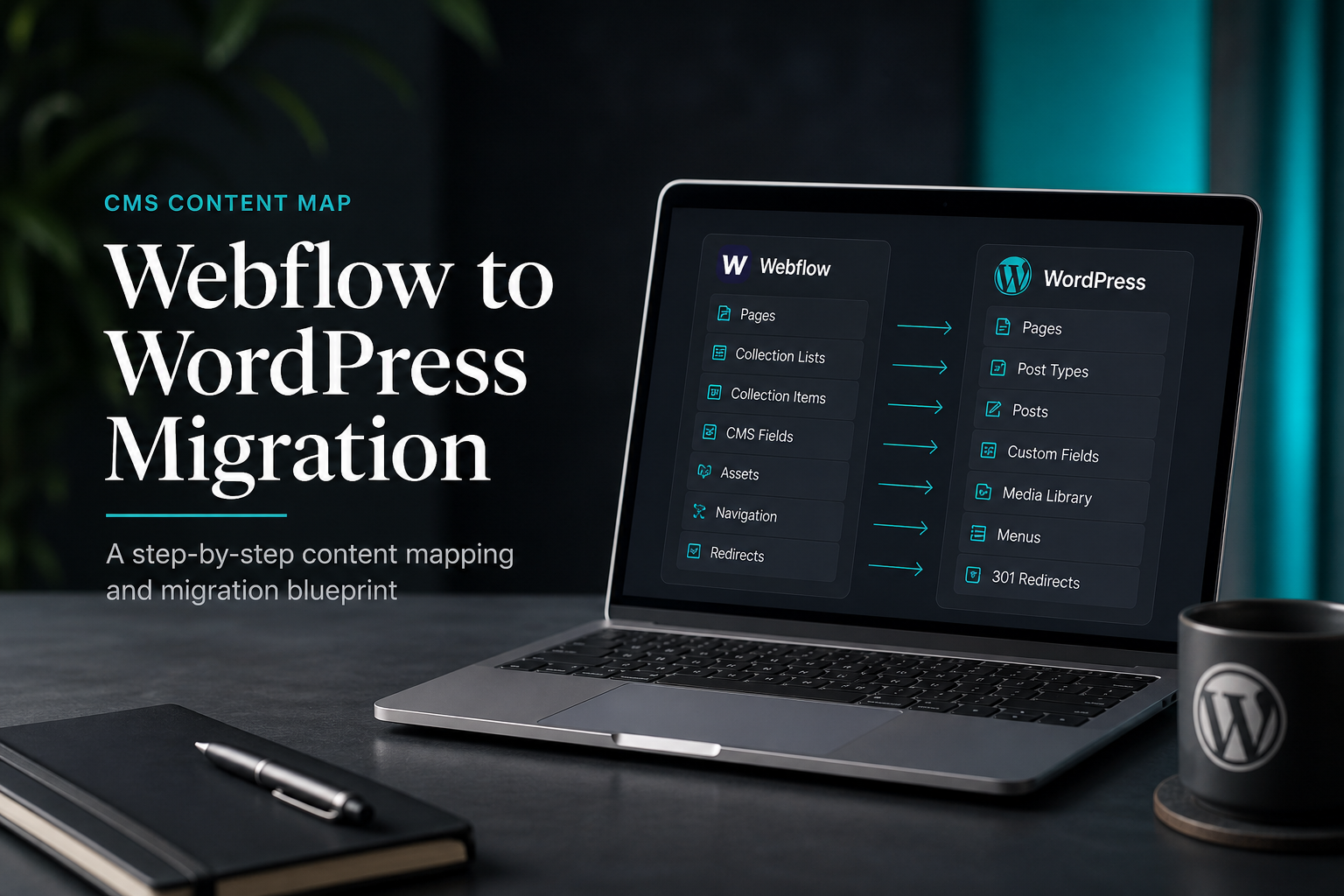
How to Migrate From Webflow to WordPress
September 10, 2026



