

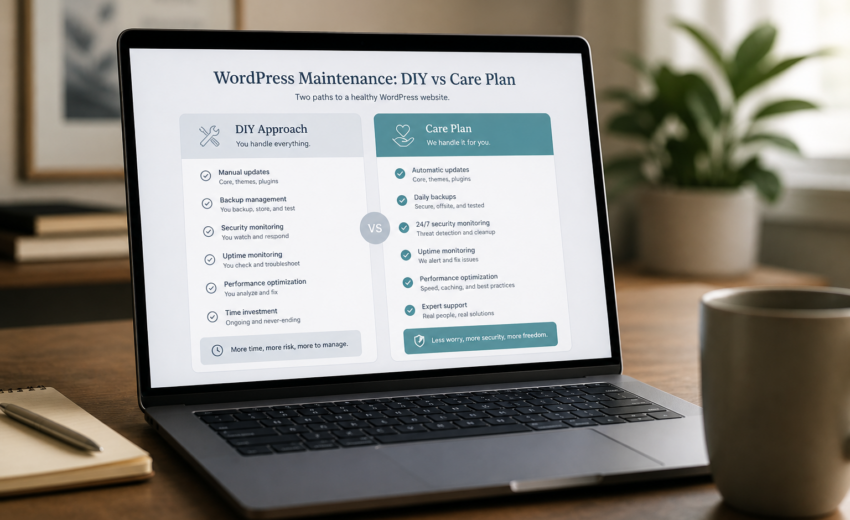
WordPress Website Care Plan vs DIY Maintenance
What is a WordPress care plan?
A WordPress care plan (also called a website care plan or WordPress maintenance plan) is a monthly service that covers scheduled updates tested on staging, daily off-site backups, uptime and security monitoring, and a block of small fix hours — so your site stays secure and working without you doing the maintenance yourself. Most business sites pay $75–$300 per month depending on complexity, WooCommerce, and response time.
A WordPress website care plan typically costs $75–$300 a month. Doing the same work yourself costs roughly $100–$300 a year in tools plus two to four hours of your time every month. On pure cash, DIY wins easily. That’s not the interesting part of the comparison.
The interesting part is what happens on the day something breaks. A care plan is largely an insurance product with a productivity component attached. You’re paying for someone to notice the checkout stopped working before a customer does, to have a tested backup when a plugin update goes wrong, and to be the person who fixes it rather than the person you have to find and brief first.
Whether that’s worth $150 a month depends entirely on what your site does for your business. This is an honest comparison of both routes, including the cases where I’d tell you not to buy a plan.
What maintenance actually involves
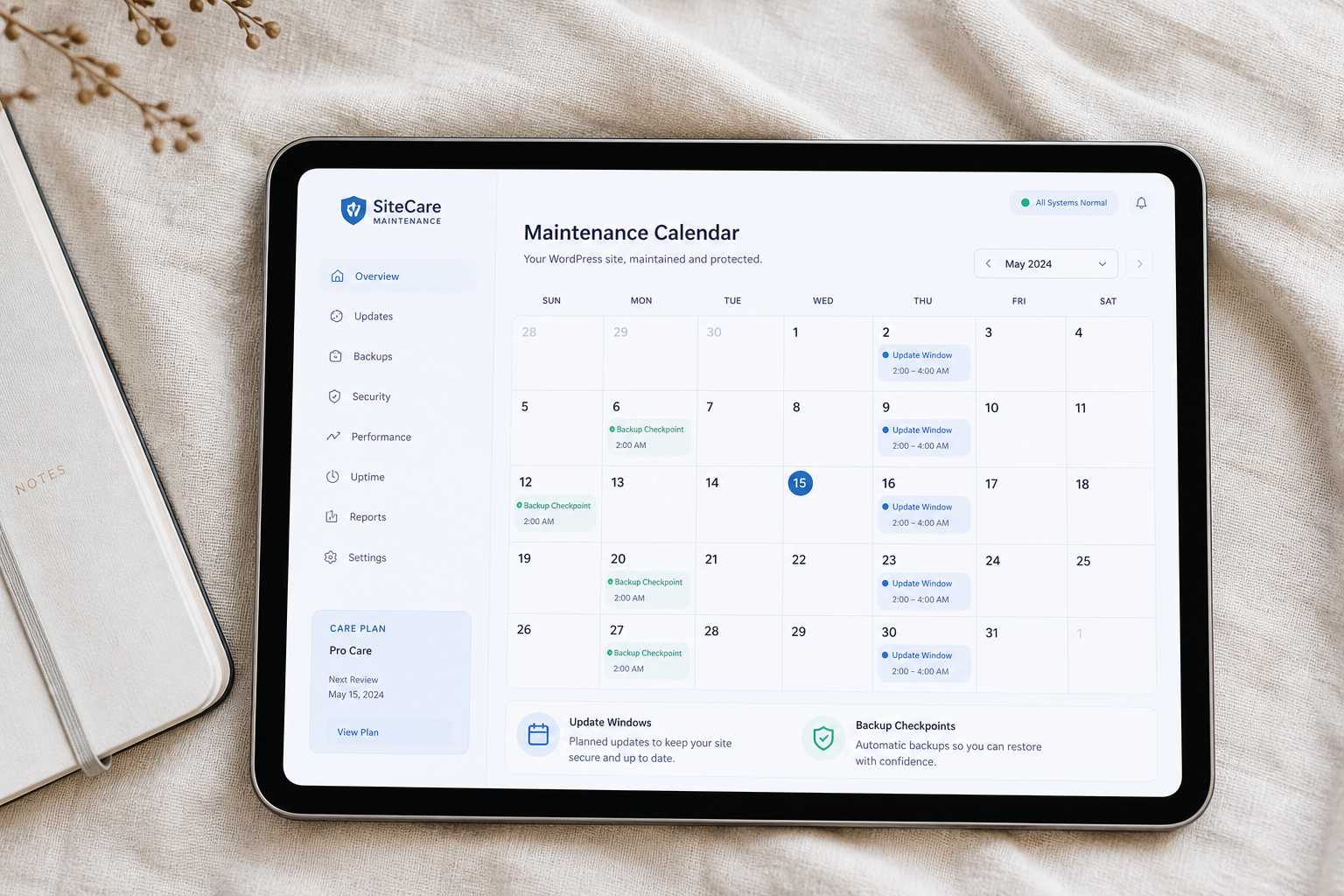
Whichever route you pick, the same work has to happen. The question is only who does it.
| Task | How often | Why it matters |
|---|---|---|
| Core, plugin, and theme updates | Weekly to monthly | Security patches and compatibility |
| Testing updates before they go live | Every update batch | Updates break things |
| Off-site backups | Daily, or hourly for stores | On-server backups are worthless if the server fails |
| Testing that a restore actually works | Quarterly | An untested backup is a guess |
| Uptime monitoring | Continuous | You should not learn about downtime from a customer |
| Malware and file-integrity scanning | Weekly | Catching a compromise early is the whole game |
| SSL and domain expiry checks | Monthly | Both fail silently and embarrassingly |
| Form and checkout testing | Monthly | Broken forms are invisible until leads dry up |
| Database cleanup | Monthly | Revisions, transients, and orphaned metadata accumulate |
| Performance check | Quarterly | Sites drift slower as content and plugins pile up |
| Plugin health review | Quarterly | Abandoned plugins become vulnerabilities |
| Small content and layout changes | As needed | The work you’d otherwise chase quotes for |
Two of these deserve emphasis, because they’re the ones most commonly skipped in both DIY and cheap paid plans.
Testing updates before they go live. Clicking “Update All” on production and hoping is not maintenance. It works right up until it doesn’t, and the day it doesn’t is usually a day you’re busy.
Testing that restores work. Enabling a backup plugin takes two minutes. Confirming you can actually restore from it takes an hour and is the only thing that makes the first two minutes worth anything.
The DIY route
What it costs
| Item | Annual cost |
|---|---|
| Backup plugin or service (UpdraftPlus, BlogVault, Jetpack VaultPress) | $70–$150 |
| Uptime monitoring | $0–$100 (free tiers are adequate for one site) |
| Security plugin premium tier | $0–$120 (free tiers cover the basics) |
| Staging environment | $0 if your host includes it, otherwise $50–$150 |
| Total | $100–$300/yr |
Plus 2–4 hours a month of your time, which is the real cost. At a notional $60/hour that’s $1,440–$2,880 a year of attention — but only if those hours would otherwise have been billable, which for many owners they wouldn’t.
What a competent DIY routine looks like
Weekly, about 15 minutes: check the site loads, check for critical security updates, glance at uptime alerts.
Monthly, about 90 minutes: take a manual backup, push updates to staging, test the homepage, a service page, a form submission, and checkout if you have one, deploy to production, re-verify, clear caches, run a database cleanup, and check Search Console for new errors.
Quarterly, about 2 hours: test a full restore into a scratch environment, review plugin health and remove anything abandoned, run a performance check against your baseline, review user accounts and remove people who’ve left, rotate credentials.
Annually: review hosting, renew licenses deliberately rather than on autopilot, and reassess whether the stack still matches what the site does.
If you want the security baseline in detail, WordPress security hardening basics covers what to configure and why. For the performance side, the WordPress speed optimization checklist is the same list I work from.
Where DIY breaks down
It isn’t the routine work. Most people can do the routine work. It’s these four things.
Consistency. Month one you’re diligent. Month five you’re busy, and “I’ll do it next week” becomes a habit. Eighteen months later the site is forty versions behind and updating it is a project rather than a task. This is by far the most common way DIY fails, and it’s a scheduling problem, not a skill problem.
The staging step. Almost everyone skips it. It’s the single practice that separates maintenance from clicking a button, and it’s the first thing to go when you’re rushed.
Diagnosing a broken update. A plugin update produces a white screen or a subtly broken layout. Rolling back is easy. Working out *which* of eleven updated plugins caused it, and what to do about it, is a different skill.
Being awake. Sites go down at inconvenient hours. Monitoring that only emails you at 3am isn’t monitoring, it’s a notification.
The care plan route
What it costs
| Tier | Best for | Typical monthly |
|---|---|---|
| Essentials | Brochure sites, low traffic | $75–$125 |
| Care | Lead-generating business sites | $150–$225 |
| Commerce | WooCommerce and membership sites | $225–$300 |
Roughly what separates them: Essentials covers monthly updates on staging, daily off-site backups, uptime and malware monitoring, a security baseline, around 30 minutes of small fixes, and a monthly report. Care adds twice-monthly updates, priority same-day response, a quarterly performance check, and about an hour of fixes. Commerce adds weekly updates, real-time database backups, checkout testing after every update batch, malware cleanup included, and around two hours of fixes.
Full detail on what’s in each tier is on the WordPress maintenance services page.
What you’re actually buying
Someone else’s calendar. The work happens whether or not you remembered. This is most of the value and it’s rarely how plans are marketed.
A tested restore path. Backups that have been proven to restore, plus a manual restore point before every change.
Response, not just alerts. When the site goes down, someone investigates and tells you what happened, rather than forwarding you a monitoring email.
Judgment on updates. A plugin gets abandoned by its developer, or ships a change that breaks your specific setup. Someone notices and recommends a replacement instead of leaving it to rot.
Included hours. Two or three small changes a month that would otherwise mean writing a brief, getting a quote, and waiting. For many businesses this alone covers a meaningful part of the fee.
A record. Credentials in a password manager, a written stack inventory, license renewal dates. Not in one person’s head.
Where care plans go wrong
Not all plans are worth buying, and some are close to worthless.
Automated-only plans. If the whole service is a plugin that bulk-updates on a schedule and emails you a PDF, you’re paying $99/month for something your host may do for free.
No staging. Ask directly. If updates go straight to production, that’s not maintenance.
“Unlimited edits.” Unlimited means either heavily restricted in the fine print or slow in practice. A defined block of hours is more honest and usually more useful.
Vendor lock-in. Some providers keep hosting, domain, or licenses in their own accounts. Leaving then becomes a negotiation. Everything should be in your name.
Report theater. A 14-page PDF of graphs designed to look like value. One page in plain English is more useful and takes more effort to write.
Manufactured urgency. If every month brings a new “critical security situation” that requires an upgrade, you’re being sold to, not served.
Side by side
| DIY | Care plan | |
|---|---|---|
| Cash cost | $100–$300/yr | $900–$3,600/yr |
| Your time | 2–4 hrs/month | ~15 mins/month reading the report |
| Updates tested on staging | Only if you’re disciplined | Standard |
| Backup restore verified | Rarely, in practice | Periodically |
| Response when the site is down | You, when you notice | Within the plan’s window |
| Diagnosing a broken update | Your problem | Included |
| Small changes | Your time, or a quote each time | Included hours |
| Security cleanup after a hack | $200–$800 emergency fix | Included on higher tiers |
| Consistency after month six | The main risk | Contractual |
| Best fit | Simple sites, technical owners | Revenue-generating sites |
How to decide
Skip the marketing arguments and answer these.
What does an hour of downtime cost you? If it’s zero — the site is a brochure nobody urgently needs — DIY is fine. If a broken checkout costs real orders, the plan is cheaper than one bad Saturday.
How many plugins do you run? Under 10 and stable, DIY is manageable. Over 20, especially with a page builder and its addon packs, the update surface is large enough that testing matters.
Do you take payments or hold logins? Commerce and membership sites carry an obligation to customers that a brochure site doesn’t.
Would you notice a broken form? Many businesses go weeks. If your leads arrive by form and you don’t have a monitoring habit, that’s the gap.
Be honest about month six. Not whether you *can* do the work — whether you’ll still be doing it when you’re busy. Most people overestimate this, and the overestimate is what makes DIY expensive.
Do you have small changes every month? If you’re regularly paying for 20-minute jobs, the included hours may cover much of the plan cost on their own.
My rough rule
DIY if: brochure site, no ecommerce, no logins, under 10 plugins, on a managed host with automatic backups, and you’re comfortable in the admin.
Care plan if: the site generates leads or revenue, you’re on WooCommerce, you’ve been hacked before, you have small changes monthly, or you’ve already been through a period of neglect and don’t want a repeat.
Neither, yet, if: your site is already broken or already slow. Fix that first as a one-time project — either WordPress speed optimization or a scoped cleanup under WordPress development services — then decide how to hold it. A care plan on a broken site is paying rent on a problem.
Frequently asked questions
Can’t my host handle all of this?
Managed hosts do parts of it well — backups and core updates in particular. What they don’t do is verify that an update broke *your* contact form, *your* checkout, or *your* custom code. Automatic updates on a site with 25 plugins will eventually break something, and host support won’t fix it because it isn’t their code. That gap is exactly what a care plan fills, and if you don’t have that gap, you may not need a plan.
What happens if I just don’t do maintenance?
Usually nothing, for a while. Then one of four things: a known plugin vulnerability gets exploited (the majority of hacked WordPress sites were running a version with an available patch), an update breaks something and there’s no clean backup, the site falls so far behind that updating becomes a paid project, or something breaks silently and you find out from a customer. Deferred maintenance is a loan with a variable interest rate.
Is $75/month too cheap to be real?
Not necessarily, at the entry tier, for a simple site — monthly updates on staging, backups, monitoring, and a short report is genuinely deliverable at that price. What isn’t deliverable at $75 is meaningful development time, same-day emergency response, or hack cleanup. Match the tier to the site, and ask what happens when something goes wrong.
Do I have to sign a long contract?
You shouldn’t have to. Month-to-month with 30 days’ notice is reasonable, and you should leave with your backups, credentials, and documentation. Anyone requiring a twelve-month lock-in for routine maintenance is protecting their revenue, not your site.
Will a care plan make my site faster?
No. It stops it getting slower. Database cleanup, cache verification, and catching a heavy plugin before it settles in all protect existing performance. Making an already-slow site fast is separate one-time work — the WordPress speed optimization checklist covers what that involves if you’d rather do it yourself.
Can I start DIY and switch later?
Yes, and plenty of people do. The thing to know is that switching after a long gap usually needs a paid catch-up first — typically $150–$500 depending on how far behind the site has fallen — before a monthly rhythm makes sense. Switching after six months of decent DIY is straightforward and cheap.
Book a free 15-minute site audit
Send me your URL and I’ll check the current state before we talk: update status, whether backups exist and where they’re stored, obvious vulnerabilities, plugin health, and hosting.
You’ll get a straight answer on which tier fits — or that you don’t need a plan at all and should spend the money elsewhere. I’d rather have a small client for five years than a mismatched one for four months.
Book a free 15-minute site audit — no contract, no pressure, and the findings are yours regardless.

August 14, 2026
Is Elementor Slow? When to Optimize vs Go...

August 14, 2026



