

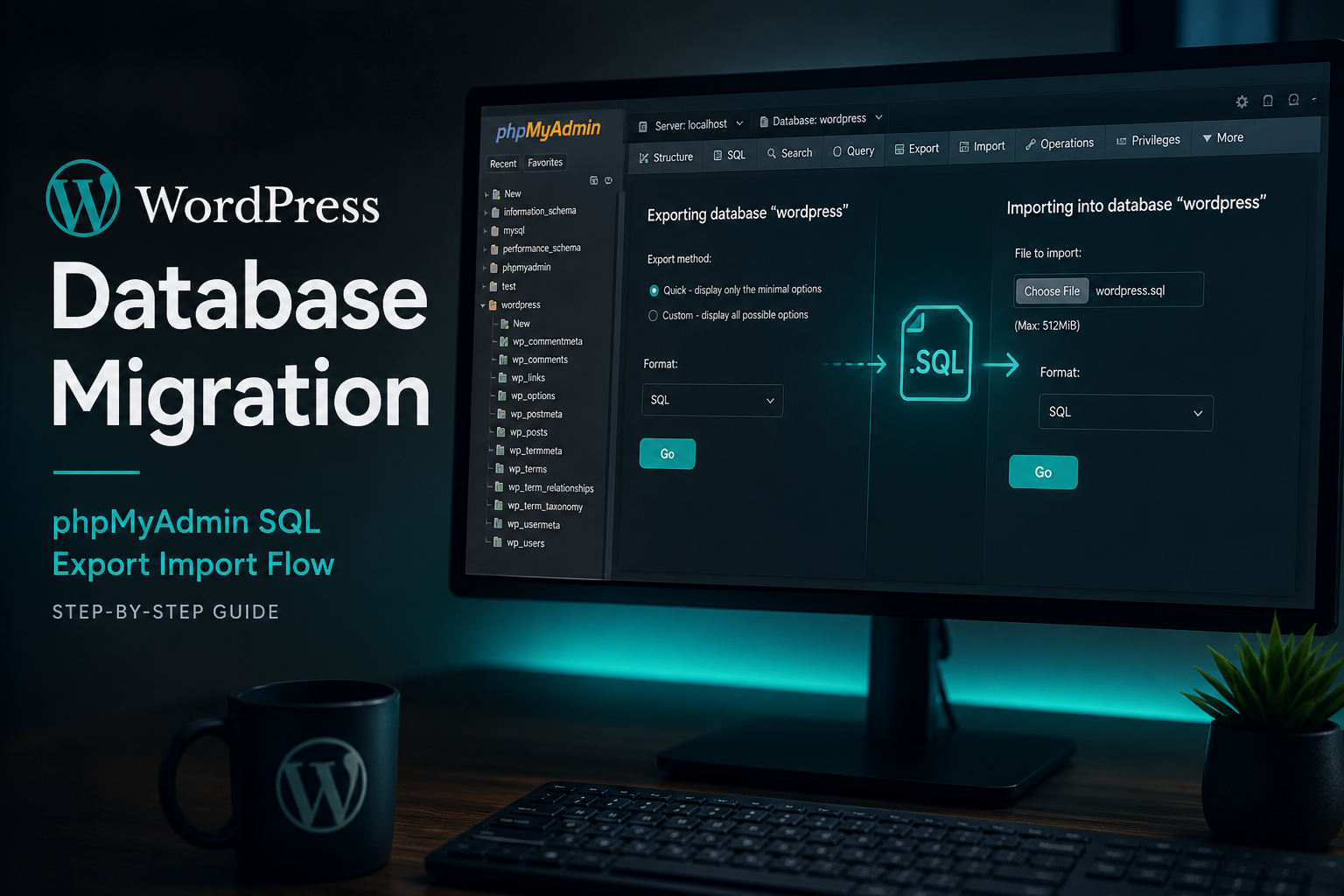
WordPress database migration is the process of exporting your MySQL/MariaDB tables from the source environment, importing them into the destination database, and updating URL references without corrupting serialized PHP data. Files get copied separately. The database holds posts, settings, users, plugin configuration, and widget data — get the database wrong and the site looks fine until widgets vanish and checkout breaks.
This guide covers database-only moves and the database portion of full site migrations. Pair it with the host migration guide for complete workflows.
What lives in the WordPress database
| Table group | Purpose | Migration note |
|---|---|---|
| `wp_posts`, `wp_postmeta` | Posts, pages, attachments, orders | Large; includes revisions |
| `wp_options` | Site settings, widget config, plugin settings | Serialized data — handle carefully |
| `wp_users`, `wp_usermeta` | Accounts and profiles | Password hashes transfer intact |
| `wp_terms`, `wp_term_taxonomy`, `wp_term_relationships` | Categories, tags | Standard import |
| `wp_comments`, `wp_commentmeta` | Comments | Often skipped on staging refresh |
| Plugin tables (`wp_wc_*`, `wp_actionscheduler_*`, etc.) | Plugin-specific data | Must migrate with plugin active |
| Multisite tables (`wp_blogs`, `wp_2_posts`, etc.) | Network subsites | See multisite migration |
Files in `wp-content/uploads/` reference database attachment posts. Database and files must stay in sync.
Export methods
phpMyAdmin
- Select database → Export → Quick or Custom.
- Custom: select all tables, format SQL, gzip compression for large exports.
- Download and verify file size matches expectation.
Limitation: phpMyAdmin timeout on databases over ~100MB on shared hosting. Use CLI for large sites.
WP-CLI (recommended)
“`bash
wp db export backup.sql –path=/path/to/wordpress
wp db export backup.sql –tables=wp_posts,wp_postmeta –path=/path/to/wordpress # selective
“`
Add `–network` for multisite exports.
Hosting backup tools
Kinsta, WP Engine, SiteGround backups include database. Download from backup panel. Verify export date.
mysqldump (SSH access)
“`bash
mysqldump -u username -p database_name > backup.sql
mysqldump -u username -p database_name | gzip > backup.sql.gz
“`
Fastest for large databases. No PHP timeout limits.
Import methods
phpMyAdmin
- Create empty database on destination.
- Import → choose SQL file → execute.
- Watch for timeout on large files — split or use CLI.
WP-CLI
“`bash
wp db import backup.sql –path=/path/to/wordpress
“`
mysql CLI
“`bash
mysql -u username -p database_name < backup.sql
“`
For gzip: `gunzip < backup.sql.gz | mysql -u username -p database_name`
Update wp-config.php after import
“`php
define('DB_NAME', 'new_database_name');
define('DB_USER', 'new_database_user');
define('DB_PASSWORD', 'new_database_password');
define('DB_HOST', 'localhost'); // or remote host on managed platforms
$table_prefix = 'wp_'; // must match imported tables
“`
Wrong `$table_prefix` causes "table doesn't exist" errors when prefix is non-standard.
URL updates: the critical step
WordPress stores the site URL in `wp_options`:
“`sql
— siteurl and home in wp_options
“`
It also embeds full URLs in post content, postmeta, options, and comments. After any domain or path change, run a search-replace across all tables.
Never do this
“`sql
UPDATE wp_options SET option_value = REPLACE(option_value, 'old.com', 'new.com');
UPDATE wp_posts SET post_content = REPLACE(post_content, 'old.com', 'new.com');
“`
Raw REPLACE breaks serialized PHP strings. Widgets disappear. Plugin settings reset. Theme customizer breaks.
Do this instead
WP-CLI (best):
“`bash
wp search-replace 'https://olddomain.com' 'https://newdomain.com' –all-tables –precise
wp search-replace 'http://olddomain.com' 'https://newdomain.com' –all-tables –precise
“`
Flags:
- `–all-tables` — every table, not just core
- `–precise` — skip GUID column (GUID should stay as original per WordPress convention)
- `–network` — all subsite tables in multisite
- `–dry-run` — preview changes without writing
Better Search Replace plugin:
Install on destination. Run dry run first. Check "Run as network" for multisite. Handles serialization.
WP Migrate DB / WP Migrate:
Push/pull with find-replace built in. Good for staging ↔ production selective sync. See staging to production.
Serialized data explained
WordPress stores arrays and objects as PHP serialized strings:
“`
a:1:{s:4:"test";s:19:"https://olddomain.com";}
“`
The `s:19:` indicates string length of 19 characters. If you replace `olddomain.com` (13 chars) with `newdomain.com` (13 chars) — same length — serialization survives. Different lengths without updating the length prefix corrupts the data.
Serialization-aware tools recalculate lengths automatically. That is why they exist.
Key options to verify after import
“`sql
SELECT option_name, option_value FROM wp_options
WHERE option_name IN ('siteurl', 'home', 'upload_path', 'upload_url_path', 'active_plugins', 'template', 'stylesheet');
“`
| Option | Expected |
|---|---|
| siteurl | `https://yourdomain.com` |
| home | `https://yourdomain.com` |
| upload_path | Empty (usually) |
| upload_url_path | Empty (usually) |
Non-empty upload paths pointing to old server cause media issues.
Selective table migration
Sometimes you migrate only specific data:
| Scenario | Tables |
|---|---|
| Content only | wp_posts, wp_postmeta, wp_terms, wp_term_* |
| Settings sync | wp_options (risky — test on staging) |
| User import | wp_users, wp_usermeta |
| WooCommerce products | wp_posts (product), wp_postmeta, wp_term_*, attribute tables |
Exclude on production push:
- Order tables
- Action Scheduler
- Session tables
WP Migrate DB Pro supports table selection with push/pull. Manual mysqldump with `–tables` flag works for CLI users.
Database size optimization before migration
Large databases slow import and increase failure risk:
“`bash
Delete post revisions
wp post delete $(wp post list –post_type='revision' –format=ids) –force
Clean transients
wp transient delete –all
Optimize tables
wp db optimize
“`
Optional — only on source backup copy, not live without approval. WooCommerce sites: do not delete Action Scheduler completed actions without understanding impact.
Charset and collation
Source and destination should match:
“`sql
SHOW VARIABLES LIKE 'character_set%';
SHOW VARIABLES LIKE 'collation%';
“`
Mismatch (`utf8` vs `utf8mb4`) causes emoji and special character corruption. WordPress recommends `utf8mb4_unicode_ci`. Convert on import if destination requires it.
Troubleshooting after database migration
| Symptom | Likely cause | Fix |
|---|---|---|
| White screen | PHP error, wrong DB creds | Check debug.log, wp-config |
| Login redirect loop | siteurl/home mismatch | Fix options or wp-config constants |
| Missing widgets | Serialized corruption | Restore backup; re-run with proper tool |
| Broken images | URL not replaced in content | wp search-replace again |
| 404 on all pages | Permalinks not flushed | Settings → Permalinks → Save |
| "Error establishing database connection" | Wrong DB_HOST | Check host panel for correct hostname |
Full troubleshooting: fix WordPress migration errors.
Database migration without file migration
Valid when:
- Files already copied but database import failed
- Restoring from backup after hack (files cleaned separately)
- Syncing staging database to local dev (with URL replace)
Always run search-replace when database moves between URLs — even localhost:
“`bash
wp search-replace 'https://production.com' 'http://localhost:10004' –all-tables
“`
When to hire
Hire when:
- Database exceeds 500MB and shared hosting timeouts block import
- Serialized corruption already occurred
- Multisite with 10+ table sets
- WooCommerce with complex order history
- No SSH/WP-CLI access
Database-heavy migration repair: $300–$1,200 (estimate). Full migration: WordPress migration cost.
FAQs
Should I migrate database or files first?
Files first, database second. After database import, run search-replace immediately before testing.
Does GUID need updating?
No. WP-CLI `–precise` skips GUID by default. GUID is meant to stay as original import identifier.
Can I use phpMyAdmin search-replace?
Only if you use a serialization-aware SQL script — not raw REPLACE. Default phpMyAdmin replace is unsafe for wp_options.
How big is too big for plugin-based migration?
All-in-One WP Migration free version limits to 512MB. Host upload limits often cap lower. Over 1GB: use CLI.
Do I need to migrate database separately for SSL change?
Same domain HTTP → HTTPS: run search-replace for `http://` to `https://` in content and options. siteurl/home must use https://.
—
Database migration is where moves succeed or silently break. WordPress migration services use WP-CLI, verified backups, and serialization-safe replaces.
Book a free 15-minute migration consult.
September 12, 2026
When to Hire WordPress Migration Help (Decision Guide)

September 12, 2026


