

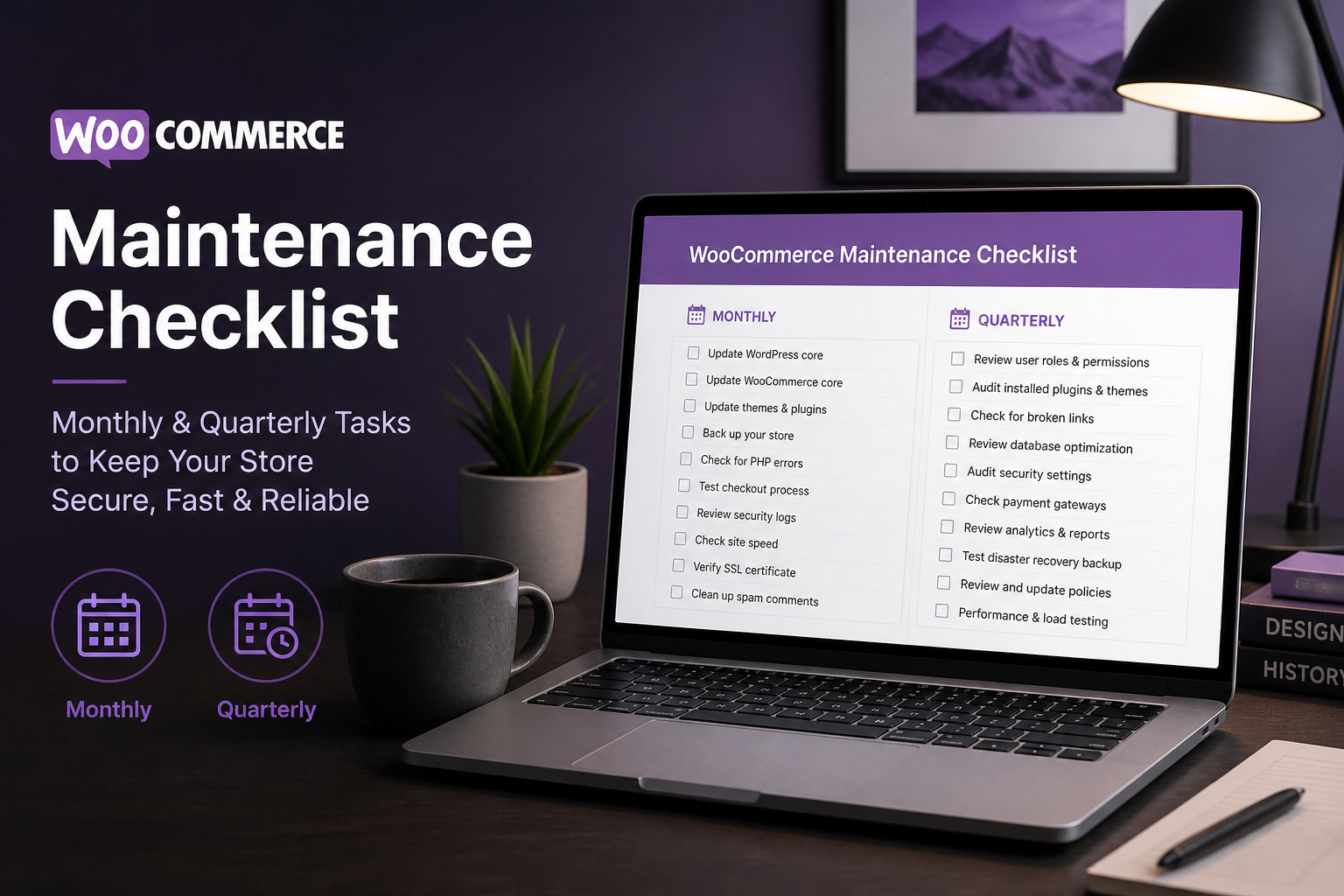
WooCommerce store maintenance means keeping WordPress, WooCommerce, plugins, and themes updated; verifying backups restore correctly; monitoring security and uptime; and cleaning database bloat — on a recurring schedule, not when something breaks. Stores that skip maintenance fail during peak sales periods, lose orders to payment gateway incompatibilities after updates, or get compromised through unpatched vulnerabilities.
A WooCommerce store is not a set-and-forget website. It is a revenue system that processes payments, holds customer data, and runs 24/7. Maintenance is the operating cost of running that system. DIY maintenance takes 2–4 hours monthly. A maintenance retainer ($200–$600/month) handles it for you.
Why maintenance matters for WooCommerce specifically
Standard WordPress maintenance covers updates and backups. WooCommerce adds:
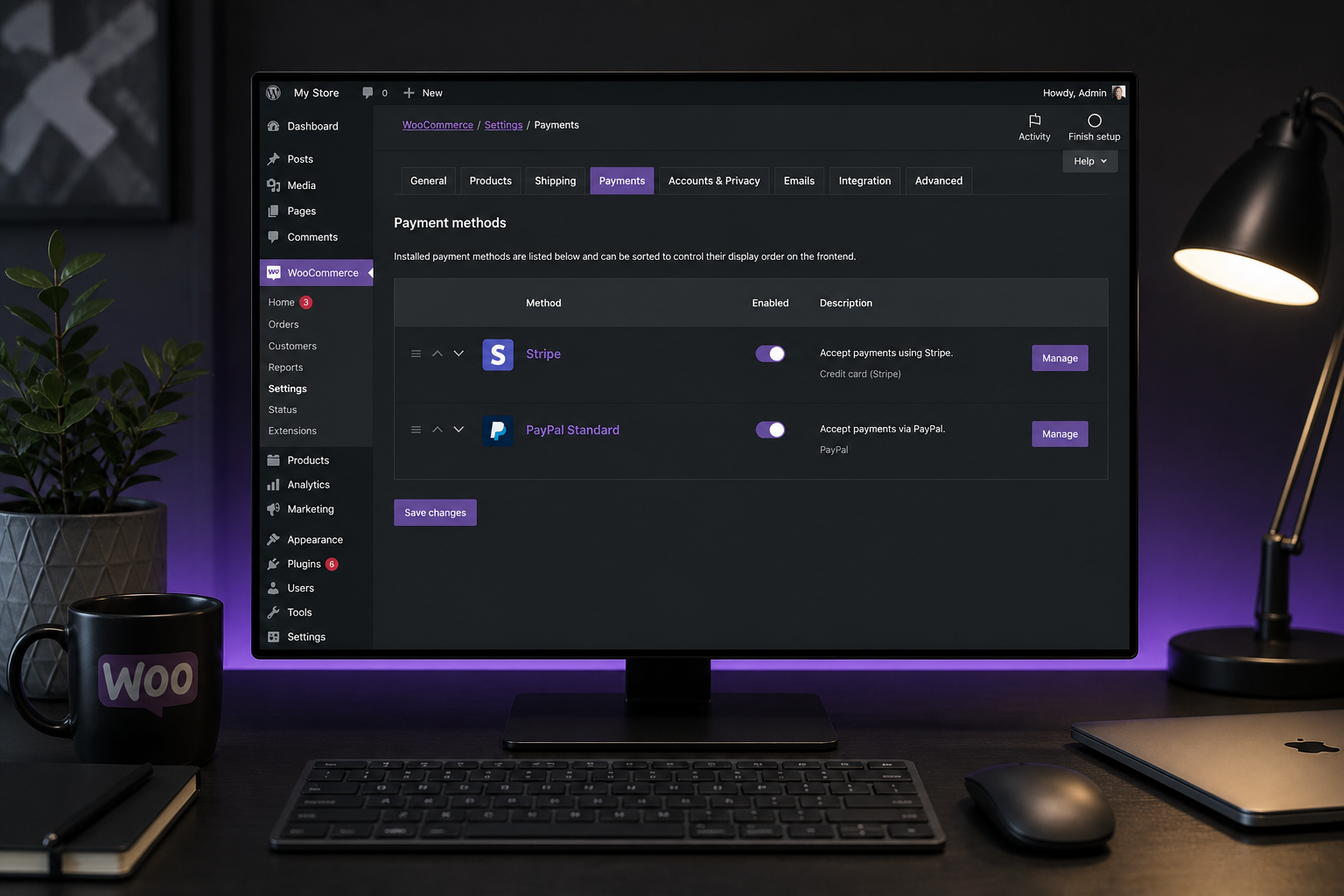
- Payment gateway compatibility — Stripe/PayPal plugins break on WooCommerce major updates
- Cart and checkout functionality — caching misconfigurations after plugin updates
- Subscription renewals — failed cron jobs mean missed billing cycles
- Order processing — Action Scheduler queue backups prevent webhook delivery
- Inventory accuracy — sync failures with external systems go unnoticed
- PCI compliance — SSL certificate expiry breaks checkout
- Tax rate updates — stale tax tables cause over/undercharging
A broken blog post is an inconvenience. A broken checkout is lost revenue every minute it stays down.
Monthly maintenance tasks
Updates (test on staging first)
- [ ] WordPress core update (if available)
- [ ] WooCommerce update (check release notes for breaking changes)
- [ ] Plugin updates (one at a time, test checkout after each)
- [ ] Theme update (child theme overrides may need adjustment)
- [ ] PHP version check — host should run PHP 8.1+ in 2026
Update protocol:
- Full backup before any updates
- Update on staging environment
- Test: add to cart, complete checkout, verify payment, check order email
- Deploy to production
- Monitor for 24 hours post-update
Never batch-update 20 plugins simultaneously. If something breaks, you cannot identify the cause.
Backup verification
- [ ] Confirm automated backups are running (daily minimum for active stores)
- [ ] Verify backup includes: database, uploads (product images), themes, plugins, wp-content
- [ ] Test a restore on staging quarterly (not just "backup exists" — actually restore it)
- [ ] Confirm offsite backup storage (not on the same server as the store)
- [ ] Check backup retention period (30 days minimum)
Backups you have not tested restoring are backups you do not have.
Security checks
- [ ] Review WordPress user accounts — remove unused admin accounts
- [ ] Verify SSL certificate is valid and not expiring within 30 days
- [ ] Check for failed login attempts (security plugin logs or host dashboard)
- [ ] Confirm security plugin is active and scanning (Wordfence, Solid Security, or host WAF)
- [ ] Review WooCommerce API keys — revoke unused keys
- [ ] Verify file integrity (no unauthorized file changes)
Order and payment monitoring
- [ ] Review failed orders in WooCommerce → Orders (status: Failed)
- [ ] Check Stripe/PayPal dashboard for webhook delivery failures
- [ ] Verify subscription renewals processed correctly (if applicable)
- [ ] Review Action Scheduler queue: WooCommerce → Status → Scheduled Actions
– Failed actions should be zero or investigated immediately
– Pending actions over 100 may indicate a cron problem
- [ ] Confirm order confirmation and shipping emails are sending
Performance check
- [ ] Run PageSpeed Insights on homepage, a category page, and a product page
- [ ] Check Google Search Console for new Core Web Vitals failures
- [ ] Review hosting resource usage (CPU, memory, disk) in host dashboard
- [ ] Clear expired transients and completed Action Scheduler tasks
- [ ] Verify caching plugin is active and checkout/cart pages are excluded
See the WooCommerce speed optimization guide for detailed performance maintenance.
Content and catalog
- [ ] Review out-of-stock products — update or hide discontinued items
- [ ] Check for broken product images (404 errors)
- [ ] Verify pricing is current across all products and variations
- [ ] Review and respond to product reviews (if enabled)
- [ ] Check for 404 errors in Search Console — fix or redirect
Quarterly maintenance tasks
Database cleanup
- [ ] Delete expired WooCommerce sessions (`wp_woocommerce_sessions`)
- [ ] Clear completed and failed Action Scheduler tasks older than 30 days
- [ ] Remove post revisions (keep last 3–5 per product/page)
- [ ] Clean spam comments and trashed items
- [ ] Optimize database tables (wp_options autoload cleanup especially)
- [ ] Review autoloaded options size — over 1MB indicates bloat
Use WP-CLI or plugins like WP-Optimize. Always backup before database cleanup.
Plugin audit
- [ ] Deactivate and delete unused plugins
- [ ] Review active plugins — does each one still serve a purpose?
- [ ] Check for abandoned plugins (not updated in 12+ months)
- [ ] Verify plugin licenses are active and renewed
- [ ] Compare current plugin stack against documentation
Every active plugin is a maintenance liability. Remove what you do not need.
Security deep check
- [ ] Run a malware scan (Wordfence scan or Sucuri)
- [ ] Review file permissions (directories 755, files 644, wp-config.php 440)
- [ ] Rotate WooCommerce API keys and application passwords
- [ ] Audit admin user roles — minimum privileges for each user
- [ ] Review and update security plugin firewall rules
- [ ] Check for WordPress core file modifications
SEO and analytics review
- [ ] Review Google Search Console for crawl errors and indexing issues
- [ ] Check for duplicate title tags and meta descriptions (SEO plugin report)
- [ ] Verify XML sitemap is generating correctly
- [ ] Review Google Analytics ecommerce data — conversion rate trends
- [ ] Check for broken internal links
Payment and shipping review
- ] Verify [payment gateway connection is active (Stripe dashboard)
- [ ] Test each payment method with a small live transaction
- [ ] Review shipping zones and rates — still accurate?
- [ ] Check tax rates — updated for current jurisdiction requirements?
- [ ] Review refund and chargeback history for patterns
Disaster recovery test
- [ ] Restore a full backup to staging environment
- [ ] Verify restored site processes test orders correctly
- [ ] Document restore procedure and time required
- [ ] Confirm team knows who to contact if store goes down
Maintenance log template
Track maintenance activities:
| Date | Task | Performed by | Notes |
|---|---|---|---|
| 2026-08-01 | WordPress 6.6 + WooCommerce 9.1 update | Developer | Tested checkout — OK |
| 2026-08-01 | Backup restore test on staging | Developer | Restore time: 12 min |
| 2026-08-01 | Database cleanup | Developer | Removed 2,400 expired sessions |
| 2026-08-01 | Failed order review | Store owner | 2 failed — expired cards |
DIY vs maintenance retainer
| Factor | DIY | Retainer ($200–$600/mo) |
|---|---|---|
| Time required | 2–4 hours/month | Zero (developer handles) |
| Staging environment | You need one | Included |
| Update testing | You test checkout | Developer tests checkout |
| Emergency response | You troubleshoot | Developer responds |
| Cost (annual) | Your time + tools | $2,400–$7,200 |
| Risk of missed updates | Higher | Lower |
DIY maintenance works if you are comfortable with WordPress admin, have staging access, and can test checkout after updates. A retainer makes sense when the store is your primary revenue channel and downtime costs more than the retainer.
What breaks when maintenance is skipped
| Skipped task | Consequence | Timeline |
|---|---|---|
| WooCommerce update | Security vulnerability exploited | Weeks to months |
| Plugin updates | Payment gateway stops processing | Immediate on next checkout |
| Backup verification | Cannot restore after hack or crash | Discovered during crisis |
| SSL renewal | Checkout shows "Not Secure" — customers leave | Immediate |
| Database cleanup | Store slows to 8+ second load times | Months of gradual degradation |
| Cron/Action Scheduler | Subscription renewals stop processing | Next billing cycle |
| Failed order review | Lost revenue you never knew about | Ongoing |
| Security scan | Malware redirects customers to phishing site | Days to weeks undetected |
Maintenance retainer scope
A typical WooCommerce maintenance retainer includes:
- WordPress, WooCommerce, and plugin updates (staging-tested)
- Daily automated backups with monthly restore verification
- Uptime monitoring with alert response
- Security scanning and malware monitoring
- Monthly performance check
- Database cleanup (quarterly)
- Priority support for store issues (checkout errors, payment failures)
- Small content updates (product price changes, text edits)
Does not typically include: new feature development, design changes, catalog expansion, or migration work — those are scoped separately.
FAQs
How often should I update WooCommerce?
Monthly at minimum, or within two weeks of a security release. Major WooCommerce updates (x.0.0) should be tested on staging before production. Minor updates (x.1.0) are usually safe but still test checkout.
Can I skip updates if my store is working fine?
No. Skipped updates accumulate security vulnerabilities. WooCommerce and WordPress publish security patches regularly. A store running WooCommerce 7.x in 2026 has known exploitable vulnerabilities.
What is Action Scheduler and why does it matter?
Action Scheduler is WooCommerce's background job queue — it handles subscription renewals, webhook deliveries, email sending, and scheduled tasks. A backed-up queue means renewals fail and webhooks do not fire. Check it monthly at WooCommerce → Status → Scheduled Actions.
How much does WooCommerce maintenance cost?
DIY: $0 cash (your time) plus backup tool costs ($0–$10/month). Professional retainer: $200–$600/month depending on store complexity, update frequency, and support response time.
Should I maintain my store or hire someone?
If the store generates meaningful revenue ($5K+/month), hire someone. The cost of one hour of checkout downtime exceeds a month of maintenance retainer fees. If the store is a side project with minimal revenue, DIY with a disciplined checklist works.
Next step
If your WooCommerce store has not had a maintenance review in months — or you are not sure when plugins were last updated — a 15-minute audit identifies the gaps.
Book a free 15-minute WooCommerce audit →
For speed optimization, payment gateway health, and full WooCommerce development services, see the related guides.
September 5, 2026
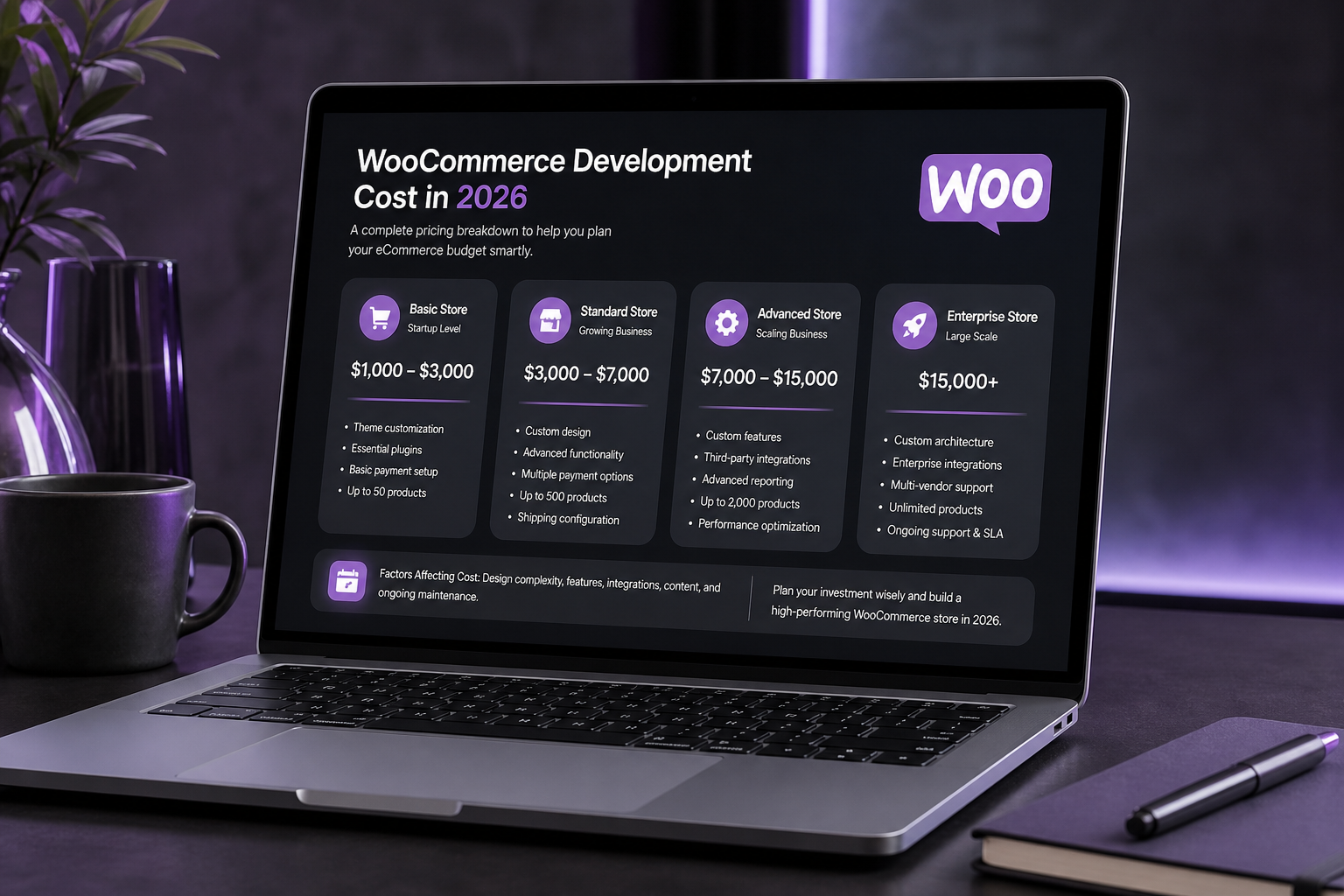
WooCommerce Development Cost in 2026 (Honest Breakdown)
September 5, 2026



