

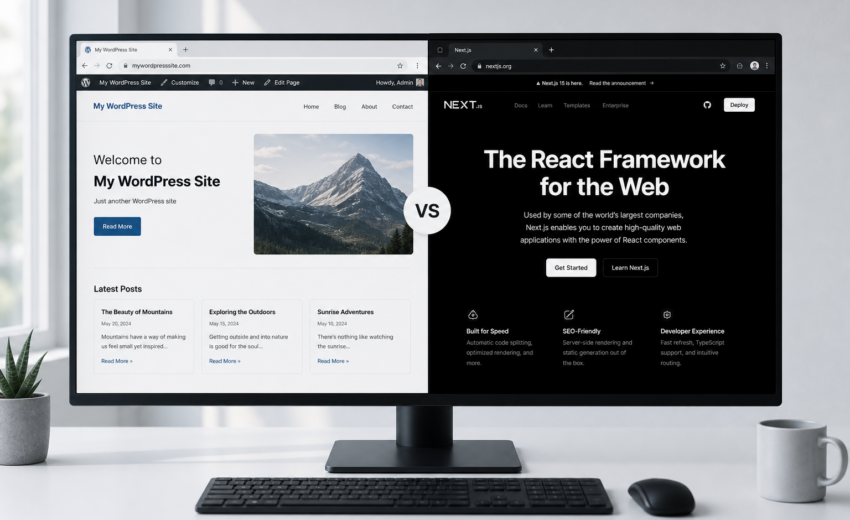
Next.js vs WordPress: An Honest Comparison for 2026
The Next.js vs WordPress question almost never has a technical answer. It has an organizational one. Both can produce a fast, well-ranked, maintainable website. What differs is who has to touch it every week, what happens when that person leaves, and how much of your budget goes to building versus running the thing.
I build in both. I write PHP against the WordPress template hierarchy and TypeScript against the Next.js App Router, often in the same month, sometimes in the same project. That’s not a neutral position — it’s a position with no incentive to sell you one over the other, which is the closest thing to neutrality you’ll find in a comparison article.
Here’s the short version. WordPress wins when non-technical people need to change the site frequently and the site is mostly content. Next.js wins when the front end has real application behavior, or when performance is a commercial requirement rather than a preference. And a large share of real projects sit between those two, which is what headless is for.
The rest of this walks through the honest tradeoffs, the comparison table, and a decision framework you can actually apply to your own site.
What each one actually is
This gets muddled constantly, so let’s be precise.
WordPress is a content management system written in PHP, backed by MySQL. It handles authoring, media, users, permissions, revisions, and scheduling, and it renders HTML through a theme. The ecosystem — roughly 60,000 free plugins plus a large commercial market — is the real product. You are rarely the first person with your problem.
Next.js is a React framework. It is not a CMS. It renders your front end and gives you routing, static generation, server rendering, incremental regeneration, image optimization, and API routes. Content has to come from somewhere else: a headless CMS, a database, Markdown files in the repo, or an API.
So the honest framing of “Next.js vs WordPress” is really “WordPress with a theme” vs “Next.js with some content source.” Comparing a full CMS to a rendering framework is comparing a restaurant to a kitchen.
The comparison table
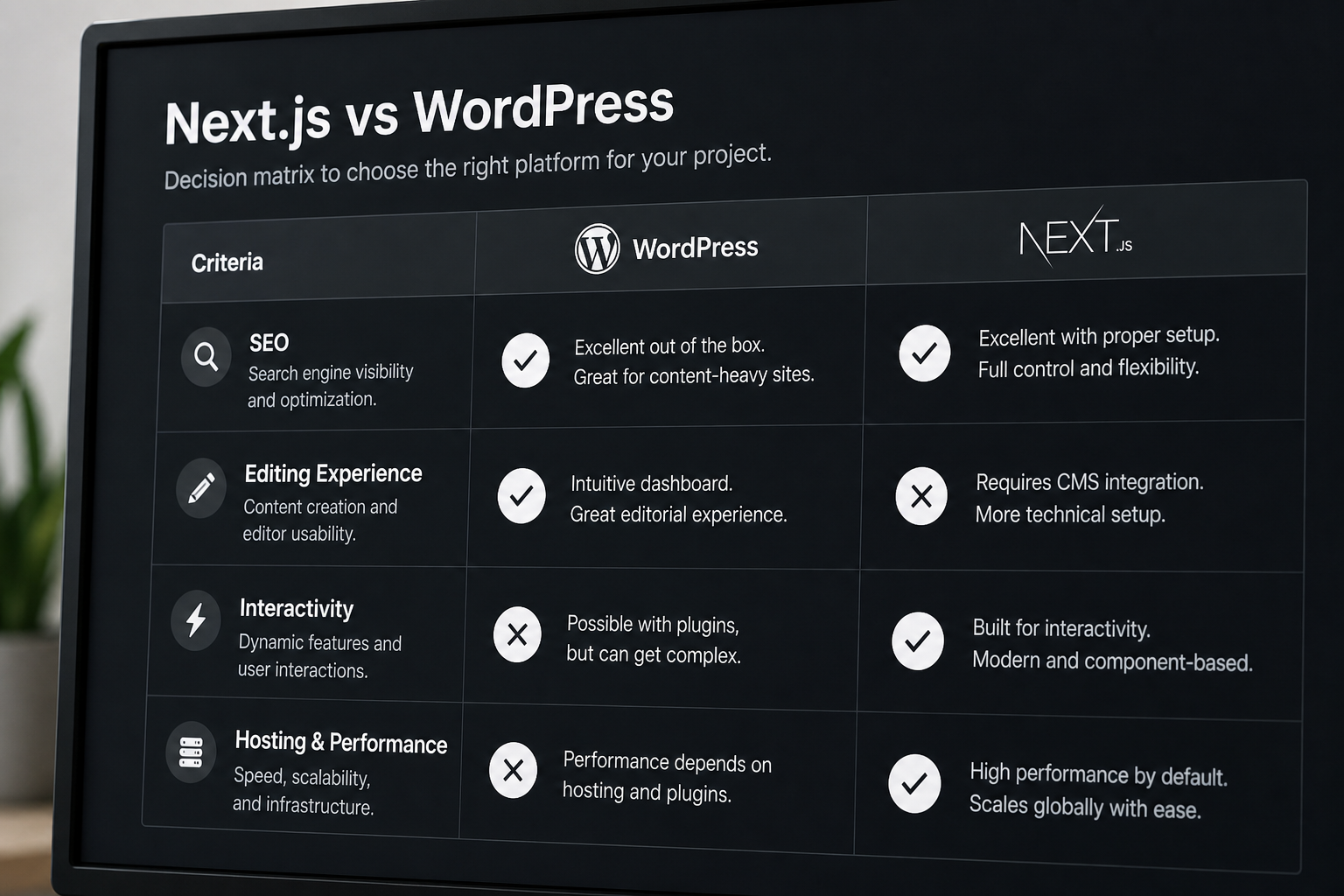
| Dimension | WordPress (classic theme) | Next.js |
|---|---|---|
| Content editing | Excellent out of the box. Block editor, media library, revisions, scheduling, roles — all included, all familiar. | Depends entirely on the CMS you attach. Nothing included. |
| Time to launch | Faster for standard sites. A solid brochure site can ship in 3–5 weeks. | Slower for the same scope. You build what WordPress gives you for free. |
| Build cost | Lower for typical business sites. Estimates: $1,500–$5,000 small business, $3,000–$12,000+ custom. | Higher. Estimates: $3,000–$15,000+ for a marketing site. |
| Raw performance ceiling | Good with discipline. Hard to make excellent with a page builder and 25 plugins. | Very high. Static HTML from a CDN, minimal JavaScript if you’re careful. |
| Performance floor | Low. It is very easy to end up at 5-second LCP without noticing. | Also low if you client-render everything and ship 900KB of JavaScript. The framework doesn’t save you. |
| SEO | Mature. Yoast and RankMath handle metadata, sitemaps, schema, redirects with no code. | Fully capable — Metadata API, generated sitemaps, JSON-LD — but every piece is your job to build. |
| Interactivity | Awkward past a point. Complex UI means fighting the theme or bolting on React anyway. | Its home turf. Configurators, dashboards, filtered catalogs, authenticated areas. |
| Hosting | $10–$100/month managed PHP hosting. Universally available. | $0–$20/month for most marketing sites on Vercel or similar. Needs a Node-aware host. |
| Maintenance | Ongoing and non-optional. Core, plugin, and theme updates; security patching; backups. | Fewer moving parts, but dependency updates and framework migrations are real. Next.js moves fast. |
| Security surface | Larger. Plugins are the usual vector. Most breaches trace to a stale plugin, not to core. | Smaller by default. No public admin, no PHP execution, no plugin marketplace. |
| Who can maintain it | Very large hiring pool at every price point. | Smaller and more expensive pool. React developers cost more than WordPress developers. |
| Vendor lock-in | Low. Open source, self-hosted, portable across hosts. | Low in principle, moderate in practice if you lean on host-specific features. |
| Marketing team autonomy | High. New pages, layout tweaks, campaign landing pages without a developer. | Low unless deliberately engineered for it. This is the most underestimated cost. |
Read that table as a set of tradeoffs, not a scorecard. Nobody wins on points.
Where WordPress genuinely wins
Content operations. If two or three people publish weekly, need scheduling, want revisions, and occasionally build a landing page without asking anyone, WordPress gives you all of that on day one. Recreating it on Next.js costs money and takes months, and the result is usually worse.
Standard business sites. Fifteen to forty pages, a blog, a contact form, some service pages. WordPress does this well, cheaply, and fast. Choosing Next.js here means spending more to get roughly the same result, with the added benefit of a smaller pool of people who can maintain it.
Anything the plugin ecosystem already solved. Events with recurring dates. Multilingual with translator workflows. Membership tiers. Bookings with availability rules. Donation flows. WooCommerce for straightforward retail. These represent thousands of hours of accumulated edge-case handling. You will not rebuild them profitably.
Budget-constrained projects. Under about $5,000, WordPress is usually the responsible answer. A well-executed WordPress site beats a rushed, half-finished Next.js site every time.
Long-term staffing. You can hire a WordPress developer in any city, at any budget, on short notice. That’s a real risk-management property when nobody knows who’ll own the site in three years.
The honest caveat: WordPress “wins” here only when it’s built well. A page builder stacked on a commercial multipurpose theme with 30 plugins is what gives the platform its reputation. That’s an execution problem, and WordPress development services exist to solve it.
Where Next.js genuinely wins
Application-like front ends. Product configurators, pricing calculators, faceted search, dashboards, multi-step flows with real state, anything behind a login. WordPress can host these, but you end up writing React inside a PHP theme, which is the worst of both worlds.
Performance as a commercial requirement. If you’re spending on paid traffic, competing in a crowded SERP, or running a high-volume ecommerce funnel, the difference between 1.2s and 3.5s LCP is money. Next.js pre-renders pages at build time or on demand and serves them from a CDN. There’s no PHP process, no database query, no plugin chain between a request and the HTML.
Multiple front ends from one content source. A marketing site, a docs site, a mobile app, and a partner portal drawing on the same content. WordPress themes assume they own the output; Next.js assumes content arrives from an API.
Teams that already write React. If your engineers work in TypeScript daily, putting the marketing site on the same stack removes a context switch and lets the same people ship both.
Integration-heavy pages. Pulling live data from a CRM, a pricing API, an inventory system, or three services at once and composing it server-side. Next.js is built for this. In WordPress it becomes a plugin or a pile of transients.
Design precision. When the design has to be exactly the design — spacing, typography, motion, states — a component-based front end holds the line better than a theme with a settings panel for everything.
If that describes your project, Next.js development services is the relevant page.
The comparison people get wrong: speed
“Next.js is faster than WordPress” is one of those statements that’s true in practice and misleading in principle.
Well-built WordPress is fast. Static HTML cached at the edge, a lean theme, optimized images, minimal JavaScript — you can hit green Core Web Vitals on a $20/month host. I’ve done it many times. The reason most WordPress sites are slow isn’t PHP. It’s a page builder shipping 400KB of CSS for a page that uses 12KB, six plugins each loading their own jQuery bundle, and a 1.8MB hero image.
And badly built Next.js is slow. Client-render everything, fetch on mount, skip image optimization, ship every dependency to the browser, and you’ll produce a site that scores worse than the WordPress install it replaced — while feeling modern.
The real difference is the default. Next.js defaults toward static, pre-rendered output; you have to work to make it slow. WordPress defaults toward dynamic PHP rendering with an ecosystem that encourages adding weight; you have to work to make it fast. Over a five-year lifespan with different people touching it, defaults matter more than ceilings.
The middle ground: headless WordPress
This is where a lot of real projects land, and it’s routinely left out of comparison articles because it complicates the narrative.
Headless WordPress keeps WordPress as the CMS — same admin, same block editor, same media library, same roles and workflows — and replaces the theme with a Next.js front end that pulls content over WPGraphQL or the REST API.
You get:
- Editors who don’t retrain. They log into the same place and click Preview the same way.
- Next.js rendering and performance characteristics.
- The WordPress plugins that manage *data* (ACF, Yoast, WPML, custom post types) still working.
- A front end unconstrained by what a theme allows.
You pay for it with:
- Two systems. Two hosting environments, two deploy pipelines, two places to debug.
- Plugins that render output stop working. Sliders, popups, page builders, many form and membership plugins assume they control the theme. Some have headless-friendly replacements; some don’t, and replacing them is project cost.
- Preview and revalidation become engineering work. In classic WordPress, Preview just works. In headless, someone has to build draft mode and on-publish webhooks. Skip this and your editors will hate the site regardless of how fast it is.
- A higher price. Estimates run $5,000–$20,000+ for headless WordPress with Next.js, versus $3,000–$12,000+ for a custom classic WordPress build.
Headless is the right answer when your content operation is genuinely WordPress-shaped but your front-end requirements are not. It’s the wrong answer when your actual problem is a bloated theme — that’s a rebuild, not an architecture change, and it costs a third as much.
If you’re already leaning this way, migrating WordPress to Next.js covers the process end to end.
A decision framework
Work down this list. Stop at the first clear match.
1. Is your budget under $5,000? WordPress. Full stop. A finished WordPress site beats an unfinished anything.
2. Does the site need real application behavior? Configurator, calculator, authenticated area, complex filtered search, live third-party data. → Next.js.
3. Will non-technical people need to create and restructure pages weekly, without a developer? → WordPress, or headless WordPress with a properly built block renderer. Don’t put a marketing team on a Git-based content workflow and expect it to hold.
4. Do you already have a React team? → Next.js, unless point 3 outweighs it.
5. Do you depend on plugin functionality that renders its own front end? Bookings, memberships, complex WooCommerce checkout, event calendars. → Classic WordPress. Going headless means replacing them, and that’s often where the budget disappears.
6. Is performance a measurable commercial requirement, and is your content operation WordPress-shaped? → Headless WordPress + Next.js.
7. Is it a marketing site with a small content team and high design and performance standards? → Either works. Pick based on who maintains it in three years.
That last point deserves emphasis. The most common failure I see isn’t picking the wrong technology. It’s picking a stack nobody on the client side can operate, then watching the site freeze in place because every change requires a contractor.
What this costs, roughly
USD estimates, not quotes. Real numbers depend on scope.
| Approach | Typical range |
|---|---|
| Small business WordPress site | $1,500–$5,000 |
| Website redesign on WordPress | $2,000–$8,000 |
| Custom WordPress / WooCommerce | $3,000–$12,000+ |
| Next.js / React marketing site | $3,000–$15,000+ |
| Headless WordPress + Next.js | $5,000–$20,000+ |
The pattern holds fairly consistently: Next.js costs more to build for equivalent scope, because you’re building the parts WordPress hands you. It can cost less to run and less to keep fast. Whether that trade pays back depends on how long you keep the site and what performance is worth to you.
FAQs
Is Next.js better than WordPress for SEO? Neither has an inherent advantage. Google indexes server-rendered HTML from both. WordPress gives you mature SEO tooling — Yoast and RankMath handle metadata, sitemaps, schema, and redirects with no code. Next.js gives you full control but every piece is your responsibility. In practice, Next.js sites tend to score better on Core Web Vitals, which is a ranking signal, while WordPress sites tend to have more complete on-page SEO because the plugins enforce it. Well-executed, both rank fine.
Can I use Next.js without a CMS? Yes, if content changes rarely and a developer makes every change. Markdown files in the repo work well for documentation sites, personal sites, and small marketing sites with a technical owner. Give that workflow to a marketing team and you’ll be making their edits for them within a month.
Is WordPress dying? No. It runs a large share of the web, the ecosystem is enormous, and the block editor keeps improving. What’s changed is that it’s no longer the automatic default for every project — which is healthy. It has clear strengths and clear limits.
Will moving to Next.js make my slow WordPress site fast? It’ll help, but the cheaper answer is often to fix the WordPress site first. If your problem is an unoptimized hero image, a page builder loading everything, and slow hosting, a rebuild on classic WordPress will get you most of the way for a fraction of the price. Diagnose before you migrate.
What about maintenance — is Next.js really lower effort? Different, not lower. WordPress needs regular core, plugin, and theme updates, and stale plugins are the main security risk. Next.js has no plugin marketplace and no public admin, but the framework moves quickly and major-version upgrades are real work. Neither is a set-and-forget option.
Can I start on WordPress and move to Next.js later? Yes, and it’s a reasonable strategy. Build well-structured WordPress now — proper post types, real custom fields, clean URLs — and going headless later is a front-end project rather than a rebuild. Build it with a page builder and everything lives in shortcodes, and the migration becomes a full re-entry of your content.
Which do you recommend more often? WordPress, by a wide margin — because most people asking already have a WordPress site and a content team, and their real problem is execution rather than platform. Next.js goes to the projects with genuine application requirements or hard performance targets.
Not sure which fits?
Send me your current site URL, roughly how many pages you have, who edits it, and what you want it to do that it doesn’t do today. I’ll tell you which of the three approaches I’d actually build — classic WordPress, headless, or full Next.js — and why. If the honest answer is “keep what you have and fix three things,” I’ll say that too.
If you already know the front end is the constraint, start with Next.js development services. If your content operation is WordPress-shaped and the theme is the thing holding you back, headless WordPress with Next.js is the version of that conversation worth having.

August 14, 2026
How Much Does a WordPress Website Cost in...

August 14, 2026



