

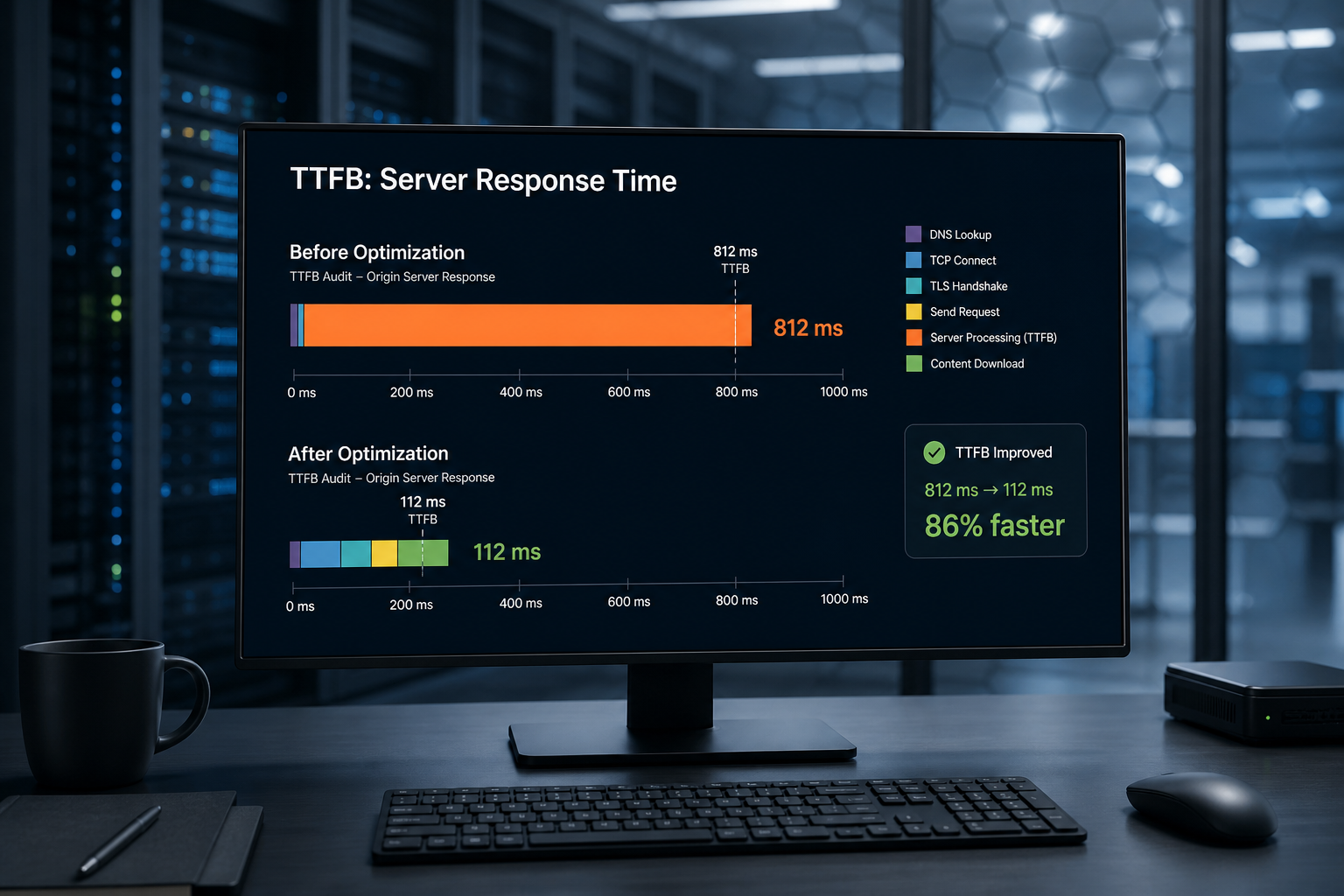
Slow TTFB on WordPress means the server takes too long to send the first byte of HTML after a request. Time to First Byte (TTFB) includes DNS lookup, SSL handshake, server processing, and network latency. For cached pages on decent hosting, TTFB should generally land under 200–600ms depending on geography — above 800ms consistently, and you're capping every downstream metric including Largest Contentful Paint.
You can't compress your way out of slow TTFB. Image optimization, lazy loading, and minification all happen after HTML arrives. Fix server response first.
How to measure TTFB
| Tool | What to look for |
|---|---|
| WebPageTest | "First Byte" column in waterfall |
| PageSpeed Insights | "Reduce initial server response time" / TTFB in diagnostics |
| Chrome DevTools Network | First document request — Waiting (TTFB) |
| Query Monitor (WordPress) | Page generation time on uncached requests |
Test from a location near your audience. Testing from your office when customers are in another country skews results.
Test cached and uncached separately:
- Cached: what most anonymous visitors get
- Uncached: what editors, cart users, and first-hit pages experience
TTFB diagnostic checklist
| Check | How | Target (rough guide) |
|---|---|---|
| Page cache returning HIT | Response headers (cf-cache-status, x-cache, etc.) | HIT on static pages |
| TTFB on cached homepage | WebPageTest | < 600ms |
| TTFB on uncached/admin | Logged-in or cache bypass | Higher is OK if expected |
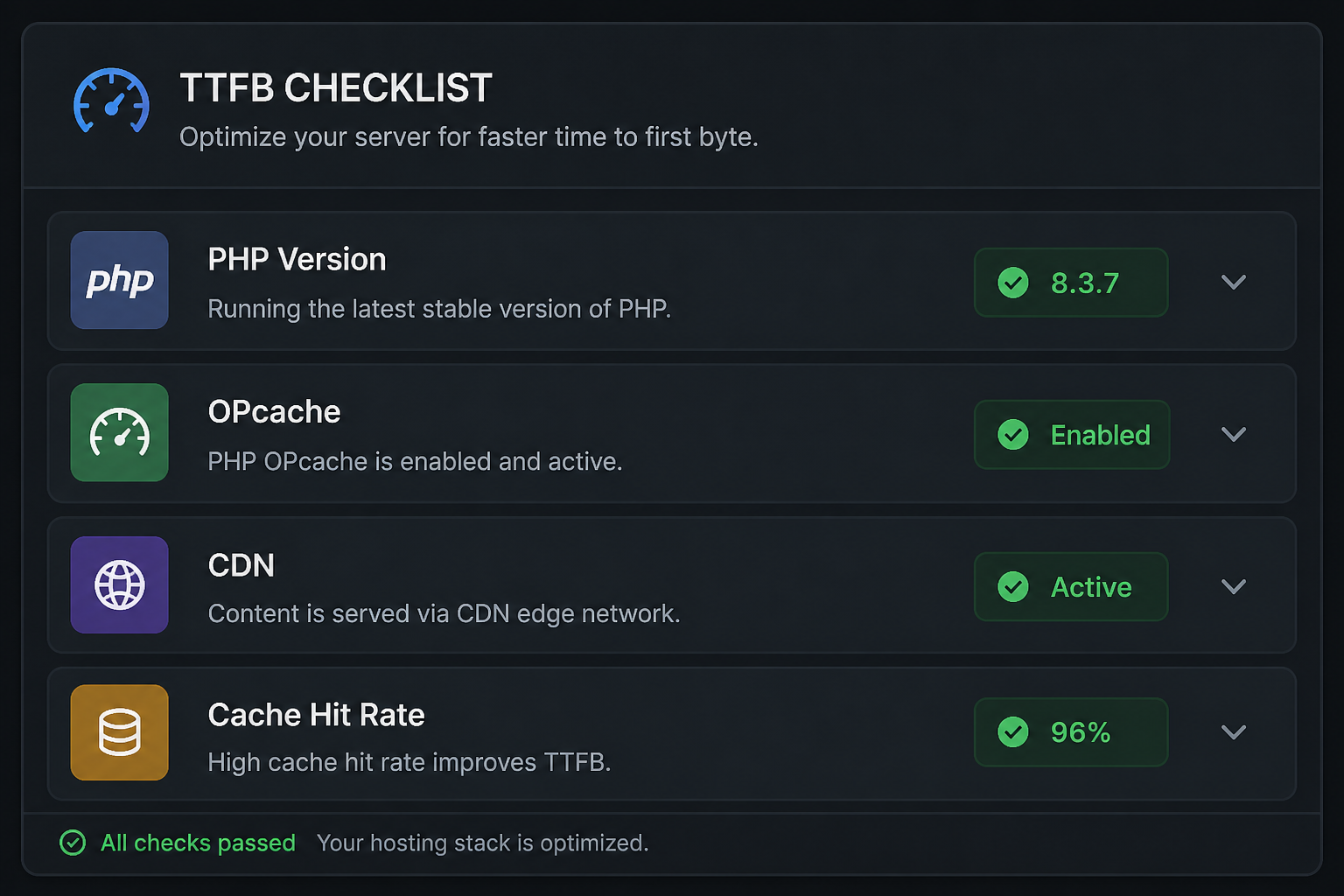
| PHP version | Hosting panel | 8.1+ |
| OPcache enabled | phpinfo or host panel | Enabled |
| Object cache (Redis) | Plugin/host status | Enabled on busy sites |
| Database autoload size | Query Monitor / WP-CLI | < 1MB autoloaded options |
| Active plugins count | WP admin | Audit if 30+ |
| Cron blocking requests | Site Health | Offload to system cron |
| SSL/TLS overhead | WebPageTest | TLS 1.3, HTTP/2 |
Fix 1: Enable and verify page caching
Page caching stores generated HTML so PHP doesn't run on every request.
| Host type | Cache layer |
|---|---|
| Kinsta, WP Engine, Flywheel | Built-in page cache — configure in dashboard |
| SiteGround | SG Optimizer or SuperCacher |
| Cloudways | Varnish + Breeze or own plugin |
| Generic VPS/shared | WP Rocket, LiteSpeed Cache, FlyingPress, W3 Total Cache |
Verify cache works:
- Load homepage logged out
- Check response headers for cache HIT
- View page source — note timestamp or comment if plugin adds one
- Re-load — TTFB should drop dramatically on HIT
Common misconfigurations:
- Cache excludes homepage accidentally
- WooCommerce cache plugin not excluding cart/checkout
- Cloudflare "Development Mode" left on
- `DONOTCACHEPAGE` defined globally by a plugin
Fix 2: Add object caching (Redis/Memcached)
Object cache stores database query results in memory. Helps uncached requests and admin — especially WooCommerce and membership sites.
Most managed WordPress hosts include Redis. On VPS, install Redis and use Redis Object Cache plugin.
Object cache alone doesn't fix TTFB for fully cached HTML pages, but it reduces PHP execution time on dynamic pages and admin.
Fix 3: Clean database bloat
| Issue | Symptom | Fix |
|---|---|---|
| Large autoloaded options | Slow every request | Query Monitor → identify; remove orphan plugin data |
| Post revisions unlimited | Larger DB, slower queries | Limit revisions in wp-config |
| Transients expired but piled up | DB overhead | Delete expired transients |
| Action Scheduler backlog (WooCommerce) | Queue clog | Clear failed actions; fix cron |
Run database cleanup on staging first. Autoloaded options from deactivated plugins are a frequent TTFB culprit on old sites.
Fix 4: Reduce plugin and theme overhead
Every active plugin can hook into `init` and run PHP on every request.
| Action | Method |
|---|---|
| Audit active plugins | Deactivate suspects on staging; measure TTFB |
| Replace heavy plugins | Social feed plugin → static embed |
| Disable plugin features site-wide | Disable XML-RPC, emoji scripts, embeds |
| Switch off page builder on simple pages | Use default template without builder assets |
Query Monitor shows which plugins add query time and PHP time per request.
Fix 5: Upgrade or relocate hosting
Sometimes TTFB is a hardware problem.
| Signal | Likely issue |
|---|---|
| TTFB bad 24/7 on cached pages | Weak host, oversold shared server |
| TTFB bad only from certain regions | No CDN / origin far from users |
| TTFB spikes at peak hours | Resource limits hit |
| TTFB fine on staging, bad on production | Production traffic exceeds plan |
Managed WordPress hosting ($25–$100+/month estimate range) typically beats $5 shared hosting for TTFB — not because of marketing, but because of dedicated PHP workers, built-in cache, and tuned stacks.
Cloudflare (free tier) in front of origin improves TTFB globally if HTML is cacheable at edge — configure page rules or cache rules carefully for WordPress.
Fix 6: PHP and server configuration
| Setting | Recommendation |
|---|---|
| PHP version | 8.2 or 8.3 where compatible |
| OPcache | Enabled with adequate memory |
| PHP memory limit | 256M minimum for WooCommerce |
| max_execution_time | Not the TTFB fix — fix slow code instead |
| HTTP/2 or HTTP/3 | Enabled at server/CDN |
| Gzip/Brotli | Compress HTML responses |
Fix 7: Cron and background tasks
WordPress cron triggered on page visits can slow random requests.
“`php
// wp-config.php — use system cron instead
define('DISABLE_WP_CRON', true);
“`
Then schedule real cron: `*/5 * * * * wget -q -O – https://yoursite.com/wp-cron.php?doing_wp_cron`
TTFB vs other metrics
| If TTFB is high… | LCP, INP, CLS fixes help? |
|---|---|
| Yes, consistently | Minimally — address TTFB first |
| Only uncached pages | Expected — focus cache exclusions |
| Only one URL | Page-specific query or builder issue |
| Only from one country | CDN/geo issue |
Include TTFB in any website performance audit — it's the foundation layer.
Frequently asked questions
What is a good TTFB for WordPress?
Under ~600ms for cached pages to a nearby test location is a reasonable target. Global audiences need CDN edge caching — a single origin in Virginia will TTFB poorly for Sydney users without edge HTML cache.
Does Cloudflare always improve TTFB?
Only if HTML and assets are cacheable at edge. Default Cloudflare setup caches static files but not HTML unless configured.
Can a slow TTFB fail Core Web Vitals?
Yes — high TTFB directly delays LCP because HTML must arrive before the browser discovers and loads the LCP image.
Does upgrading PHP fix TTFB?
Often improves PHP execution time 10–30% (typical range, varies by site). Won't fix missing page cache or bad hosting.
Should I use LiteSpeed Cache without LiteSpeed server?
LiteSpeed Cache has fallback modes on Apache/Nginx but works best on LiteSpeed/OpenLiteSpeed servers. Match plugin to your stack.
Book a free 15-minute site audit
High TTFB but cache plugin already installed? Book a free 15-minute audit. I'll check whether cache is actually hitting, hosting is the limit, or a plugin is running PHP on every request — and map a full website performance audit if it's site-wide.

August 5, 2026
Performance Audit Before a Website Redesign
August 5, 2026



