

Headless WordPress + Next.js Done Right
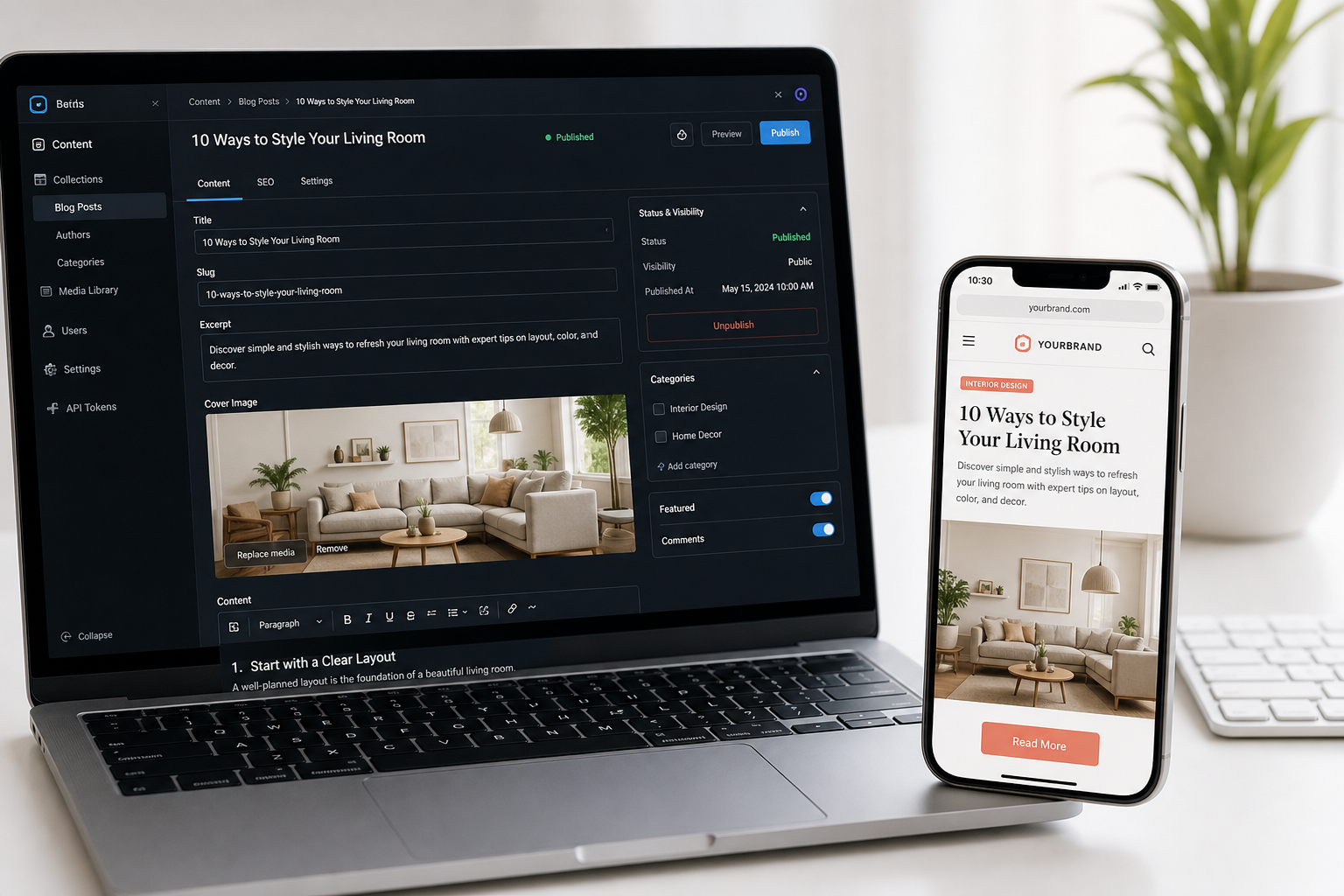
A headless WordPress Next.js build keeps WordPress as the CMS your team knows and replaces the theme with a Next.js front end. Editors keep writing in wp-admin. Visitors get fast static or server-rendered React — no theme files on the front.
Done for the wrong reasons, it doubles infrastructure to solve a problem classic WordPress would fix cheaper. I work both halves of the stack — PHP and TypeScript.
Most headless projects fail at the seam between WordPress and Next.js. Because I own both, that seam does not become a handoff gap.
If you are still deciding, start with What is headless WordPress on the blog, then come back.
Discovery
Technical audit
Model & build
SEO launch

What's Included
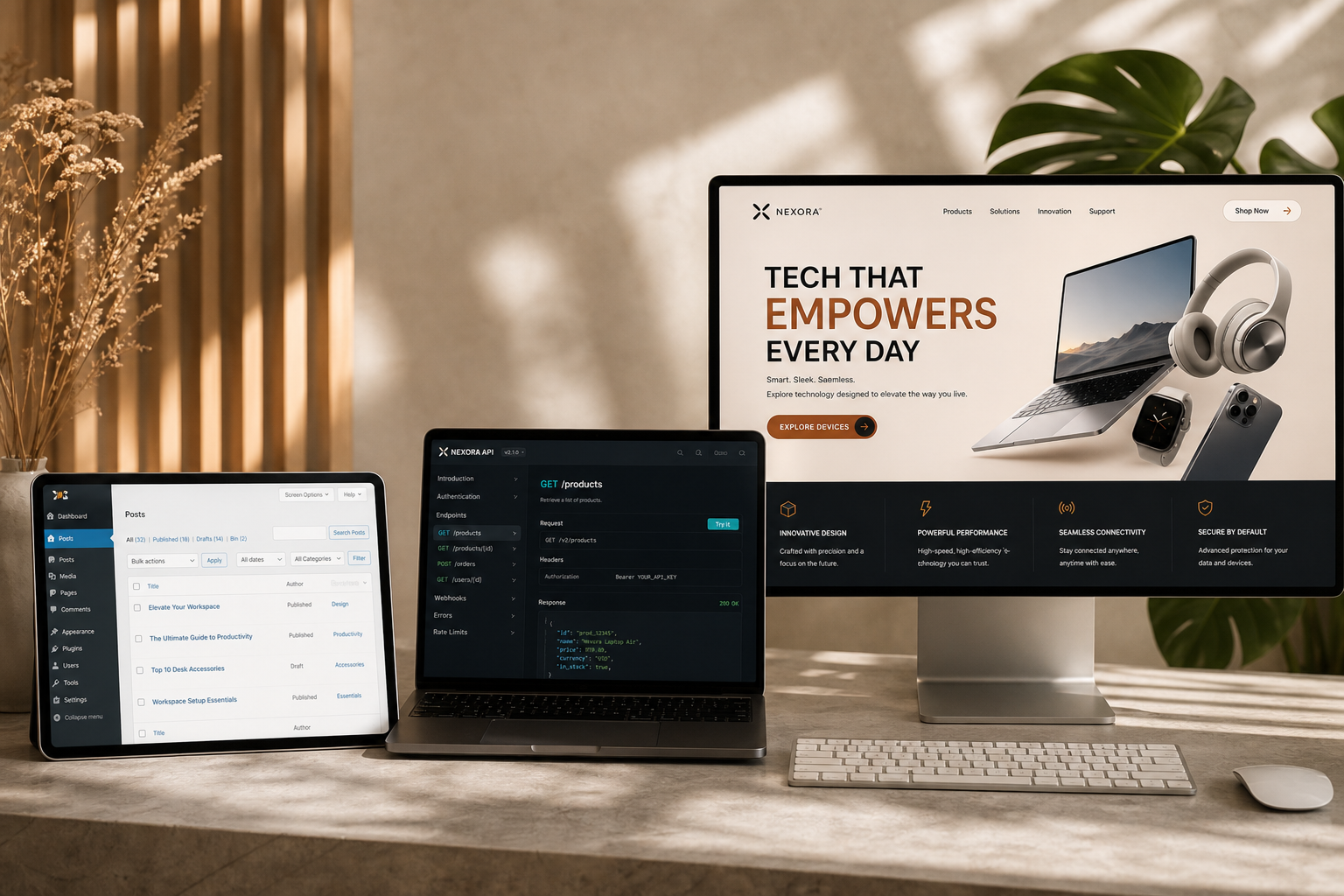
WordPress as headless CMS, Next.js App Router front end, SEO/migration discipline, editorial preview + revalidation, and split hosting with staging on both sides.
- Headless WP + CPTs + ACF to API
- WPGraphQL or hardened REST
- Next.js App Router + TypeScript
- Block-to-React renderer
- Draft preview + on-publish revalidation
- Metadata, sitemaps, structured data
- Full URL map & 301s
- Split hosting + env separation
Discuss a headless WordPress build
Send your URL, content volume, and what the front end must do that it cannot today. Straight call on whether headless is justified.
Who This Is For
Good when editors love WordPress but the theme is the bottleneck — or you need interactivity, multi-channel content, and serious Core Web Vitals. Not for tiny static sites or plugin-front-end-heavy stores without budget.
- Heavy publishing; theme is the limit
- Real interactivity beside content
- Content needed in more than one place
- CWV matters commercially
- React team available (or hiring)
- Already committed to Next.js
- Not a fit: under 25 mostly-static pages
- Not a fit: no one to own Node deploys
Typical Timeline
Content variety matters more than volume. Forty pages across eleven inconsistent post types takes longer than 500 posts of one type.
| Scope | Typical timeline |
|---|---|
| Technical audit + migration plan | 1 week |
| Small headless (10–20 templates) | 5–7 weeks |
| Standard + migration (100–500 posts) | 8–12 weeks |
| Large / multi-site / complex | 12–20 weeks, phased |
| Next.js on clean existing WP | 4–8 weeks |
Soft Pricing Estimates (USD)
USD estimates — firm numbers follow the audit. Budget separately for two hosts (often comparable to current spend).
| Engagement | Estimated range |
|---|---|
| Technical audit & migration plan | $900–$2,000 |
| Front end on clean existing WP | $5,000–$9,000 |
| Full build with content migration | $9,000–$18,000 |
| Complex / integrations / multilingual | $18,000–$35,000+ |
| Ongoing retainer | From $500/month |
Most projects land $5,000–$20,000. If that feels high for the problem, classic WordPress development or straight Next.js may be better.
How I Approach The Work
Model content first. Editors never need a developer for routine publishes. Redirects are the SEO story. Static by default. Own the whole stack. You own everything.
- Content model before front-end code
- Preview + revalidation non-negotiable
- Every indexed URL mapped
- Per-route rendering strategy
- PHP + TypeScript — no seam gap
- Documented handoff to any developer
Frequently Asked Questions
SEO, editor experience, plugins, WooCommerce, hosting cost, taking over half-finished builds, and walking away after the audit.
Is headless WordPress better for SEO?
It can be — CDN-static pages often win Core Web Vitals. It can also be worse if metadata, canonicals, sitemaps, or structured data are forgotten. Outcome depends on migration discipline.
Will my editors have to learn something new?
No. Same admin, same block editor, same Preview click. What changes is what visitors see and how fast.
What happens to my plugins?
Data plugins that expose APIs usually work. Plugins that render their own front end do not — no theme to render into. The audit lists exactly which of yours are affected.
Can I do headless WooCommerce?
Yes, and it is bigger than a content site. Catalog translates well; checkout is where complexity and budget concentrate. Often pragmatic: headless catalog + standard checkout.
How much does hosting cost compared to now?
Roughly the same or slightly less for many sites — managed WP plus Next.js host, with WP doing far less work. Bigger change is two deploy processes.
What if we decide headless is not right after the audit?
Then you spent one week’s fee to avoid a five-figure mistake, with a document explaining why — plus the alternative I would actually build.
Discuss a Headless WordPress Build
Current site URL, roughly how much content, and what the front end needs to do that it cannot today. Whether headless WordPress + Next.js is right — and if not, what I would do instead.
Discuss a headless WordPress build
Direct technical advice. Audit-first. No stack pressure.